25
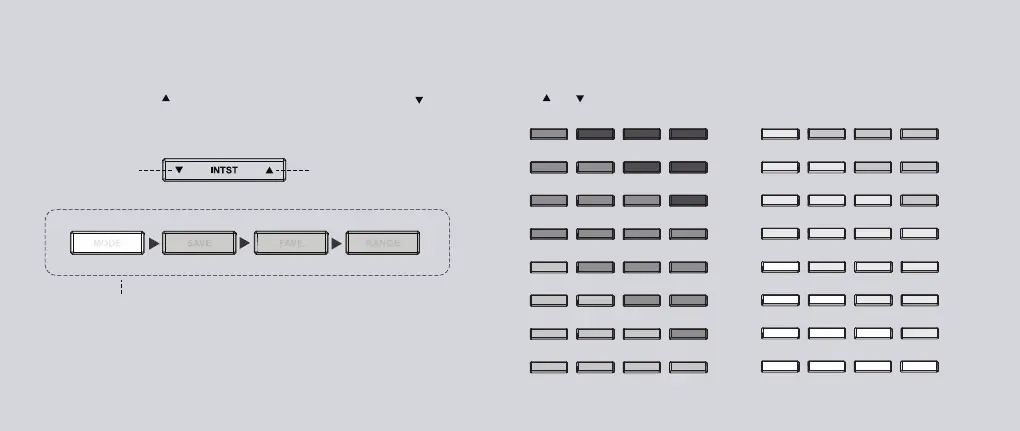
Press ( ) or ( ) to select one of 16 incremental configuration levels.
1
2
3
4
5
6
7
8
9
10
11
12
13
14
15
16
Increase
the intensity
Decrease
the intensity
Adjust the light intensity (brightness) of the Studio’s lighting system.
Press the right side ( ) to increase the intensity, press the left side ( ) to
decrease the intensity.
Configuration Interface
INTST and TEMP button actions will temporarily enter the configuration
interface, and the four short buttons listed above will be temporarily disabled.
Wait 2 seconds without any button action or press any of these four buttons
to return to the general interface mode and interactive button functions.
Adjust the Light Intensity


 To Next Page