HF2211S_EW1X_PW1X Operation Guide
http://www.hi-flying.com/ - 13 -
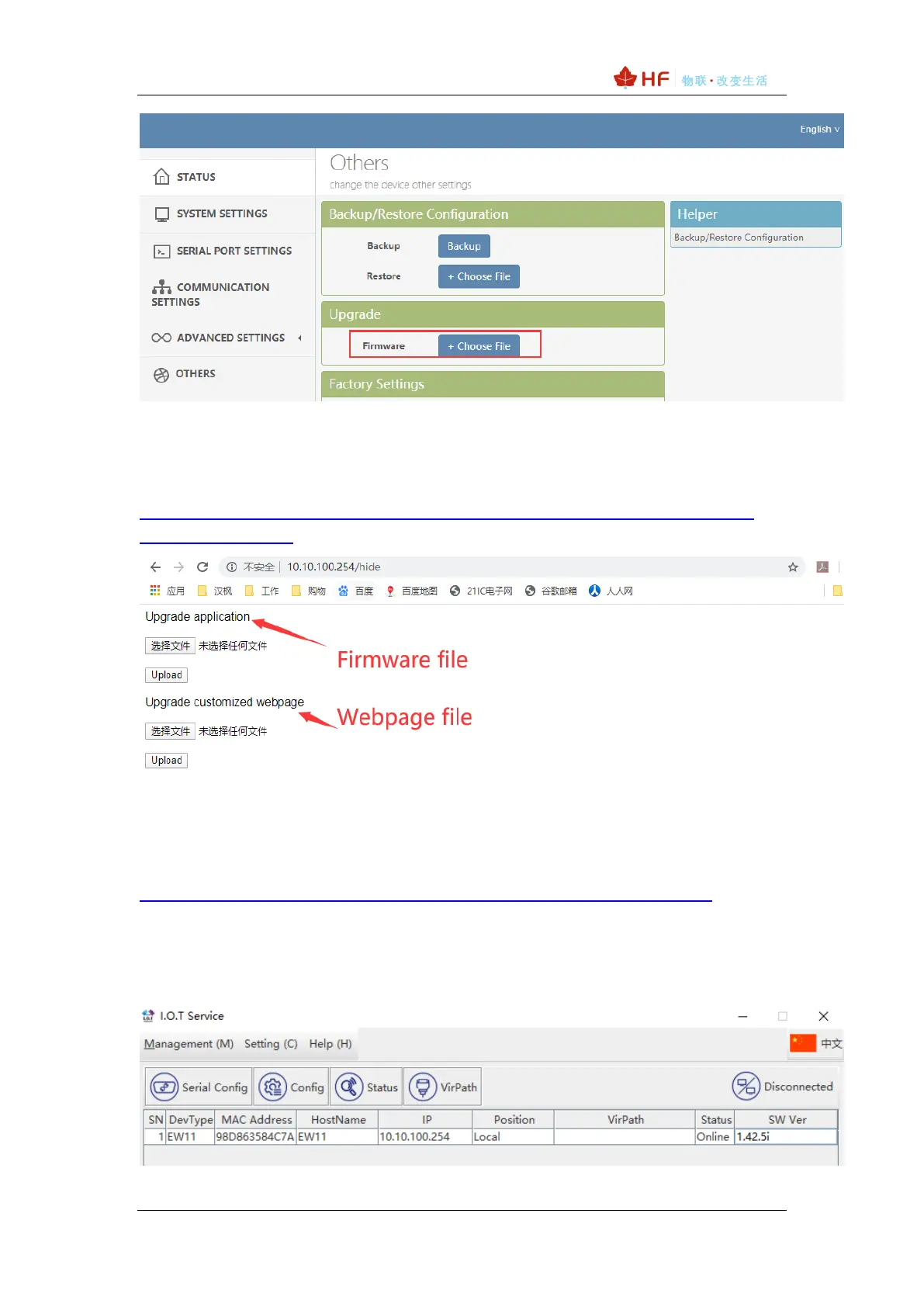
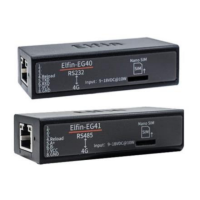
There is another internal webpage for upgrade the firmware and webpage (external config
webpage as above, this source code is open at our website for customer to chagne). Login
with IP/hide.
Webpage source file:
http://www.hi-flying.com/download-center-1/application-notes-1/download-item-iot-device-
webpage-source-code
3.2. IOTService Set
IOTService is simple to manage the products, config and even communicate with it.
Download address:
http://www.hi-flying.com/download-center-1/applications-1/download-item-iotservice
Install IOTService and register account in the IOTBridge cloud(http://bridge.iotworkshop.com/)
according to that tools doc.
PC connect to products AP(Same as previous chapter), and open tools, The device will be
shown in IOTService.
Note: See IOTService doc for more detailed usage, here just simply use it.



 To Next Page