HF2211S_EW1X_PW1X Operation Guide
http://www.hi-flying.com/ - 19 -
5. TEST EXAMPLE
Elfin-EW1X use TCP/IP protocol for communication. There is two main parameters one for
IP address and another for port number.
5.1. AP Wireless Networking
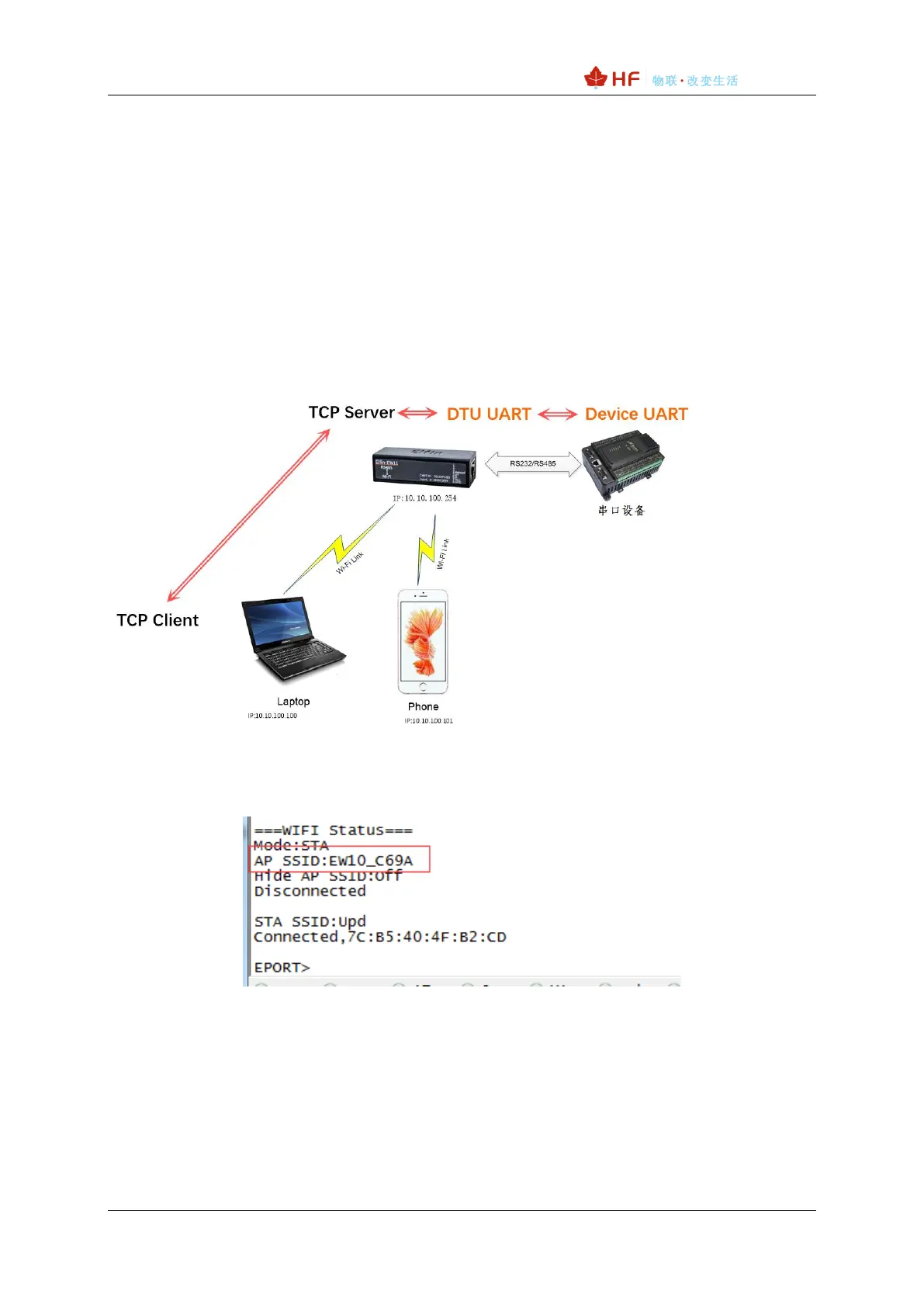
Product works in AP mode. All other STA devices connect to product AP. (Product AP does
not support route function, so the STA can not transfer data to each other) The structure
is t shown as below:
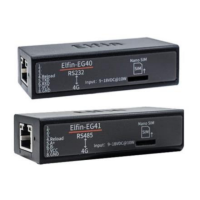
Step 1:The product default AP SSID is “EW1X_+MAC(last 4 characters)”. It can also
search by cli “Show” command. Figure is as below:
Step 2:Set PC IP to DHCP or static IP with (10.10.100.XXX, subnet:255.255.2550.0,
gateway:10.10.100.254), PC connect to product AP as following picture.



 To Next Page