HF2211S_EW1X_PW1X Operation Guide
http://www.hi-flying.com/ - 22 -
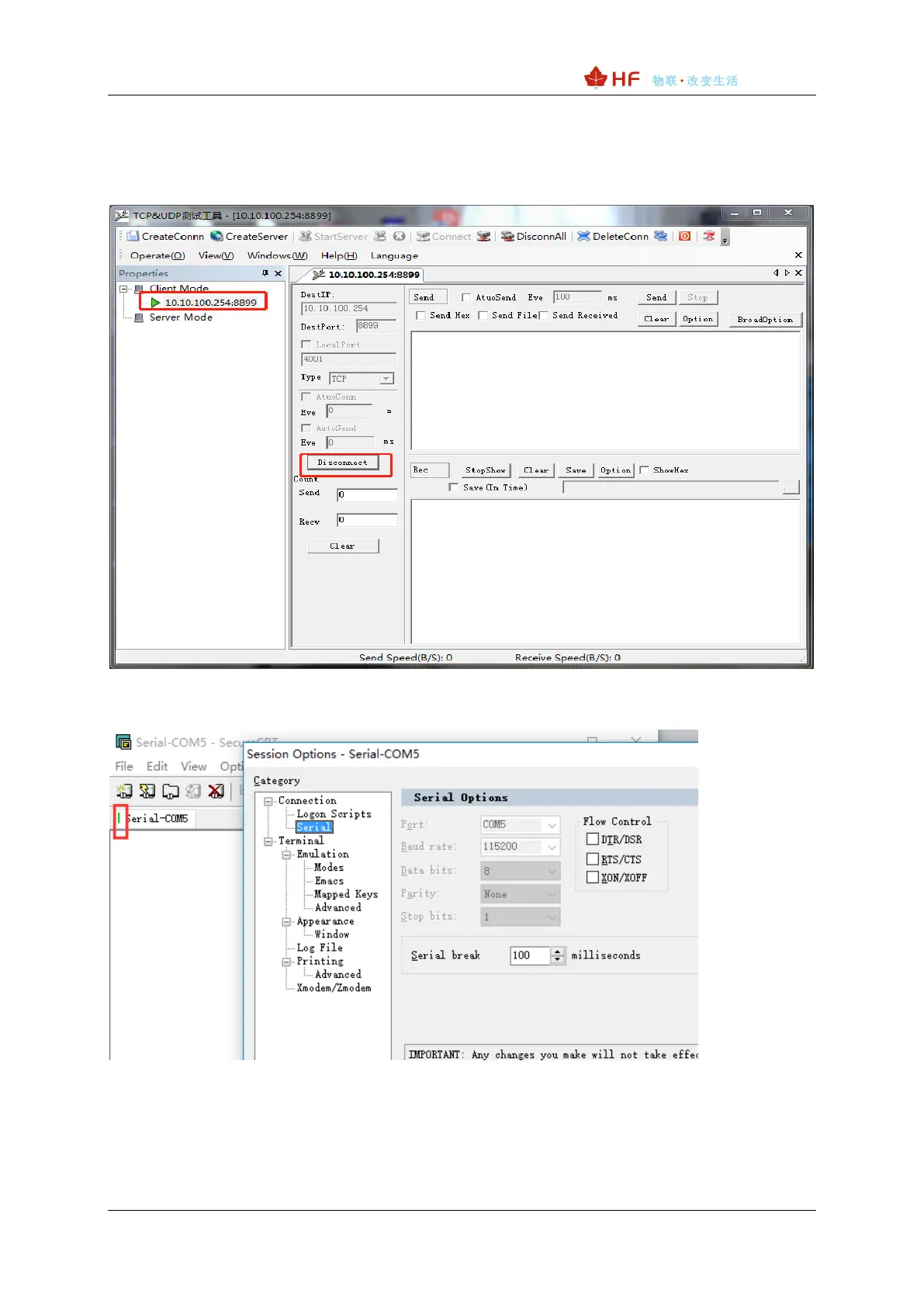
Step 2:Click Connection to generate TCP connection
◼ After successful connection, the left turns to be green arrow, yellow if fails.
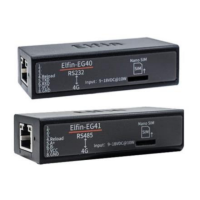
Step 3:Open serial tool according to following parameters (115200 baud rates as default)
Step 4:Data transmission between TCP and UART is as following.



 To Next Page