11
3 Main menu setup guide
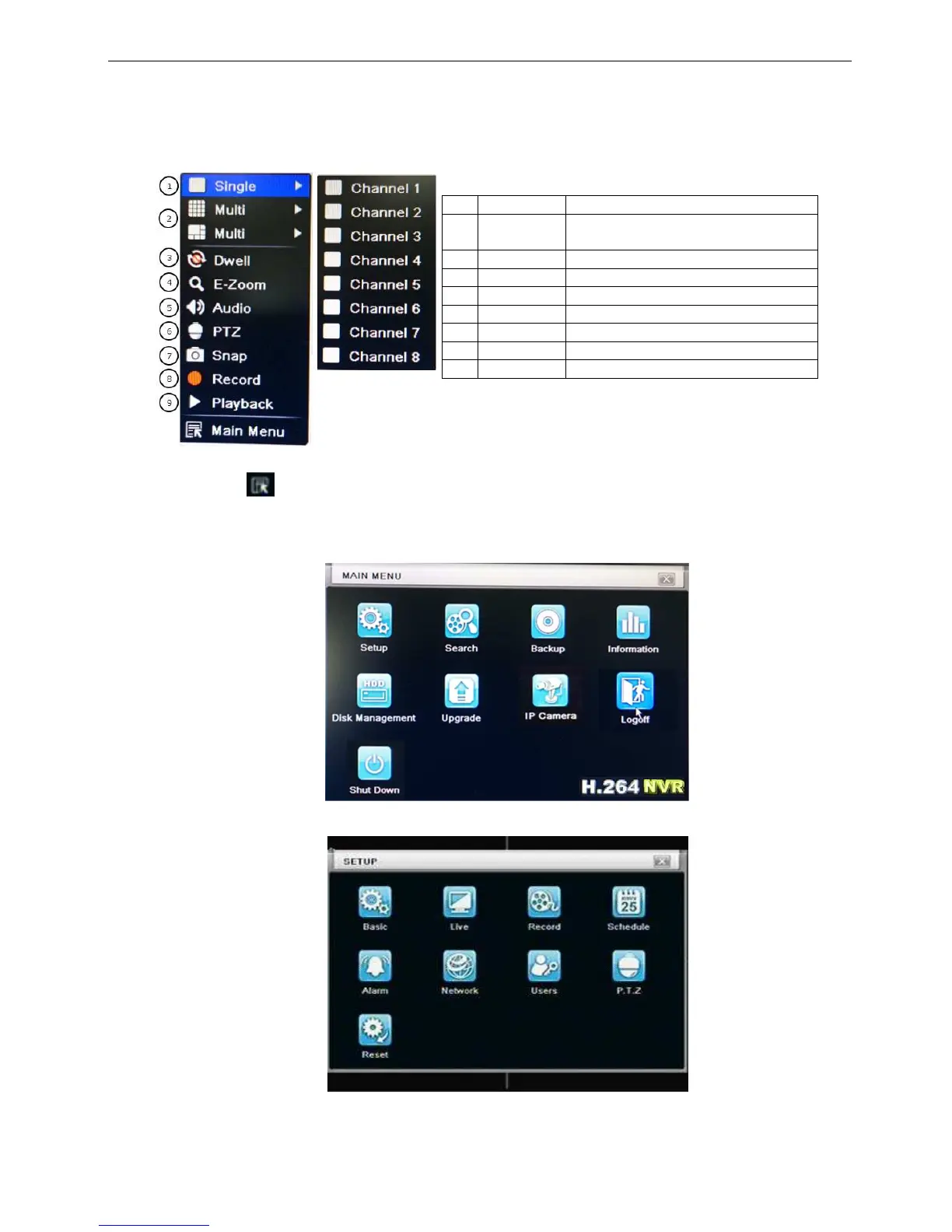
Click right mouse or press ESC button on the front panel, the control bar will display on the screen, refer to
Fig 3-1:
1 Single Full channel
2 Multi 4ch:1/5, 8ch:1/4/9/12,
16ch:1/4/9/16/25
3 E-Zoom Live/playback digital zoomx2
4 Audio Audio channel setup and volume
5 PTZ Into PTZ control mode
6 Record Manual record
7 Playback Playback the nearest file
8 Main Menu
Into main OSD
9 Dwell Channel sequence
Fig. 3-1 main menu toolbar
Click Menu button, the interface will pop-up as Fig. 3-2; press MENU button on the front panel or
operate with remote controller also can display the main menu.
Main OSD
Fig. 3-2 system setup
Full channel switch, camera 1 ~ 5, camera 1 ~ 12, or camera 1~24



 To Next Page