3.1 Basic configuration
Basic configuration includes three sub menus: system、date& time and DST.
3.1.1 System
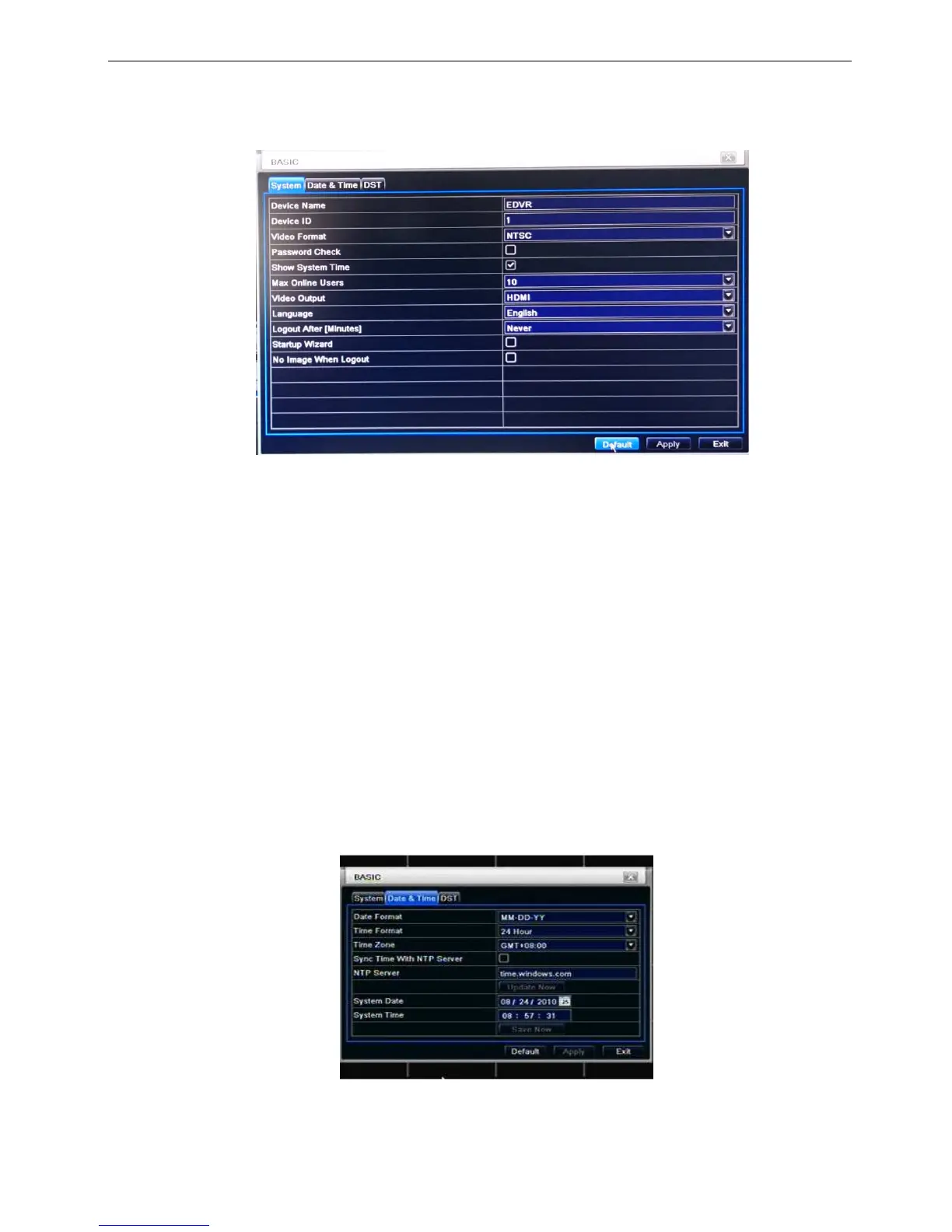
Step1: enter into system configurationbasic configurationsystem; refer to Fig 3-3:
Fig 3-3 basic configuration-basic
Step2: in this interface user can setup the device name, device ID, video format, max network users, VGA
resolution and language. The definitions for every parameters display as below:
Device name: the name of the device. It may display on the client end or CMS that help user to recognize
the device remotely.
Video format: two modes: PAL and NTSC. User can select the video format according to that of camera.
Password check: enable this option, user needs to input user name and password can do corresponding
operations with the relevant right in system configuration.
Show time: display time in live.
Max network uses: set the max user amount of network connection
Video Output: the resolution of live display interface, range from: VGA800*600 、 VGA1024*768 、
VGA1280*1024, and HDMI
Language: setup the menu language.
Logout after [Minutes]: defines time to logout the user from the OSD
Startup wizard: tick off this item, there will display an opening wizard with time zone and time setup
information
No Image when Logout: if this option is tick, when user logout, live picture will be hidden
Note: after changed the language and video output, the device needs to login again.
3.1.2 Time & date
Step1: enter into system configurationbasic configurationtime & date; refer to Fig 3-4:
Fig. 3-4 basic configuration-time & date
Step2: set the date format, time format, time zone in this interface; click off “sync time with NTP server” to refresh NTP server date; user
also can adjust system date manually
Step3: click “default” button to resort default setting; click “apply” button to save the setting; click “exit” button to exit current interface.



 To Next Page