Stream: this DVR supports master stream and sub stream. Master stream has higher frame rate, max 25FPS
(PAL)/30 FPS(NTSC)for every channel, but it needs higher network bandwidth simultaneously; second
stream has low frame rate, max 6FPS (PAL)/7FPS(NTSC) for every channel, it requires low network
bandwidth. Therefore, users can select the stream according to their bandwidth.
All to master/sub stream: set all channel to master stream or sub stream.
Enable audio: enable or disenable audio
Full screen: the live preview picture will display with full screen, the tool bar will be hided; double click left
mouse or click right mouse to return
Zoom in: Single channel large screen electronic amplification
Left click the channel which needs to amplify; Click the right mouse, select Zoom in button and then click the
left mouse to amplify the image. Press left mouse to drug the cursor, user can view the image. Double-click the
left mouse to exit. Click the right mouse to return to the main interface.
6.3 Remote playback & backup
6.3.1 Remote playback
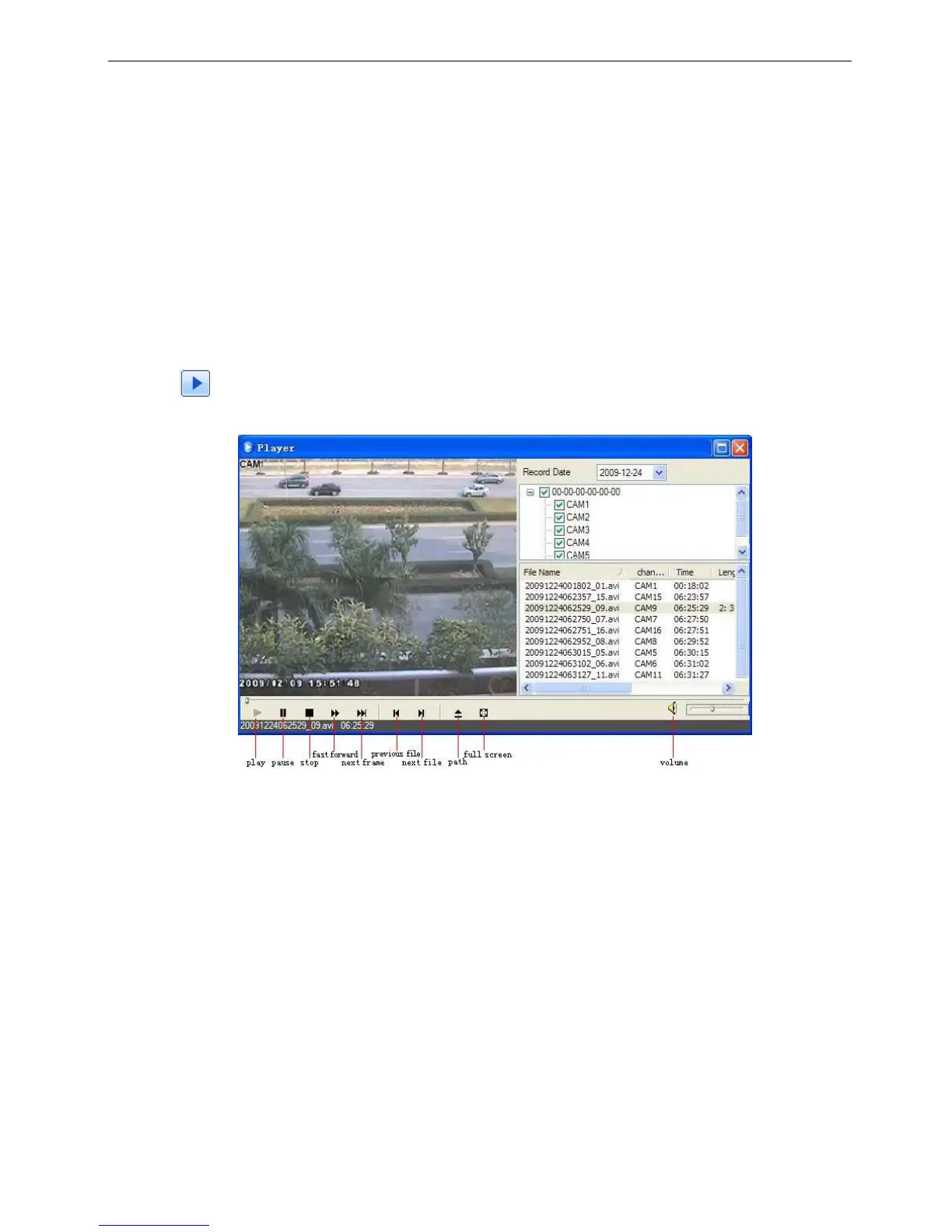
Click button to enter into record playback interface, refer to Fig 6-5:
Select the record date and channels; double-click the file name in the record file list box, user can play that file
and preview the picture.
Fig 6-5 Play record file interface



 To Next Page