6
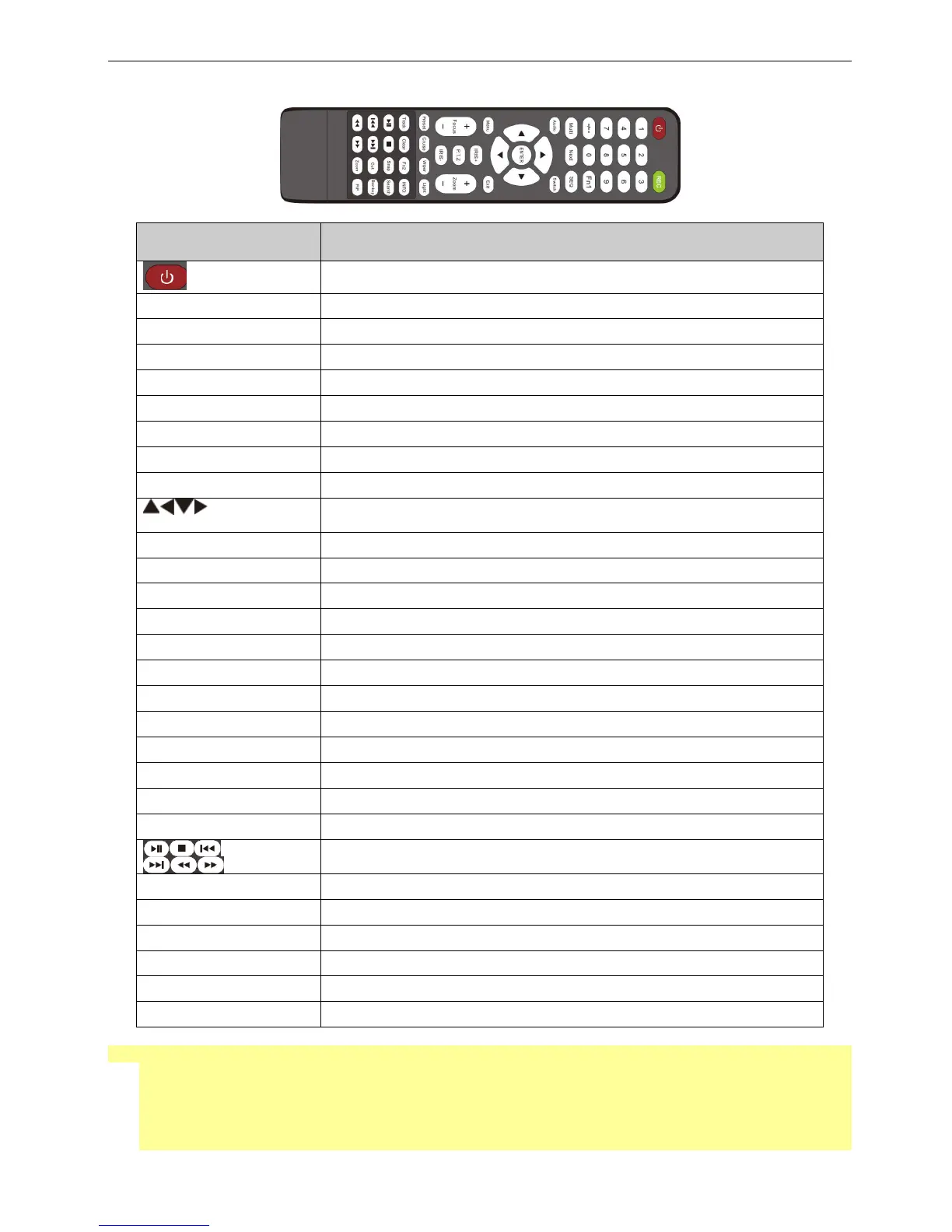
1.3 Remote control
◆ This remote control use AAA battery, the definition as following:
Remote Controller
Button Function
Power Button
Switch off—to stop DVR. Use it before turning off the power
Record Button To record manually
-/-- /0-9 Digital Button Input number or choose camera
Fn1 Button Unavailable temporarily
Multi Button To choose multi screen display mode
Next Button To switch the live image
SEQ To enter into auto dwell mode
Audio To enable audio output in live mode
Switch To switch the output between BNC and VGA
Direction button
To move cursor in setup or pan/title PTZ
Enter Button To confirm the choice or setup
Menu Button To enter into menu
Exit Button To exit the current interface
Focus/IRIS/Zoom/PTZ To control PTZ camera. Move camera /zoom /IRIS /Focus
Preset Button To enter into preset setting in PTZ mode
Cruise Button To enter into cruise setting in PTZ mode
Track Button To enter into track setting in PTZ mode
Wiper Button To enable wiper function in PTZ mode
Light Button To enable light function in PTZ mode
Clear Button To return to the previous interface
Fn2 Button Unavailable temporarily
Info Button Get information about DVR like firmware version, HDD information
Control playback. Play/Pause/Stop/Previous Section/Next
Section/Rewind/Fast Forward
Snap Button To take snapshots manually
Search Button To enter into search mode
Cut Button To set the start/end time for backup in playback mode
Backup Button To enter into backup mode
Zoom Button To zoom in the images
PIP Button To enter into picture in picture setting mode
◆ Switch Remote Control ID
Take remote control and point to DVR then continuously press “8”,”8”,”ID(0-65535)”,”Enter”.
*The ID must be the same on DVR.
*For example: If ID=1 , please take remote control and point to DVR then press 8,8,1,Enter.
(Press 8,8,1,Enter will enable the IR function, if you want to avoid other remote controller affect the
DVR, you can disable the IR function by press 8,8,2,Enter)



 To Next Page