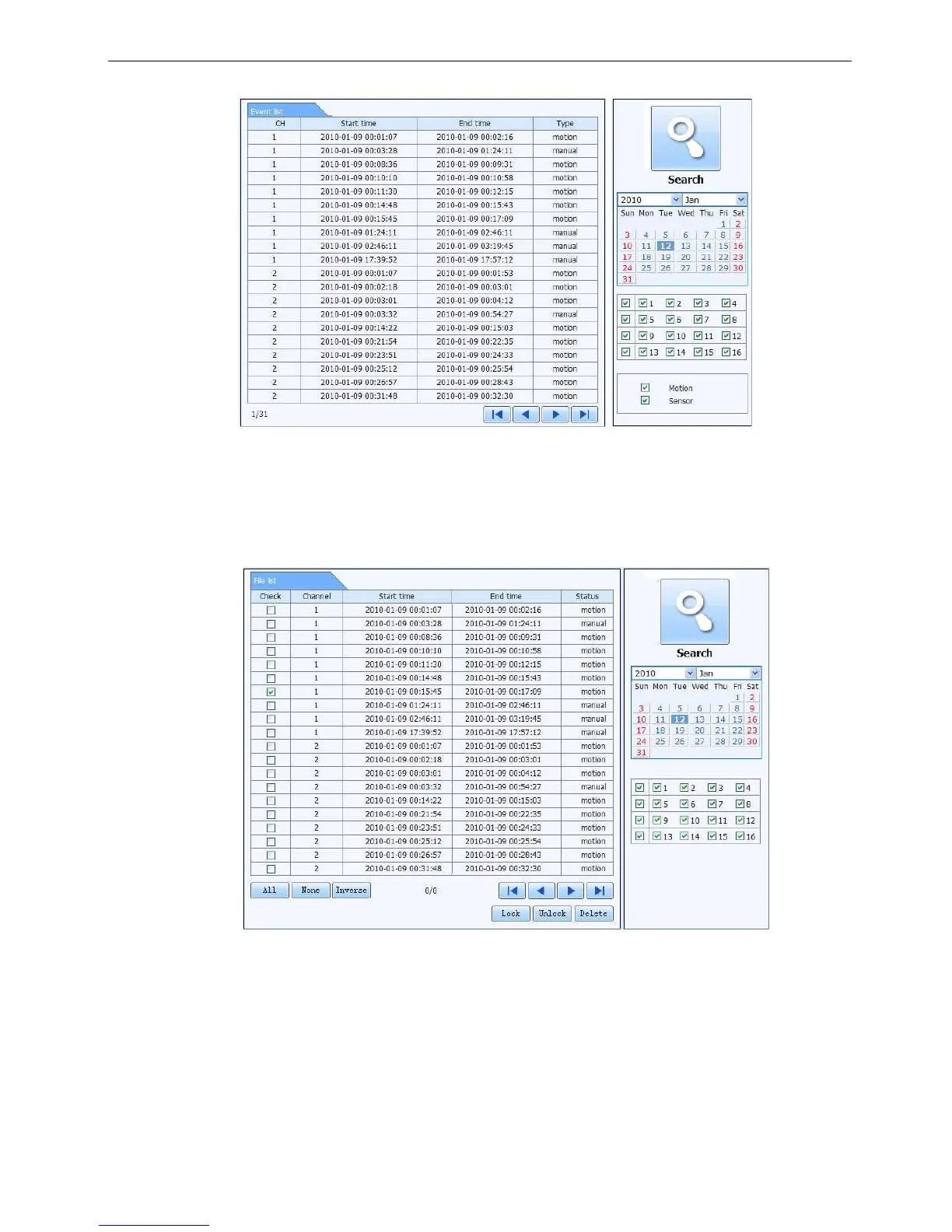
By Event Search:
Step1: Enter into Searchevent search; refer to Fig 6-8:
Fig 6-8 event search interface
Step2: click the highlight date and select record channels and then tick off the event type: motion and sensor,
click “search” button
Step3: the events will be display in the event list box, double-click certain item to playback
File Management
Step1: Enter into Searchfile management; refer to Fig 6-9:
Fig 6-9 file management interface
Lock: select certain file item in the file list box, click “Lock” button to lock this file that ca not be deleted or
overlaid
Unlock: select a locked file, click “unlock” button to unlock this file
Delete: select an unlock file, click “delete” button to delete this file from file list



 To Next Page