APPENDIX B_ DDNS setup procedure
(Take www.geekciti.com and autoddns as examples)
(1) www.geekciti.com set up description:
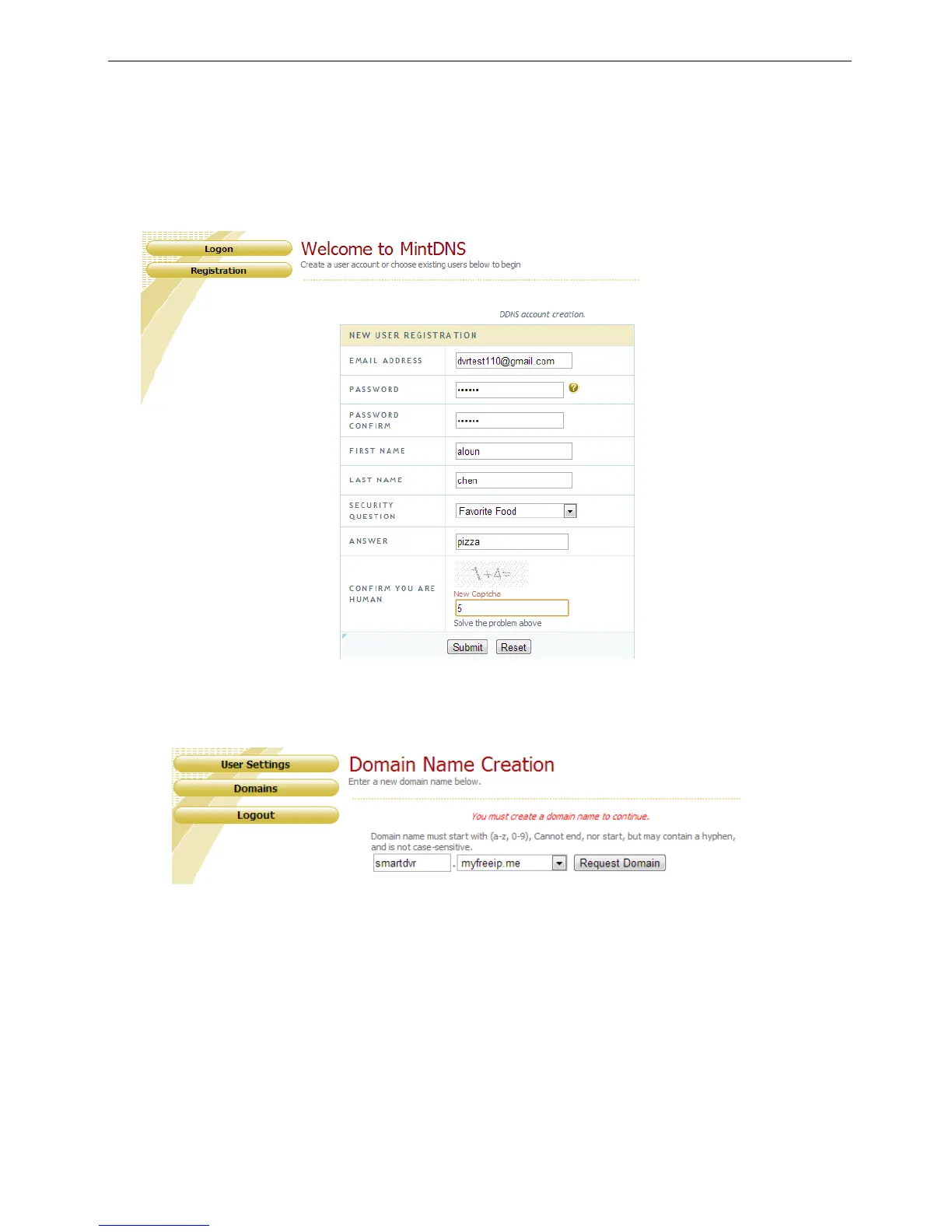
1. Visit www.geekciti.com and register new account by filling each line then press submit, you need to have
a valid email which will be use as username
2. Create a domain name as your convenience and choose the extension among the list available, then click
on REQUEST DOMAIN



 To Next Page