typing IP address in IE address blank .i.e. set HTTP port to 82, IP address: http://192.168.0.25, user needs to
input that address: http://192.168.0.25:82 into IE browser.
Server port: communication port
There are 3 different types to connect internet, please select an appropriate type to fit your network
environment.
1. STATIC (FIXED) IP: Input IP address, subnet mask, gateway and DNS server manually.
2. DHCP: Check the "Obtain IP address automatically", the device will acquire IP address, subnet mask,
gateway and DNS service.
3. PPPOE: input the user name and password from ISP provider.
No matter which type you use, please click “Test” before you click “Apply” to make the setting work.
Definitions and descriptions of network configuration:
The port number of accessing IE browser. The default
port is 80
The port number of data. The default port is 6036
The IP address of the server
The subnet mask of the server
The gateway of the server
The address of DNS server
User name of broad band dial-up
Password of broad band dial-up
Website provided by dynamic domain name supplier. The
optional: www.meibu.com,www.dyndns.com
User name for log in the website of domain name
supplier
Password for log in the website of domain name supplier
3.6.2 Network stream
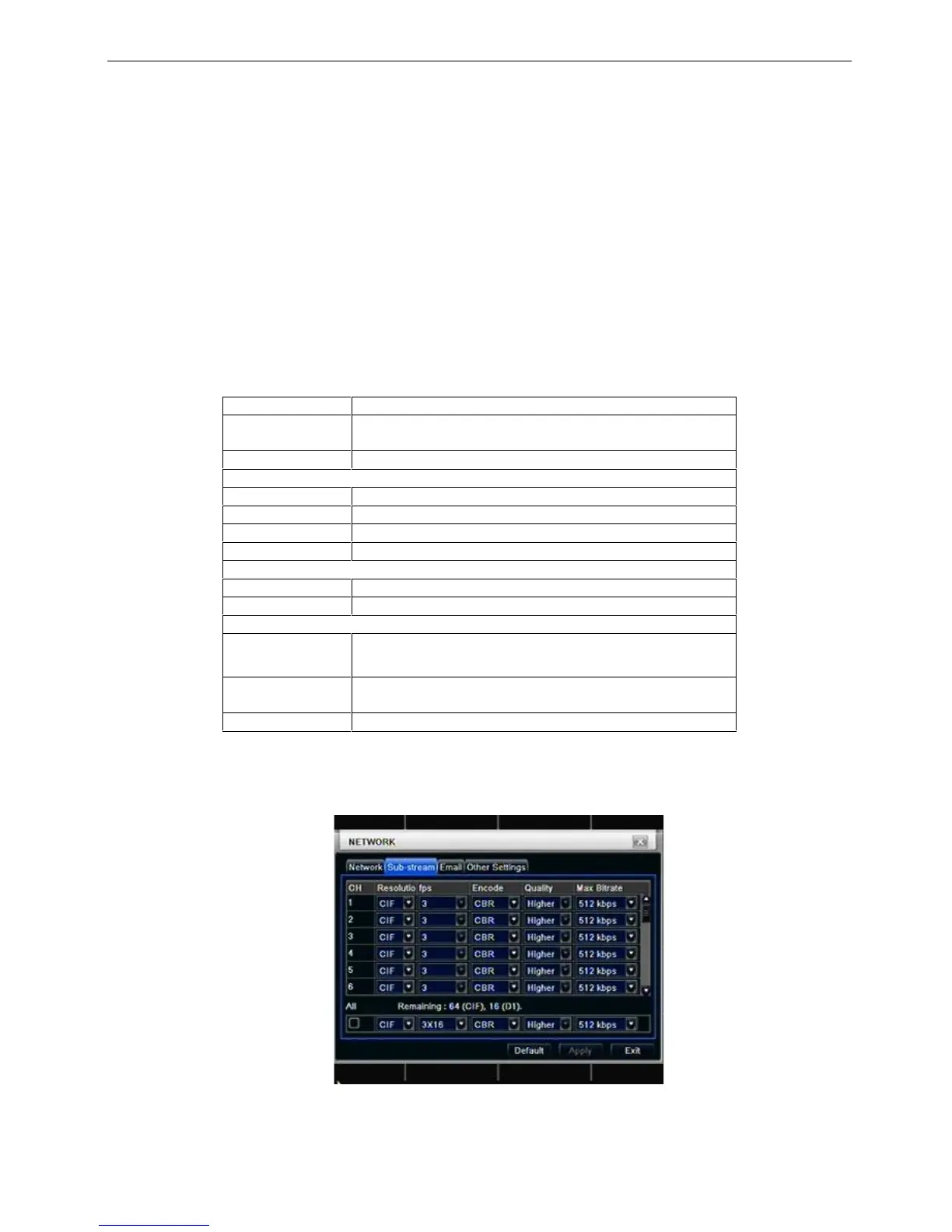
Step1: enter into system configurationnetwork configurationsub stream; refer to Fig 4-32:
16CH
Fig 4-32 network configuration-sub stream
Step2: select fps, resolution, quality, encode and max bit rate



 To Next Page