7 Mobile Surveillance
This DVR supports mobile surveillance on Iphone and android OS device, this section describes the
installation of the program via the Smartphone
7.1 Installation procedure on Iphone device
At present, the software only supports version of Iphone iOS 3.1.2 and above, if phone firmware lower than
this version please upgrade it. Below is the operation method for Iphone mobile clients:
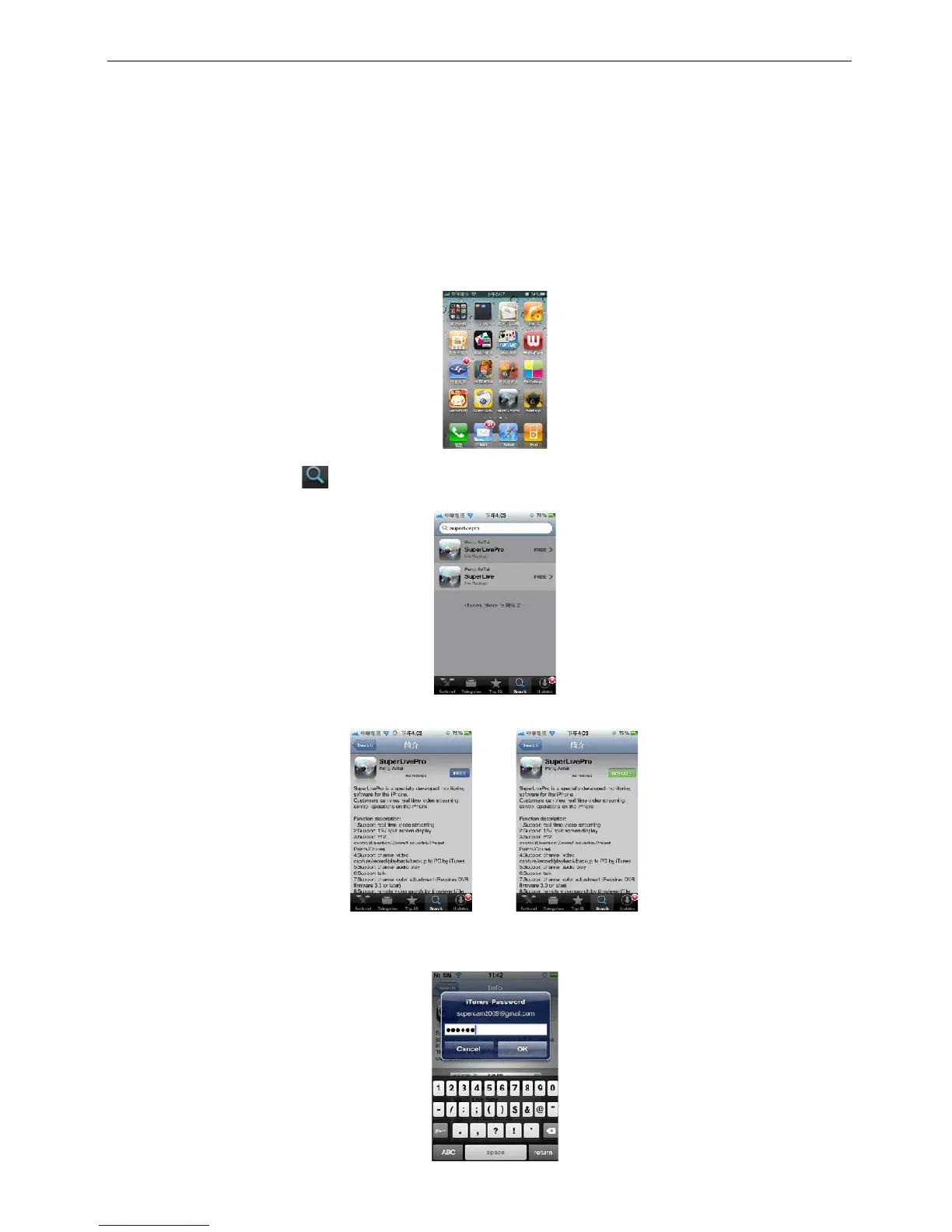
Step1:Enter into App Store function of Iphone
Step 2: Enable “search” function to search “SuperLivePro”, the required programs will be displayed on
the top of search box
Step 3: Click SuperLivePro, enter into “introduce” interface and click FREE”, it will change into “INSTALL”
Step 4: Enter into iTunes Store password, click “OK”will display below interface
Note: if it was the first time for user to operate please enter into user ID; if there is no Store account,
user need to apply one.



 To Next Page