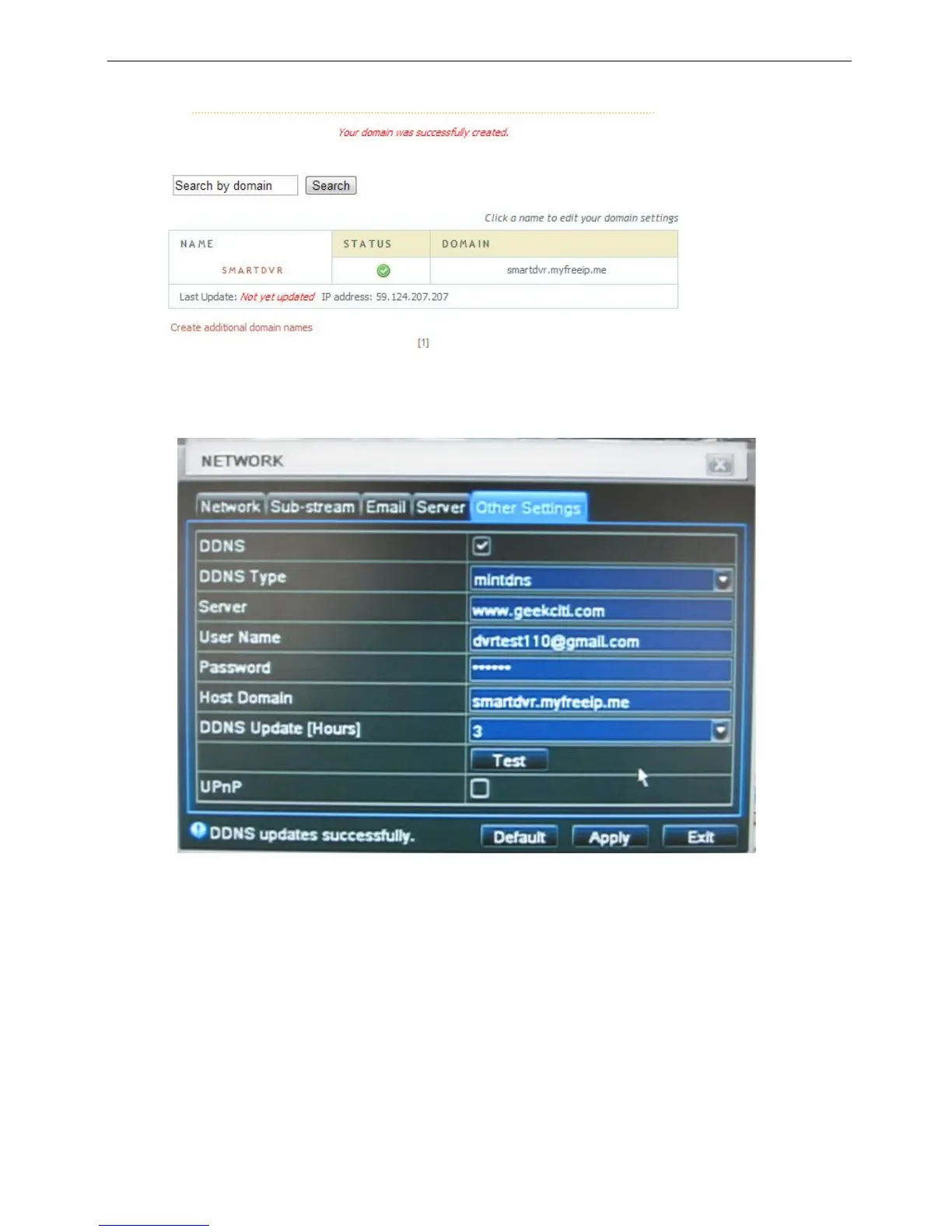
3. If the domain exists already you will have to choose another domain name, if not you will see the below
screen
4. Fill all setting on DVR then click “Test” to verify. Then click “Apply” to Finish DVR network setting. (Menu->
Network -> Other Settings)
DDNS: enabled
DDNS Type: mintdns
Server www.geekciti.com
User Name: dvrtest110@gmail.com (your account on www.geekciti.com website, as step 1)
Password: xxxxxx (your account password on www.geekciti.com website, as step 1)
Host Domain: smartdvr.myfreeip.me (you create on www.geekciti.com website, as step 2)
Update Interval [M]: 3 (a time period to sync with www.geekciti.com service)
(3 means 3 hours)
Press TEST button, if it’s ok you will see DDNS updates successfully message
5. You could also visit GEEKCITI website to check if the setting works.



 To Next Page