epoch. The collected static measurement data is stored in static/gnss files. Static data files
need to be downloaded to the computer and processed with static post-proceed software.
2.3.1 Steps of Static Survey
1. Set up receiver on a control point, centering and leveling strictly.
2. Measure the height of receiver for three times, on condition that the difference of each
measuring is less than 3 mm and the final height of the receiver should be the average
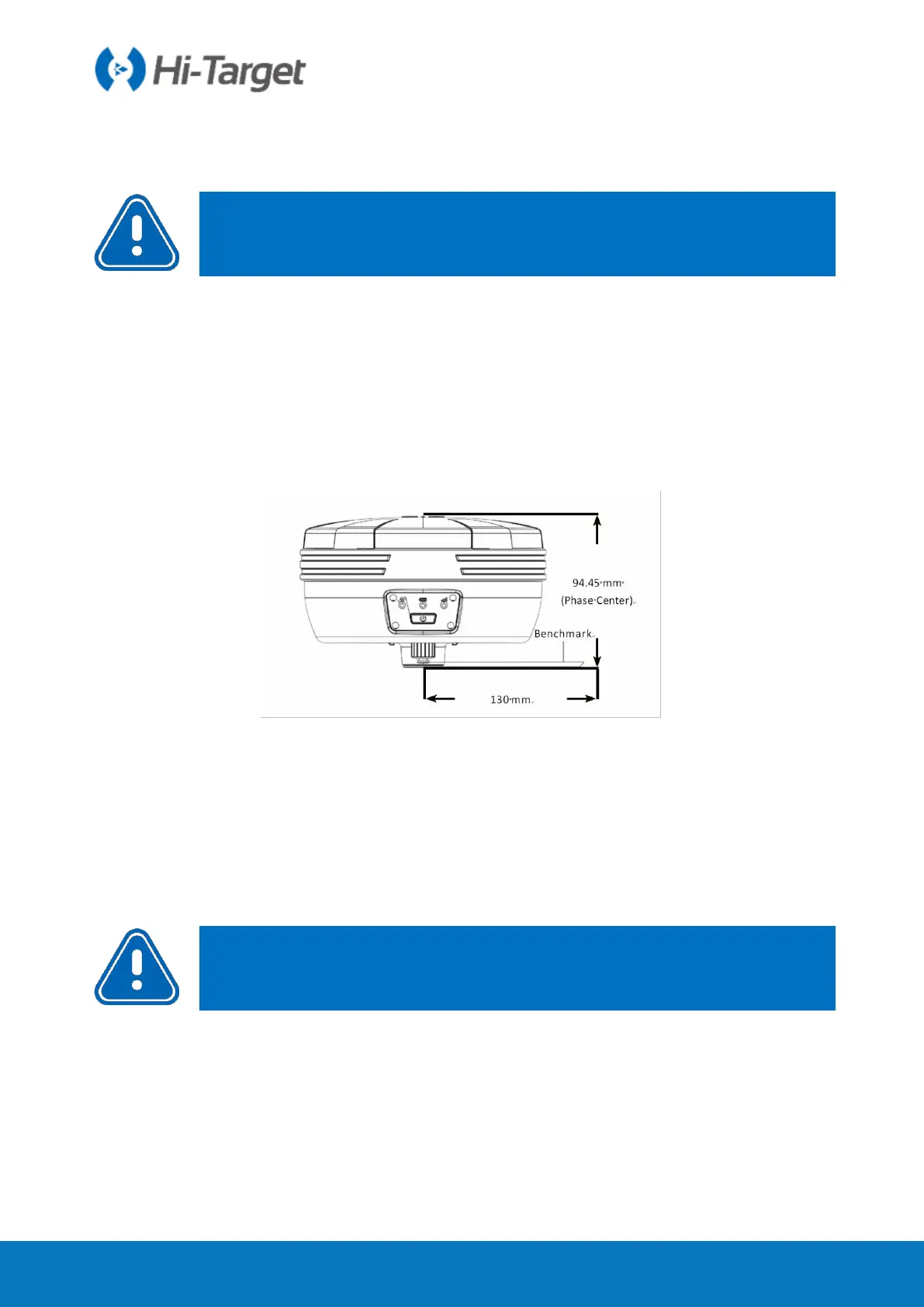
height. Instrument height should be measured from control point to the upper of
measurement bench marker. The radius of the V30 Plus receiver benchmark is 0.130 m,
and the phase center is 0.1018 m high.
Figure 2-3-1 Benchmark Sketch
3. Record point name, receiver S/N, receiver height, beginning time.
4. Press power button to power on and double click power button to set static collecting
mode; then single click power button to confirm it.
5. After the measurement is completed, turn off the machine and record the shutdown time.
6.Download and process data.
2.3.2 Static Data Storage
The collected GNSS static data is stored in the static drive letter in the 8 GB storage of the
V30 Plus receiver (effective storage space is about 6.6 GB). There are three folders: log,
gnss and rinex. The log folder stores log information. The data format stored in the gnss
folder is *.gns; The data format stored in the rinex folder is a standard RINEX format data
file. You can connect to your computer using a randomly configured USB cable and use
the USB disk to copy static data to your computer.



 To Next Page