21 - 60
3.6 HOUR BAND MENU
This menu is only accessible if the unit is set in time slots and is used for programming of the slots that manage stand-by, humidity
and temperature.
It is of fundamental importance to set the current time and date, go to page 7 of the user menu
(more information in the previous paragraphs).
Default values are:
- Unit always turned on (24h/day and 7days/week)
- desired humidity always at 60% (24h/day and 7days/week)
- desired temperature set daily:
o 28°C from 08:00 to 20:00
o 25°C from 20:00 to 08:00
You can set different parameters for each hour of the day and for each day of the week.
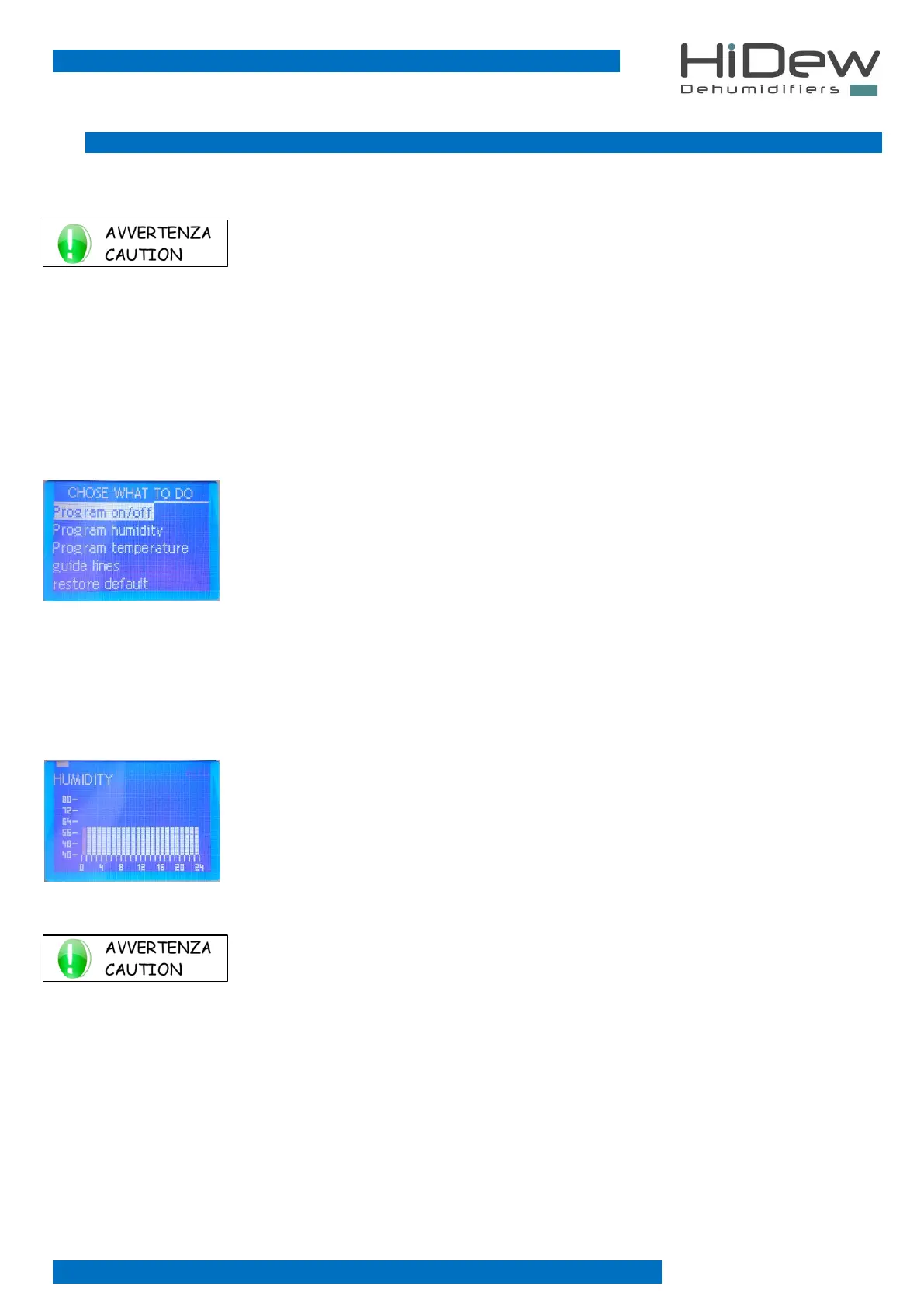
To the left the page that is used to choose what to do
- press EXIT to exit and to return to the main page
- press UP and DOWN to select what to do
- press OK to confirm the choice and to access the page indicated below
The temperature program is only present if the hot water coil option with valve or the electric resistance option has been purchased.
3.6.1 Program on - humidity program - temperature program
Selecting a program accesses the programming page; below is the humidity programming
- once entered, the first bar will flash, from 00.00 to 01.00 and the value set in the upper right
will flash
- in the upper left part, you find the rectangle indicating the day you are programming
- below the day-rectangle, you find the topic you are programming: “HUMIDITY”
- in the lower part, there is the bar indicating the 24 hours
- on the left you find the bar indicating the desired humidity you can set
USE OF KEYS:
- pressing OK you change the time to program
- pressing MENU, you change the day to program
- pressing UP and DOWN you modify the programming of the flashing hour
- the EXIT key is used to return to the previous page
- keeping pressed OK and MENU, you copy the program of the active day to the following day



 To Next Page