18 - 60
Now let's see in detail the various pages of the user menu:
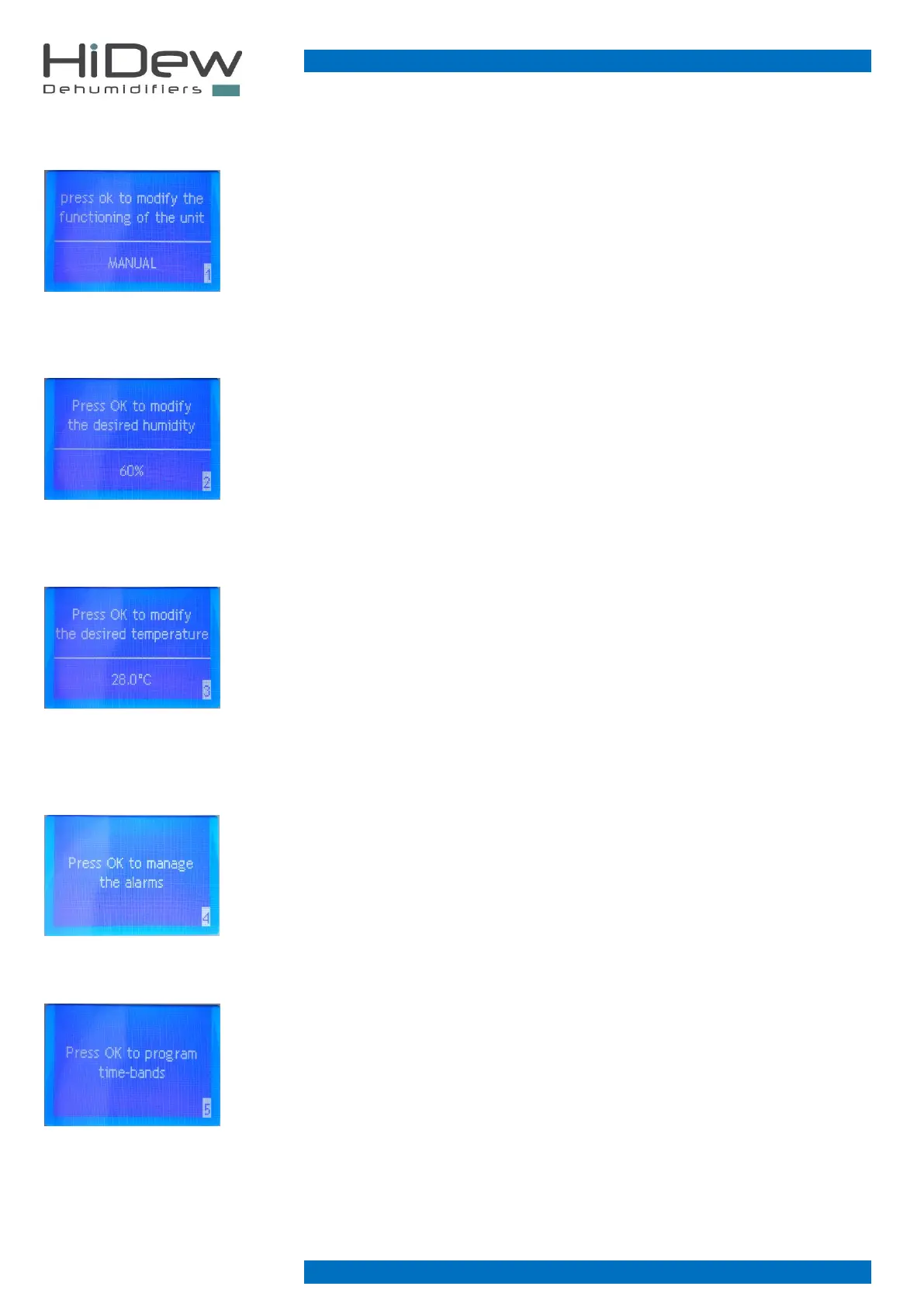
On the left page 1 of the user menu is used to set the operation of the unit: MANUAL or TIME
SLOTS
(the page does not appear if: the unit is controlled by a Modbus serial)
- press OK to enter the modification phase, press UP and DOWN to modify and press OK to
confirm and to exit from the modification phase
- press EXIT to exit and to return to the main page
- use the DOWN key to continue on the next page
On the left, page 2 of the user menu, it is used to set the desired humidity
(the page does not appear if: the unit is controlled by a Modbus serial or if it is set in time slots)
- press OK to enter the modification phase, press UP and DOWN to modify and press OK to
confirm and to exit from the modification phase
- press EXIT to exit and to return to the main page
- use the UP key to return to the previous page
- use the DOWN key to continue on the next page
On the left, page 3 of the user menu is used to set the desired temperature
(the page does not appear if: the unit is controlled by a Modbus serial or if it is set in time slots or
if there are no heating options)
- press OK to enter the modification phase, press UP and DOWN to modify and press OK to
confirm and to exit from the modification phase
- press EXIT to exit and to return to the main page
- use the UP key to return to the previous page
- use the DOWN key to continue on the next page
On the left page 4 of the user menu is used to manage the alarms present
(the page appears if: there are alarms)
- press OK to enter the alarm menu
- press EXIT to exit and to return to the main page
- use the UP key to return to the previous page
- use the DOWN key to continue on the next page
On the left page 5 of the user menu is used to program the time slots
(the page does not appear if: the unit is controlled by a Modbus serial or if it is set in manual)
- press OK to enter the time-bands menu
- press EXIT to exit and to return to the main page
- use the UP key to return to the previous page
- use the DOWN key to continue on the next page



 To Next Page