45 - 60
7.5.1 Flow rate calibration for unit with electronic fan
Calibration of the recirculation fan is only necessary if when channelling of the air flow into the
environment, the nominal flow rate is reduced, and it is necessary to increase the fan speed to
compensate for the load losses. For the calibration of the unit a channel anemometer (hot-wire air
flow meter for use in the channels) is required.
If a flow rate is measured that is either 10% higher or lower that the nominal rate indicated in the technical data table, the speed must
be modified from the on-board user terminal. This function is essential to ensure the unit works correctly.
The nominal flow rates to be reached for the various units are the following:
Place on the display; enter the main screen by pressing EXIT (more times, if necessary) or pressing ON/OFF if the unit is turned off.
During modification phase (highlighted parameters), the program will wait for the confirmation
without exiting.
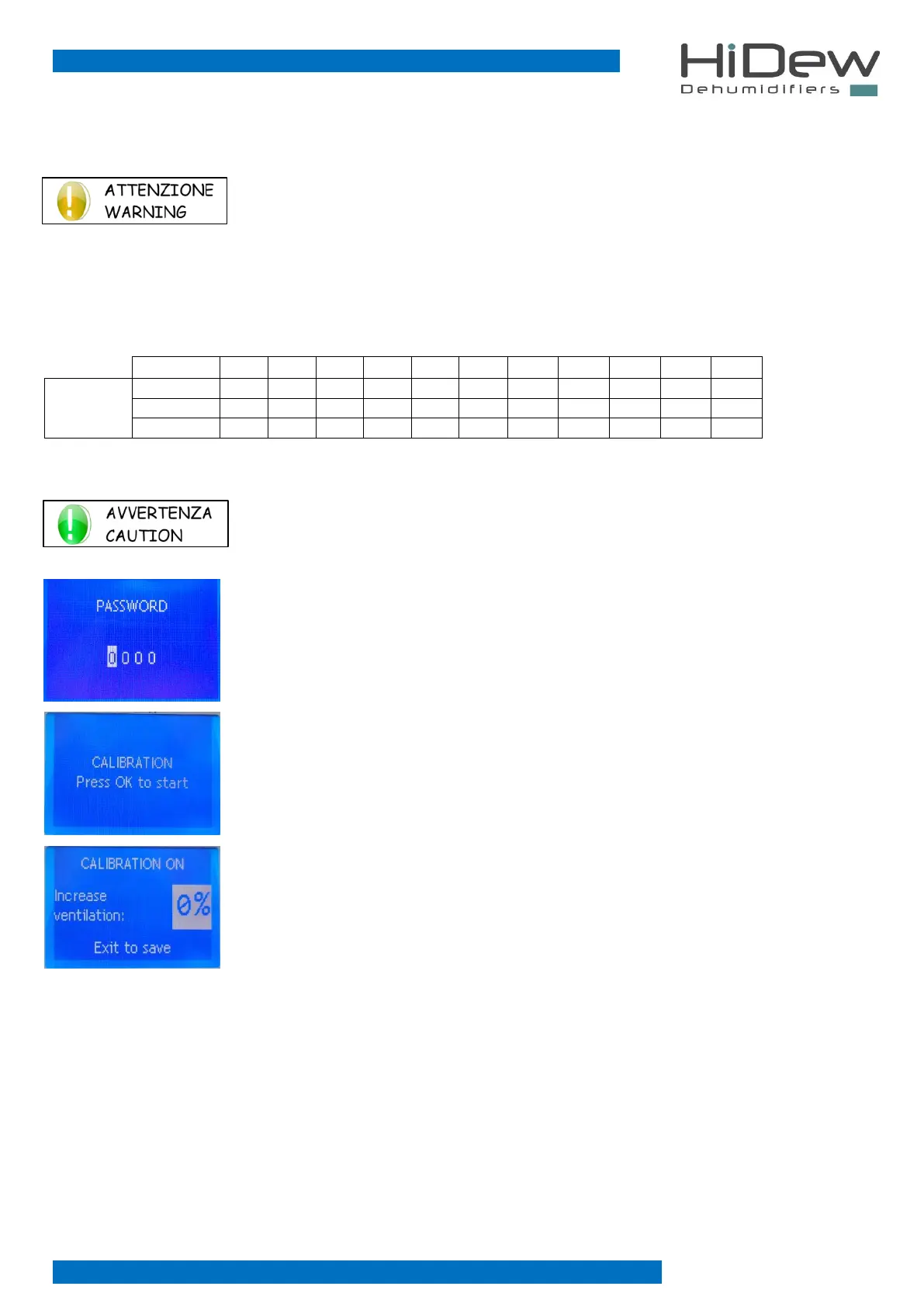
Press at the same time the keys on the right side UP, DOWN and OK.
The screen on the left will appear. This screen is requiring you the password.
Insert 0099 and press OK to confirm.
Press OK to start the calibration.
We are now in the calibration menu as shown in the image to the left.
On the right it is possible to increase the speed of the recirculation fan for all those installations
where the flow is ducted and therefore the load losses increase.
Then proceed to measure with the anemometer and check that the flow rate reached is the nominal
one. If this is not the case, increase the value until reaching of the nominal flow rate.
default: 0%
Once the nominal flow is reached, press the EXIT button a few times to return to the main screen.



 To Next Page