4-6
ATA RAID Software
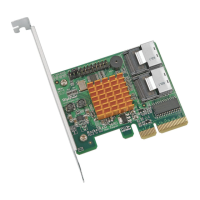
Click OK to connect to the selected system, and Cancel to cancel this operation.
Note: You can only connect to one remote system at a time. Be sure to close the
previous connection before attempting to connect to another system.
##
##
# Disconnecting a Remote System
To disconnect from a remote system, click on the Disconnect button on the toolbar, or
click on the Operation tab, and select the Disconnect option. A new window will be
displayed. See the image below:
Click OK to disconnect from the remote system, or Cancel to cancel this operation.
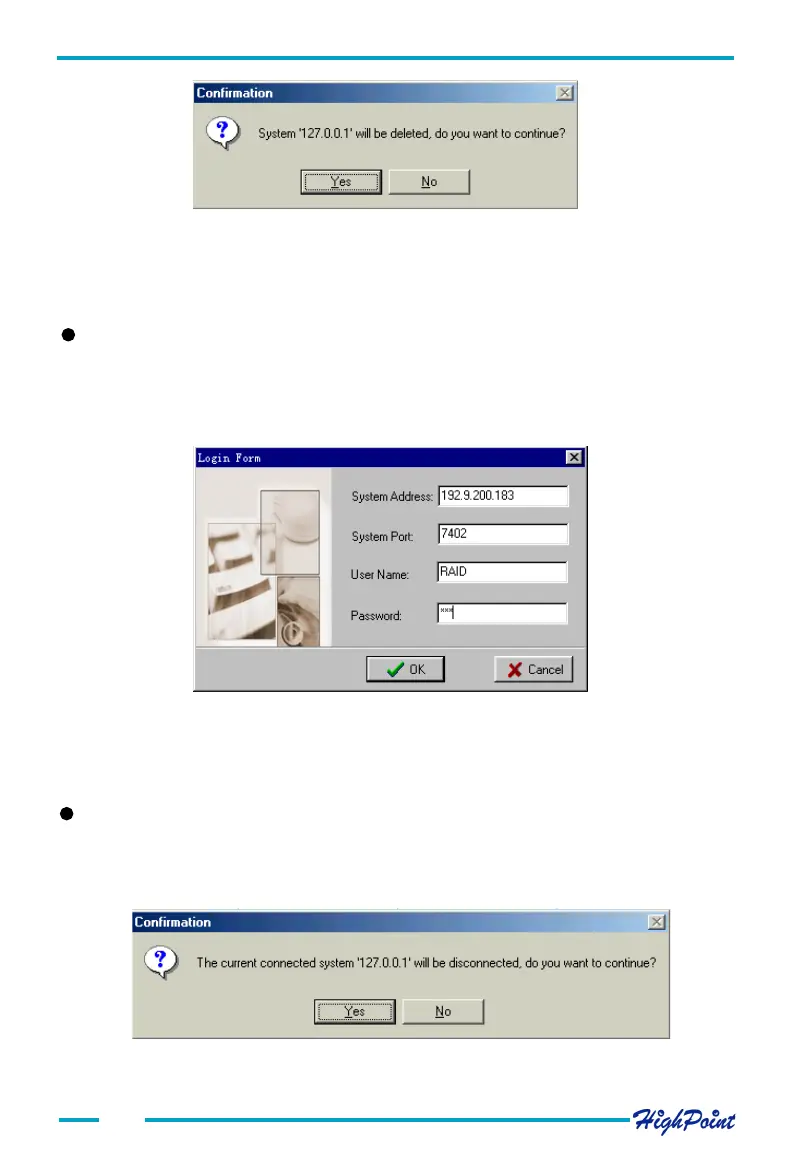
Click on Y to delete the connection, or N to cancel this operation.
Note: Make sure the connection is not active - it must be disconnected before it can be
deleted from the connection list.
##
##
# Connect to a Remote System
Click the Connect button on the tool bar, or click on the Operation tab and select the
Connect item from the menu. You can also double-click the desired connection from
the connection list to start this procedure. A new window will be displayed. See the
image below:




 To Next Page