4-7
ATA RAID Software
3. User Management
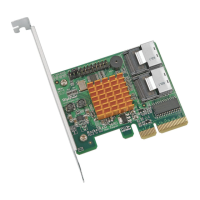
Click on the File tab, and select User Management from the menu. This will open a new
window. See the image below:
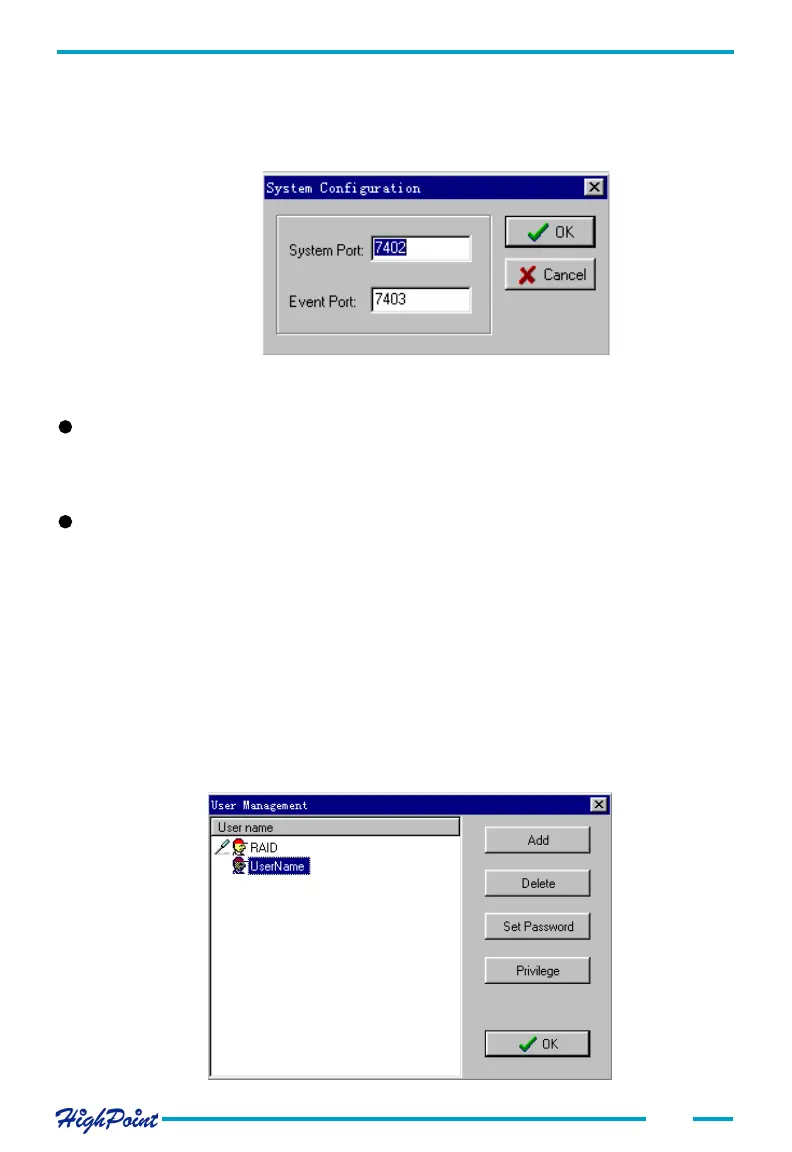
You can modify the values of the System Port and Event Port fields.
##
##
# System Port
When connecting to the remote system, make sure the port value is correct. The
default value is 7402 - this may have to be changed.
##
##
# Event Port
The Management Console software retrieves event information through this port. The
default value is 7403 - make sure this value is not the same value used for the System
Port.
After setting the system configuration, you should close and restart the RAID soft-
ware - this will ensure that the changes made will take effect.
2. Remote Server Configuration
Click on the File tab, and select the System Configuration option from the menu. A
new window will be displayed. See the image below:




 To Next Page