4-10
ATA RAID Software
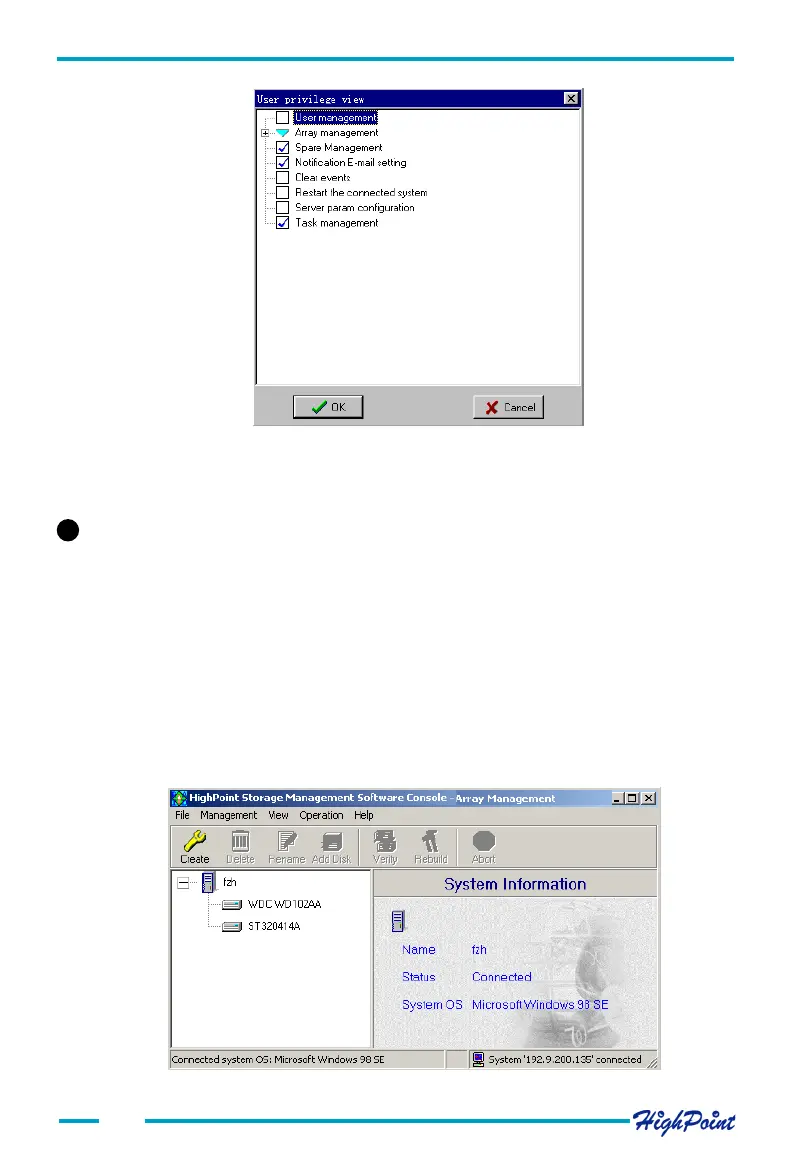
Make the appropriate changes and click the OK button to confirm. Click on the Cancel
button to cancel this operation.
# #
# #
# The Management tab
The HighPoint Storage management Console software provides a variety of RAID
management features. These features are listed under the RAID Management menu
displayed under the main interface window. Sub-menus display additional information
about RAID configurations, and make management an simple task.
1. Array Management
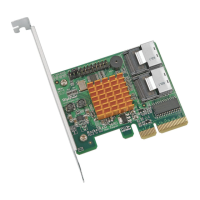
Click on the Management tab, and select the Array Management option. This will
open a new window, which will display all of the logical drives attached to the RAID
controller. The logical drives are grouped according to physical disk. See the image
below:




 To Next Page