10
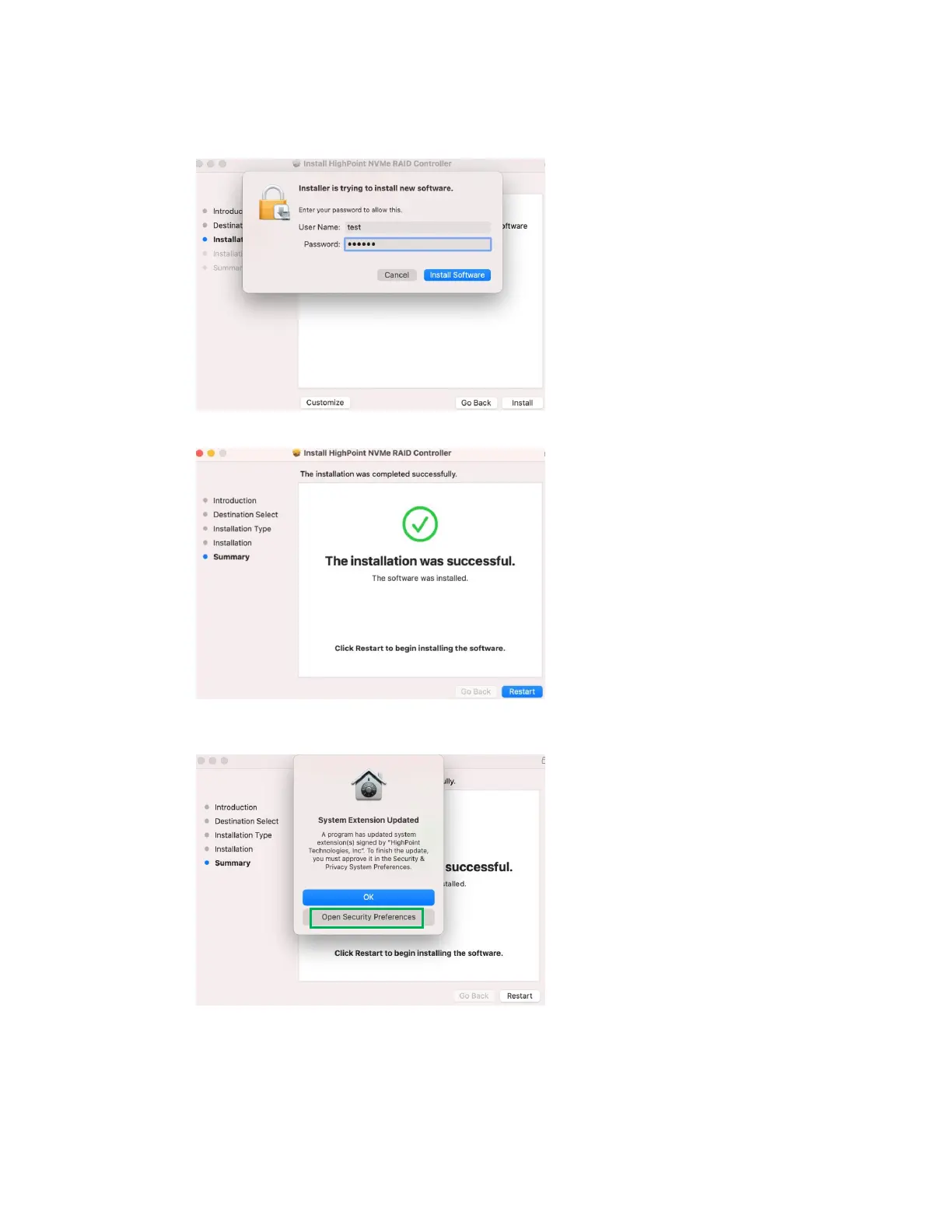
3) You will be prompted that installer is trying to install new software, enter the Administrator
Username and Password. Once these have been entered, Click Install Software.
4) If no pop-ups appear, please proceed to the next step of installation. Click Restart.
5) If you receive a popup window prompting you for permission, click Open Security
Preferences.















 To Next Page