23
Verifying Product Installation
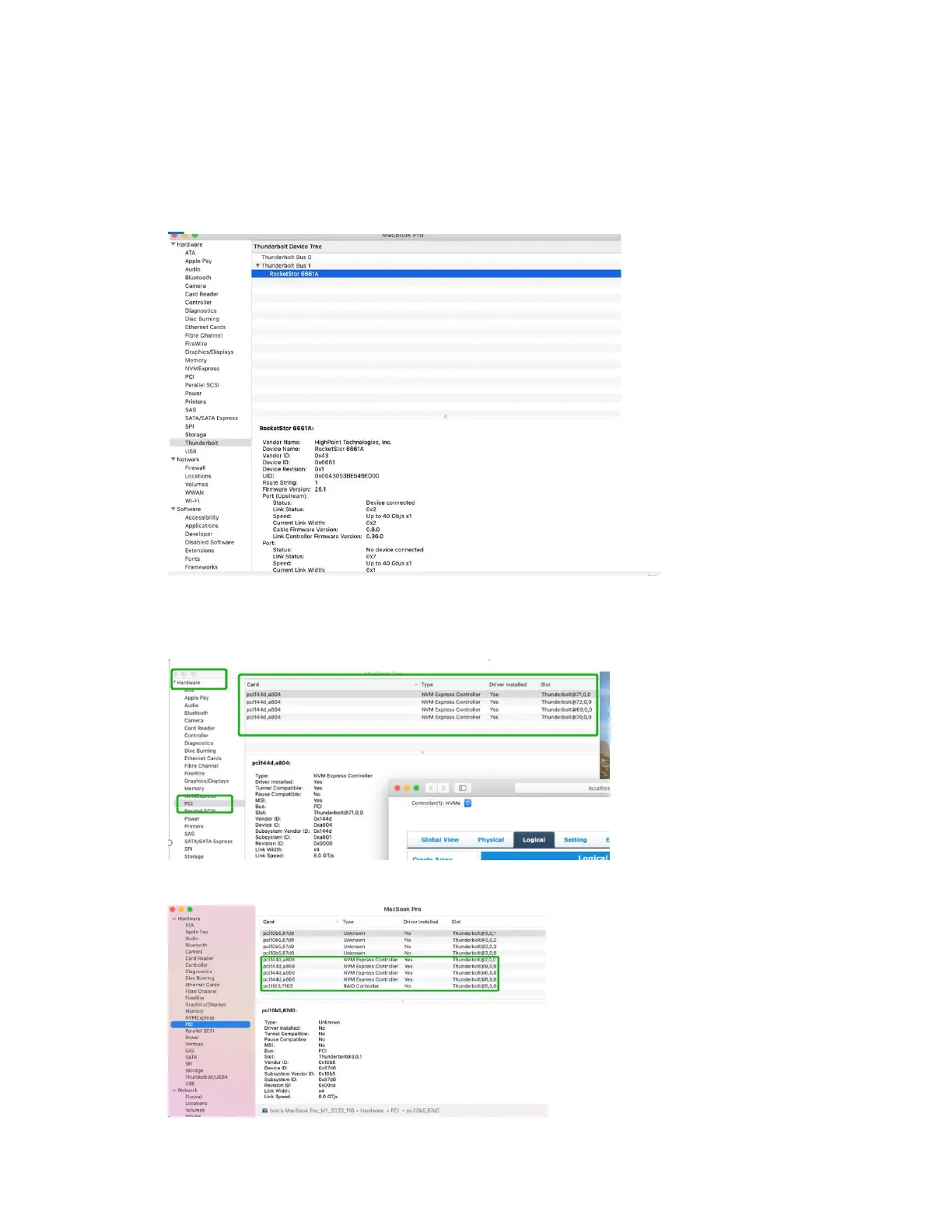
1) Click on the Apple logo located near the upper left-hand portion of the Desktop, and select “About
this Mac”.
RocketStor 6661A-NVMe (Thunderbolt entry):
2) If you are using a SSD7000 series NVMe RAID controller, check under Hardware, PCI. Reference
screenshots for each product are show below.
SSD7101A / 7104 / 7204 / 7120 / 6540 / 6540M, or RS6661A-NVMe:
SSD7105















 To Next Page