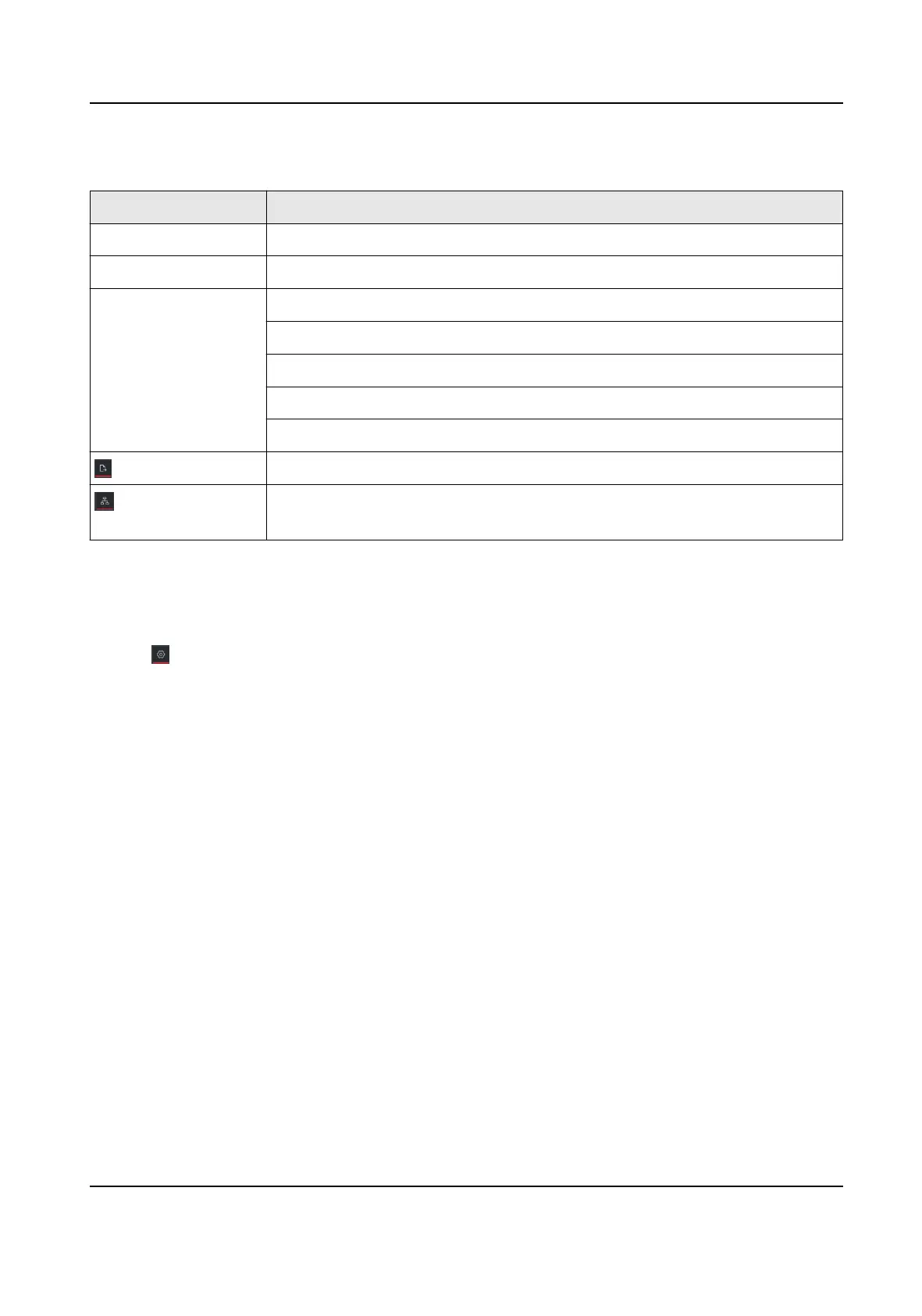
Relate Operaons/Icons Descripon
Acons/Icons Operaon Descripon
Double click a device. Show the device type and IP, panel status, and port informaon.
Double click a line. Show transmission rate, port informaon, etc.
Right-click a device. Jump to Device Status interface. For details, see Device Status .
Show the alarm informaon and event informaon, and cancel the alarm.
Jump to Remote Conguraon interface.
Set the device as root node.
Edit the device name.
Select the path and format to export the typology.
Select IPC and current devices to show the ash of the signal transmission
between them.
4.2 Typology Sengs
Steps
1. Click on the lower-le corner to do the typology sengs.
• Set display level: 1 to 10.
• Set upstream bandwidth L1 alarm: 1% to 100%. The line will turn to yellow (busy) when the
bandwidth exceeds the threshold of L1 alarm.
• Set upstream bandwidth L2 alarm: 1% to 100%. The line will turn to red
(congeson) when
the bandwidth exceeds the threshold of L2 alarm.
2. Click OK.
Gigabit PoE Switch Client User Manual
7



 To Next Page
 Loading...