Chapter 5 Network Conguraon
In Network interface, you can congure basic parameters as neeeded.
Go to
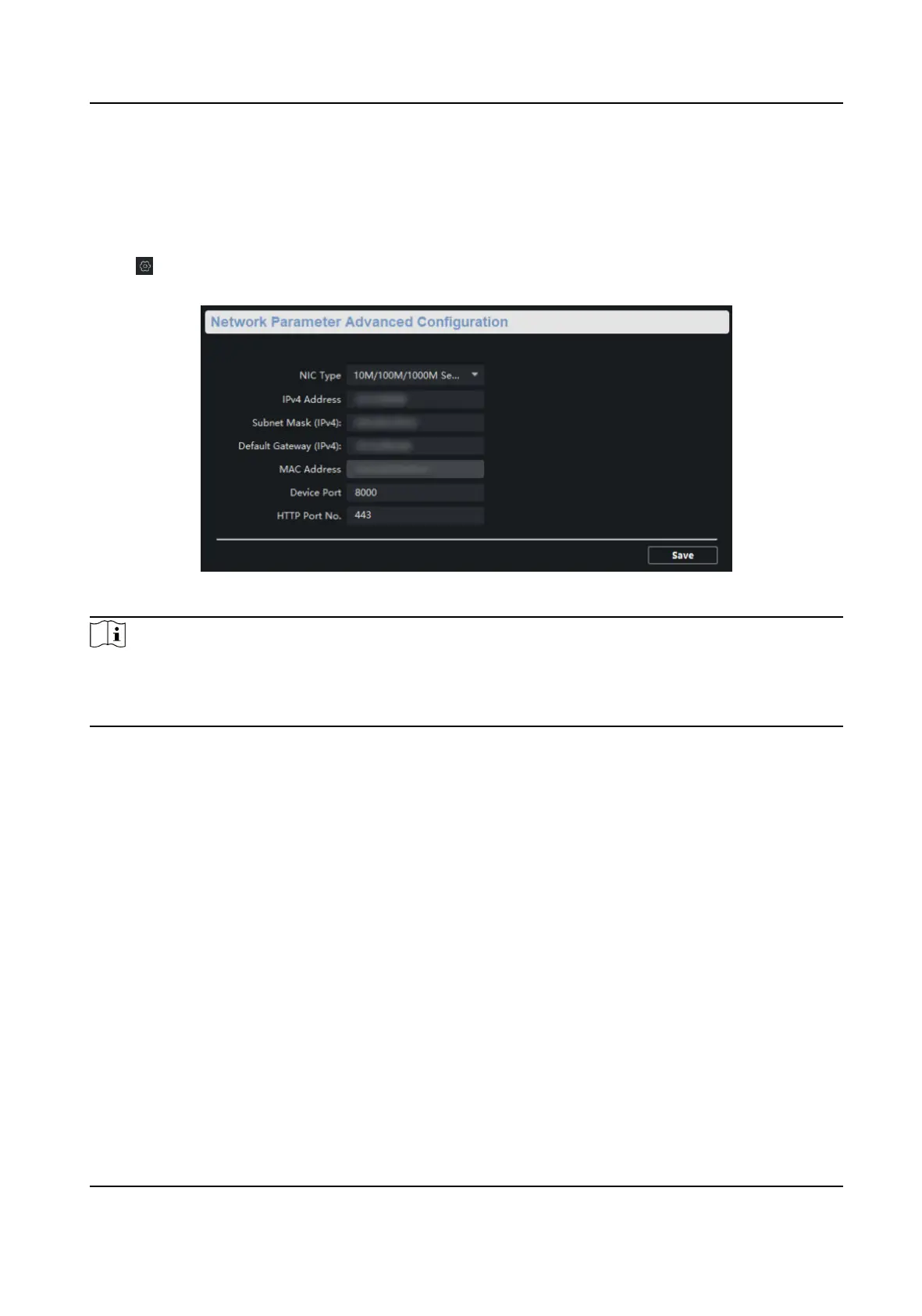
→ Network → General to congure NIC type, IPv4 address, subnet mask, default gateway,
MAC address, device port and HTTP port No..
Figure 5-1 Network Conguraon
Note
Aer the IPv4 address is reset, the device IP may not be in the same network segment as the
computer IP of the client, so it cannot be congured and managed. It is recommended to use the
SADP tool to plan the IP address of the device when the device is acvated for the rst me.
Gigabit PoE Switch Client User Manual
9



 To Next Page
 Loading...