4. Set Aggregaon Group No..
Note
The number of aggregaon groups allowed varies.
5. Click Save.
6. Oponal: Edit the aggregaon group.
1) Click an
exisng aggregaon group, for example,
.
2) Select the desired port(s) on the le port panel to add to the
group, or deselect the desired port(s) on the right to delete
from the group.
3) Click Edit to save the
modicaon.
7. Oponal: Delete the aggregaon group.
1) Click an exisng aggregaon group, for example,
.
2) Click Delete on the right.
8. Oponal: View the member ports of each aggregaon group in
the list below.
5.1.3
Congure Long-Range Mode
Aer the long-range mode is enabled for a port, the transmission
distance of the port can reach 300 meters at a rate of 10 Mbps.
Steps
1. Go to L2
Conguraon → Long-Range Mode .
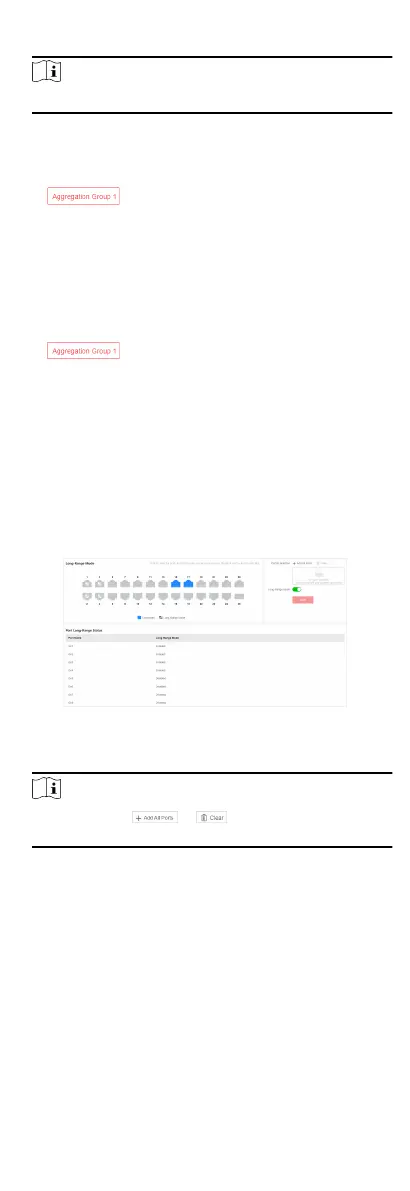
Figure 5-3
Congure Long-Range Mode
2. Select the desired port(s) on the le port panel.
Note
You can also click or on the right to batch select
or deselect all ports.
3. Enable or disable Long-Range Mode on the right as required.
4. Click Save.
5. Oponal: View the long-range statuses of dierent ports in the
Port Long-Range Status list.
5.1.4
Congure Port Isolaon
Port isolaon is a feature to add mulple ports to an isolaon
group so that ports in the same isolaon group cannot
communicate with each other. For example, by using port
isolaon funcon, you can achieve the goal of prevenng PCs
under
dierent ports communicang with each other without
conguring VLANs.
10



 To Next Page
 Loading...