Image Sengs
Customize the image parameters including the brightness, contrast, and saturaon for the
live view and recording eect.
Exposure
Set the camera exposure me (1/10000 to 1 sec). A larger exposure value results in a brighter
image.
Day/Night Switch
The camera can be set to day, night, auto or scheduled switch mode according to the
surrounding
illuminaon condions or me schedule.
Backlight
Set the camera's wide dynamic range (0 to 100). When the surrounding illuminaon and the
object have large
dierences in brightness, you should set the WDR value.
Image Enhancement
For opmized image contrast enhancement.
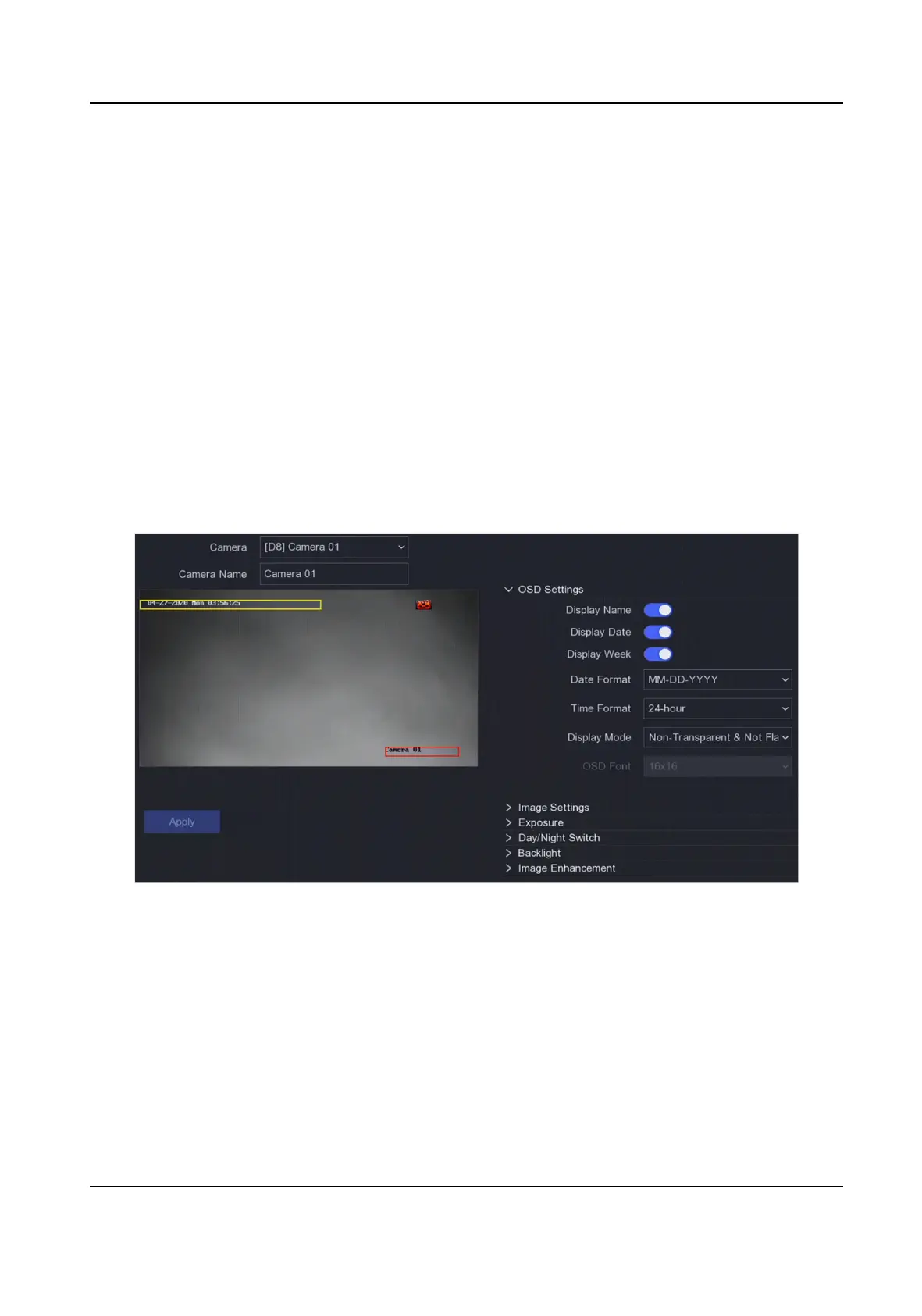
Figure 6-12 OSD
4.
Drag the text frames on the preview window to adjust the OSD posion.
5.
Click Apply.
6.3.3 Privacy Mask
You are allowed to congure the privacy mask areas that cannot be viewed or recorded.
Steps
1.
Go to Conguraon → Camera → Privacy Mask .
Network Video Recorder User Manual
58


 To Next Page
 Loading...