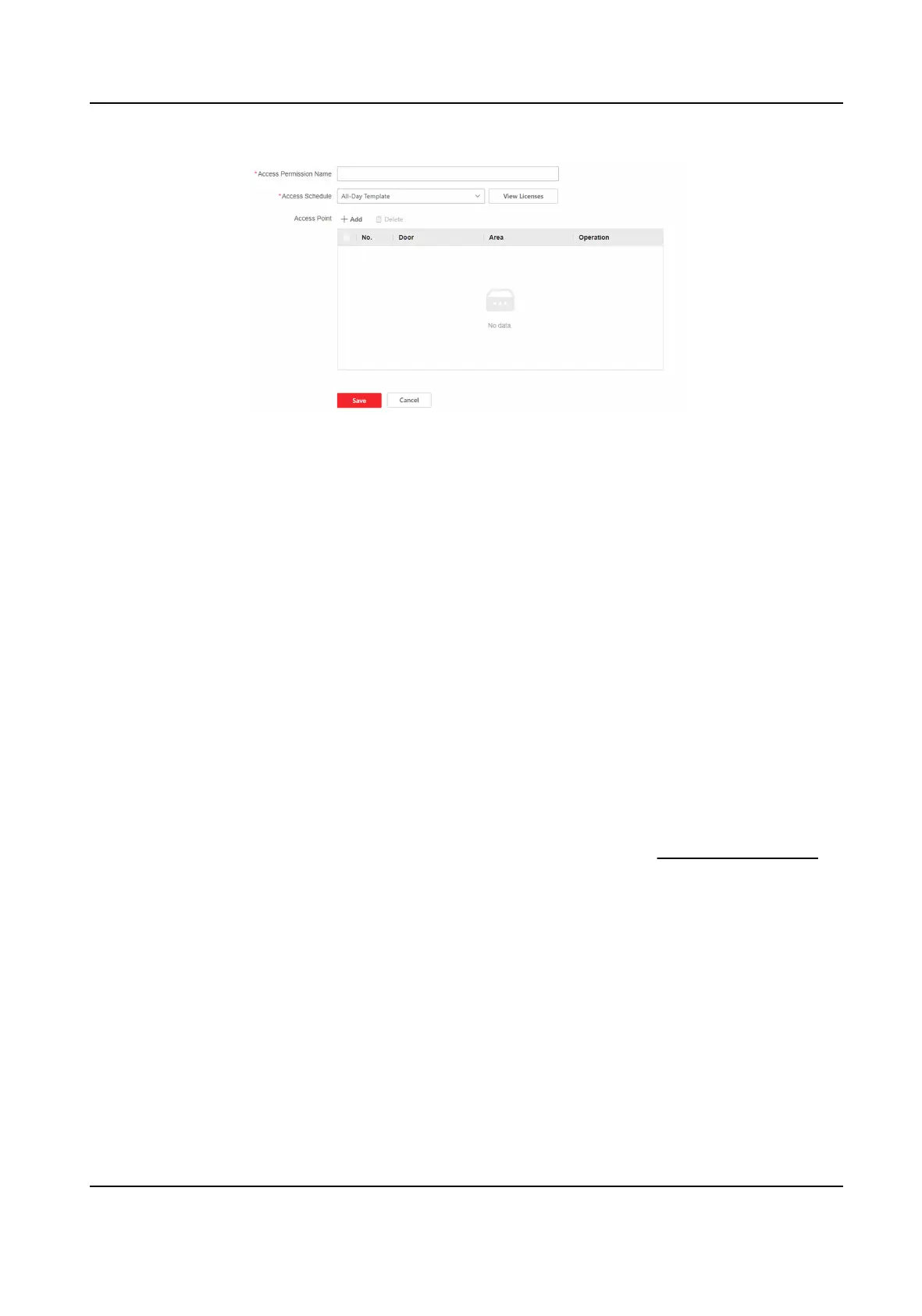
Figure 9-5 Set Access Permission
2.
Enter Access Permission Name.
3.
Select Access Schedule. You can click View on the right side to view the access period of
dierent template.
4.
Click + Add to check the access point, and click Save.
5.
Click Save.
9.4.5 Access Control
Applicaon
Open Door with First Person
The rst person can be set to open the door, that is, aer a specic person (the rst person) uses
credenals (such as cards, ngerprints, and faces) to authencate, other personnel can pass
directly, or use
credenals to pass, which is oen used in scenarios where a large number of
people pass.
Before You Start
The device is added. For more informaon about how to add a device, see Device Management .
Steps
1.
Click Access Control → Access Control Applicaon → Open Door with First Person → +Add.
DS-K27XX Series Access Controller User Manual
39


 To Next Page
 Loading...