©2013 Hill-Rom Services, Inc. ALL RIGHTS RESERVED – INTL. Version
For detailed Warning and Caution statements, and operating instructions, refer to the Progressa™ Bed User Manual
Using the Scale ( OIML)
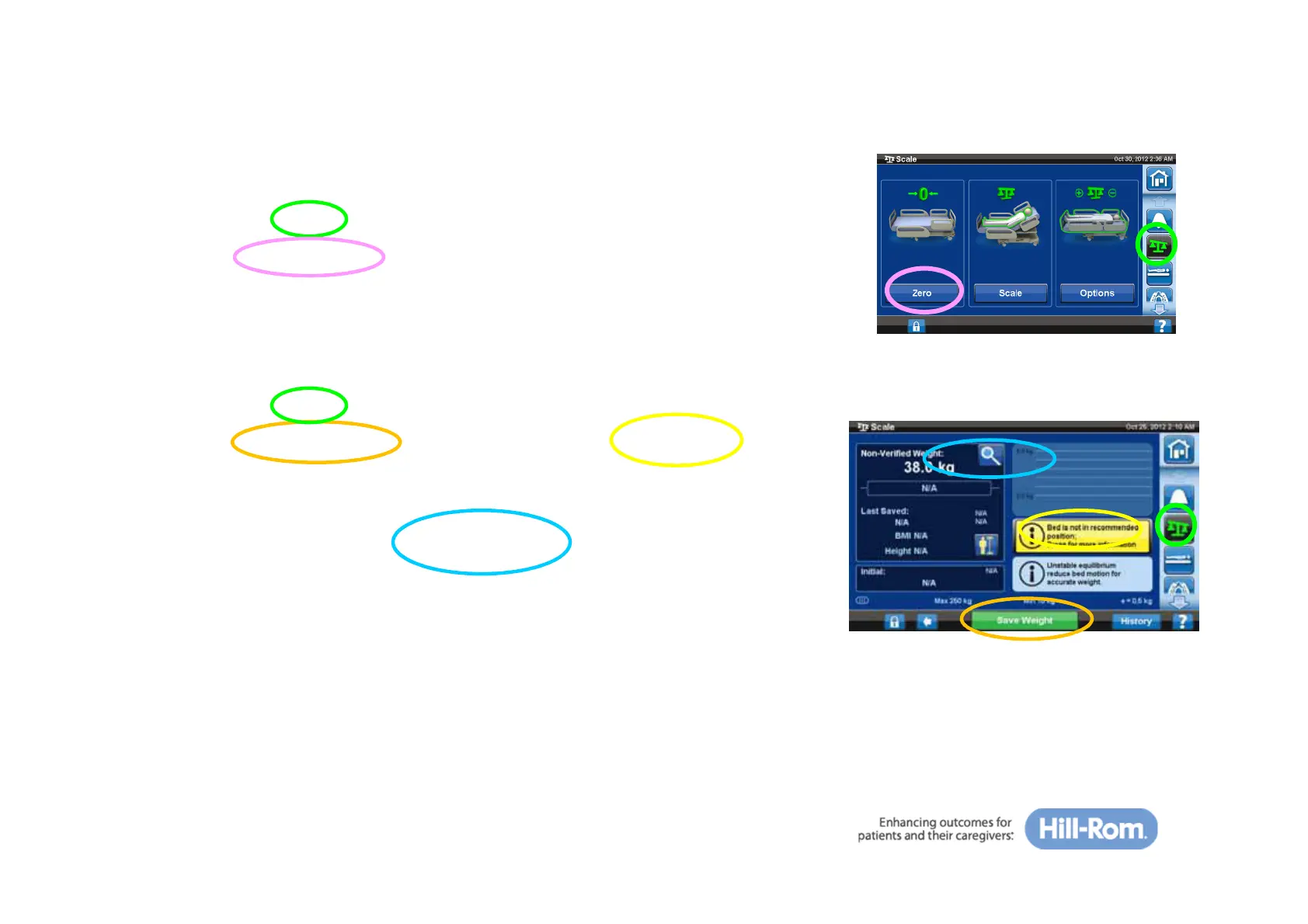
To zero the scale:
1. Make sure the patient is not in the bed
2. Press the ‘Scale’ tab
3. Press ‘Zero the Bed’ and follow on-screen instructions
To weigh the patient:
1. Make sure the patient is in the center of the bed
2. Press the ‘Scale’ tab
3. Press ‘Weigh Patient’ and follow on-screen instructions
4. You will be prompted to put the bed into the recommend
position
5. Only available on the NAWI Compliant (EN 45501) Scale:
Pressing the magnifier button will change the scale display
increments to 0.1 kg for 5 seconds. Weights cannot be saved
in the Magnification Mode.







 To Next Page