194412(11) - Hill-Rom® 900 Accella™ Bed - Instructions For Use Page 39
Mobilizing the patient
This information can be sent to the duty nurse if the bed is connected to a hospital
network with a compatible information system.(see “Sending bed exit alerts*”
page 40)
The patient position monitor system does not remove the need to secure the
patient in the bed
(see “Risk prevention” page 5)
. Function sensitivity may be
impacted if accessories are added or if the Trendelenburg/Reverse
Trendelenburg angle is ±8°.
The bed exit alerts are no longer operational when the bed switches to battery
mode.
If a load weighing more than 9 kg is added or removed, it is necessary to proceed with an
initialization.
Initializing the Bed Exit alerts system
If the bed is not equipped with a weigh system, it is necessary to proceed with
an “Initialization”.
Preparing the bed for initialization
Take the same preliminary precautions as for a reset/tare operation of a weigh system (see
“Preparing the bed for a reset/tare operation* or i
nitializing the Bed Exit alerts system*”
page 44).
Initializing
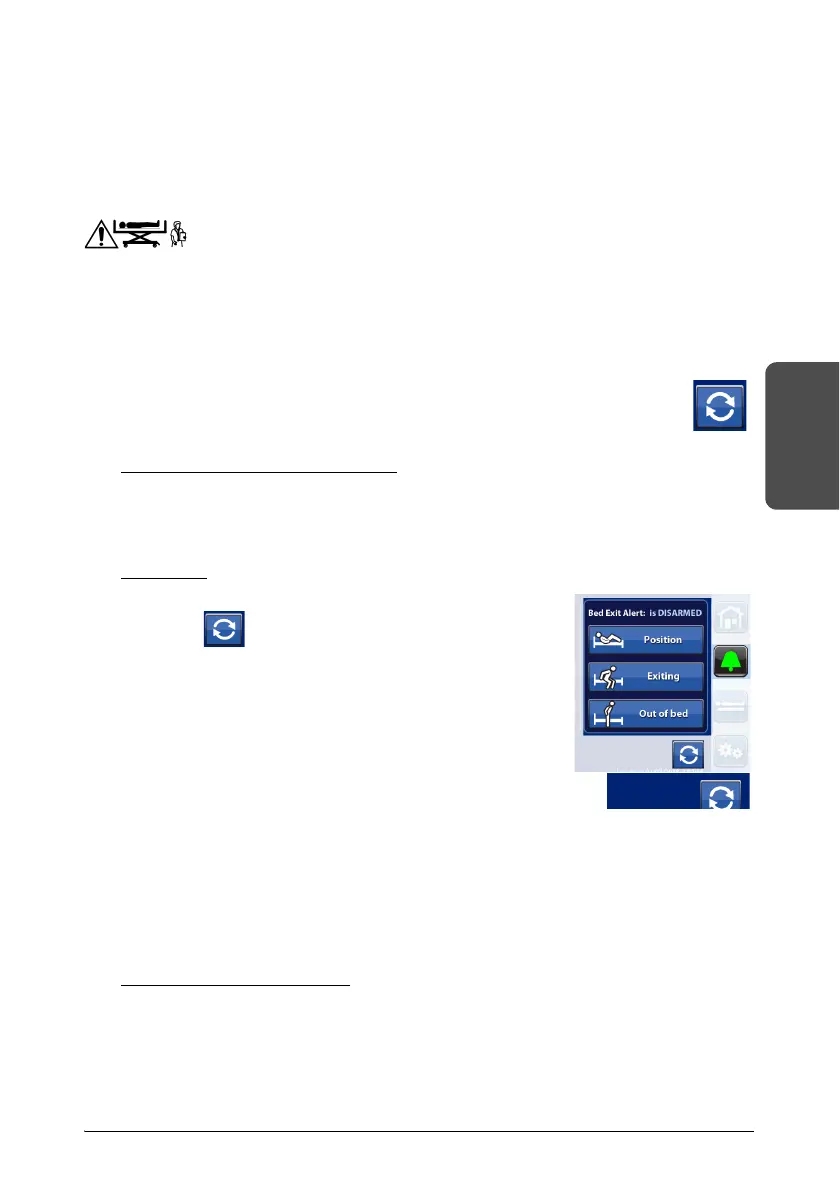
1. Press the Alerts control on the GCI.
2. Press .
3. Follow the instructions.
– If a message appears on the GCI when initializing,
a
djust the bed accordingly.
4. Initialization complete.
The screen also shows the date and time of the last
initialization.
If a load weighing more than 9 kg is added or removed, it is
necessary to proceed with an initialization.
To activate the Bed exit alert detection:
Activating the bed exit detection to a given degree of sensitivity is subject to the
following pre-conditions that guarantee effective patient detection.
Pre-conditions for activation
• The system has been initialized (see “Initializing the Bed Exit alerts system”
page 39).
• The patient is in the center of the bed and aligned with the hip position
markers.











 To Next Page