Digital Video Recorder User Manual
26
etc.
Steps
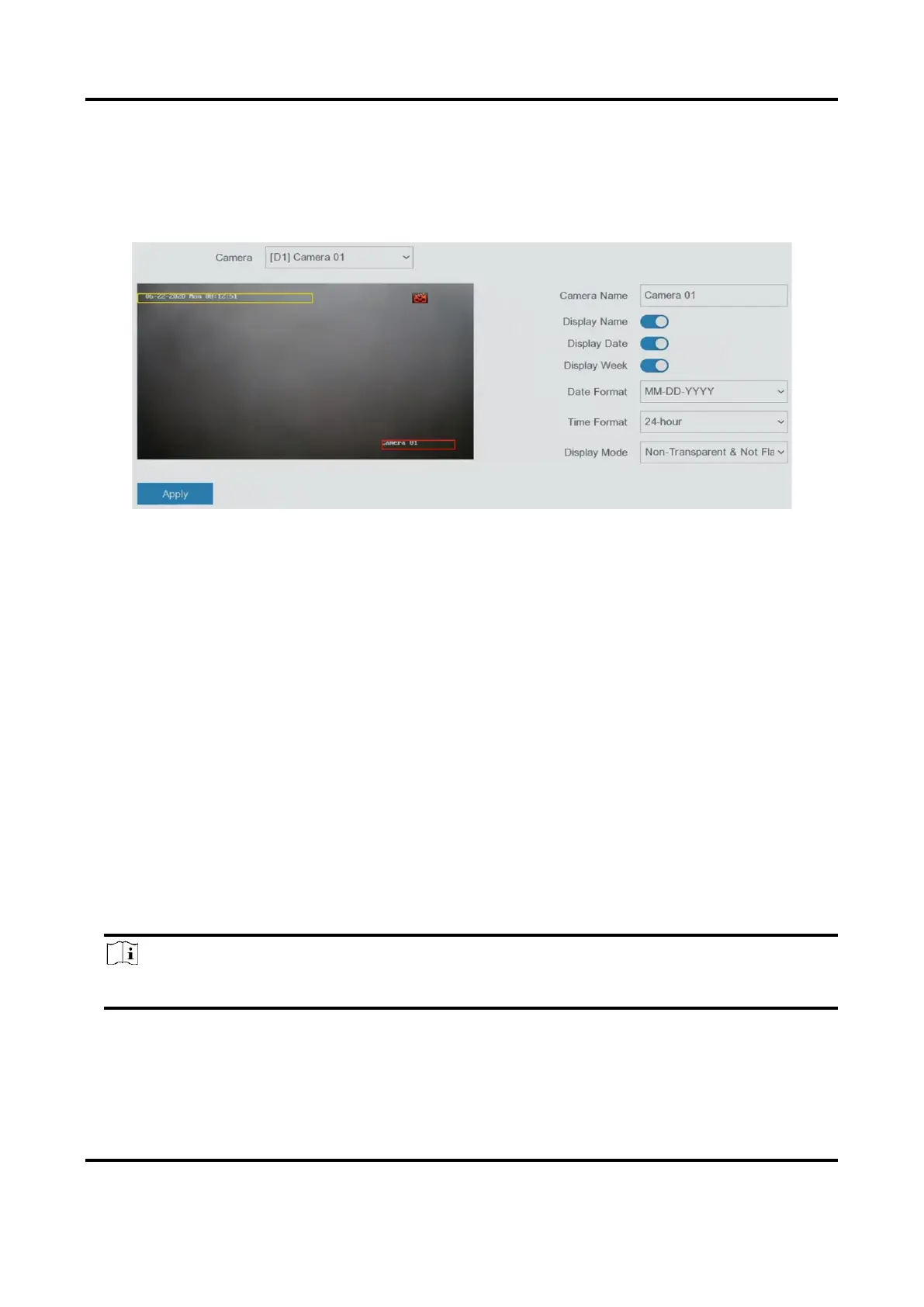
1. Go to Configuration → Camera → OSD.
2. Select a camera.
Figure 5-10 OSD
3. Set parameters as your desire.
4. Drag the text frames on the preview window to adjust the OSD position.
5. Click Apply.
5.3.4 Motion Detection
Motion detection enables the video recorder to detect the moving objects in the monitored area
and trigger alarms.
Steps
1. Go to Configuration → Camera → Motion Detection.
2. Select a camera.
3. Check Enable.
4. Set the motion detection area.
– Click Draw Area or Clear to draw or clear areas. The first area is set as full screen by default.
– Click Full Screen to set the motion detection area as full screen. You can drag on the preview
window to draw motion detection areas.
Note
The operation may differ according to different models.
5. Adjust Sensitivity. Sensitivity allows you to calibrate how readily movement triggers the alarm.
A higher value results in the more readily to triggers motion detection.
6. Set analysis mode as AI or PIR.
AI



 To Next Page