Digital Video Recorder User Manual
45
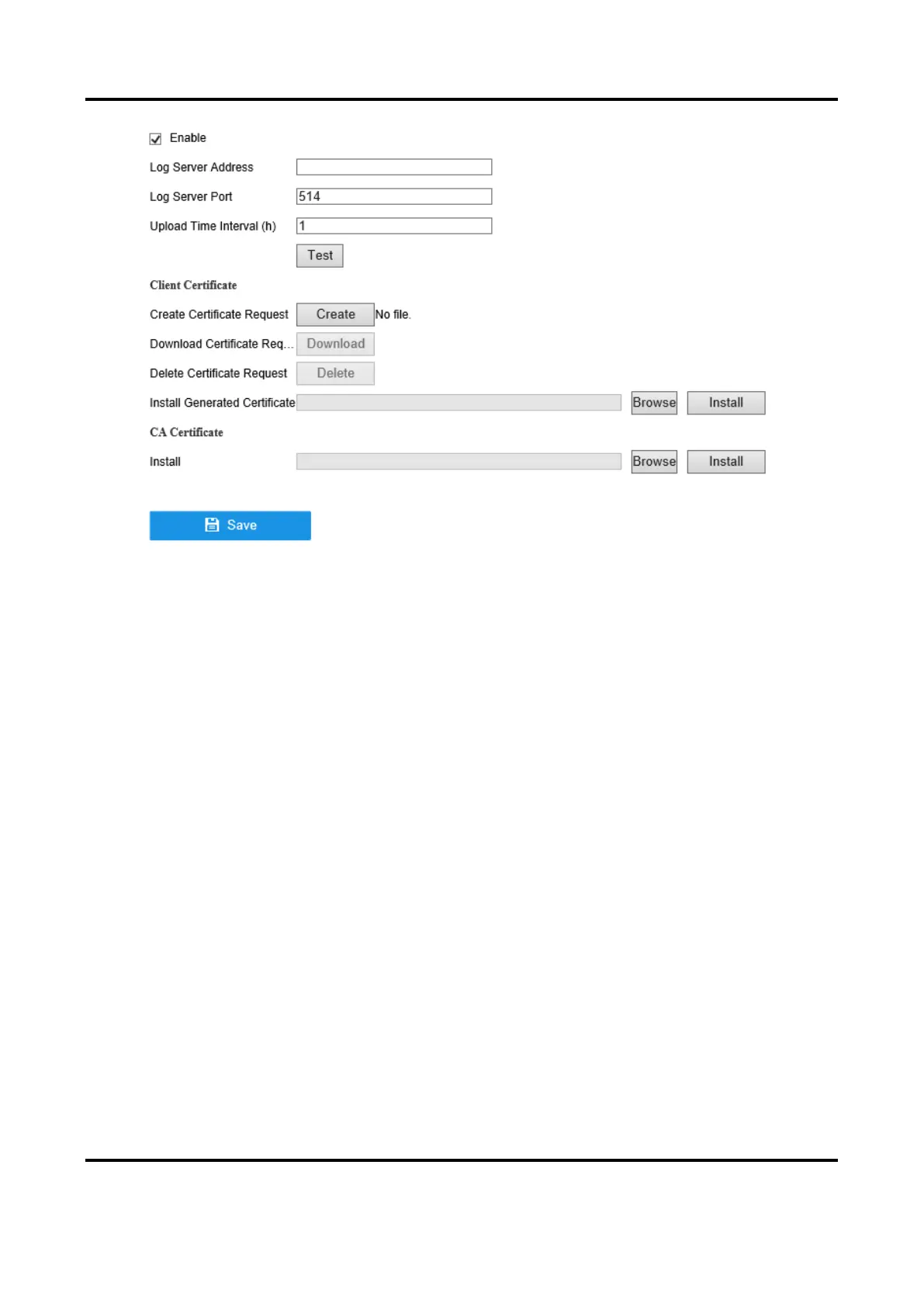
Figure 6-8 Two-Way Authentication
2. Install the CA certificate in CA Certificate.
3. Click Create in Client Certificate, and follow the pop-up to create the certificate.
4. Click Download to download the certificate file to a desired location.
5. Upload the downloaded certificate file to the server, and the server will return the certificate
key.
6. Open the certificate as a text file, and modify it by the certificate key as the server returned.
7. Install the modified certificate in Client Certificate.
8. Optional: Click Test to test if the connection is valid.
9. Click Save.
6.2.6 NTP
Your device can connect to a network time protocol (NTP) server to ensure that the system time is
accurate.
Steps
1. Go to Configuration → Network → General → NTP.
2. Turn on Enable.
3. Enter the parameters.
Interval
Time interval between two time synchronization with NTP server.
NTP Server



 To Next Page