EasyManua.ls Logo

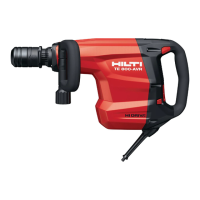
Hilti TE 50-AVR - User Manual

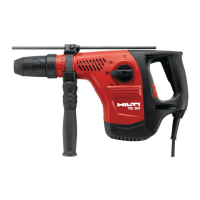
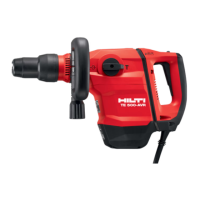
Hilti TE 50-AVR
26 pages
Print Icon
To Next Page IconTo Next Page
Loading...
TE 50
TE 50-AVR
English
Printed: 14.12.2018 | Doc-Nr: PUB / 5283568 / 000 / 03

Other manuals for Hilti TE 50-AVR

Questions and Answers

  • V
    Vanessa ReeseSep 17, 2025
    What to do if service indicator lights after changing carbon brushes in Hilti TE 50-AVR Power Tool?
    • A
      ashley80Sep 18, 2025
      If the service indicator lights up after changing the carbon brushes on your Hilti Power Tool, it could be that the contact surfaces are not yet run in. Run in the carbon brushes by allowing the power tool to run under no load for at least 1 minute without load.
  • R
    Rachel CollinsAug 25, 2025
    What to do if the drill bit doesn't rotate on my Hilti Drill?
    • N
      nancy47Aug 25, 2025
      If the drill bit on your Hilti Drill isn’t rotating, check that the function selector switch is set to the 'Hammer drilling' position. Also, ensure that the chuck is pulled back as far as it will go to properly release and remove the accessory tool.
  • A
    Andrea BergerAug 25, 2025
    How to fix Hilti Drill that doesn't start?
    • D
      Donald MarshAug 26, 2025
      If your Hilti Drill doesn't start, there could be several reasons: * There might be an interruption in the electric supply. To check this, plug in another power tool or appliance to see if it works. * The supply cord or plug could be defective. In this case, have a trained electrical specialist check and replace it if necessary. * The generator might be in sleep mode. Apply a load to the generator by connecting a second power consumer, such as a work light. * There could be an electrical fault. Have the power tool and supply cables checked by a trained electrical specialist. * The electronic restart interlock may be activated after an interruption in the electric supply. Try switching the power tool off and then on again.
  • R
    Robert Valdez DVMAug 26, 2025
    What to do if Hilti Drill doesn't start and service indicator is red?
    • M
      Melanie RothAug 27, 2025
      If your Hilti Drill does not start and the service indicator shows red, the carbon brushes may be worn out. Have the power tool checked by a trained electrical specialist, and have the carbon brushes replaced if needed. Alternatively, there could be an electrical fault. Have the tool checked by Hilti Service.
  • S
    Sarah LaraSep 18, 2025
    How to troubleshoot a Hilti Power Tool that doesn’t start?
    • V
      vreynoldsSep 18, 2025
      If your Hilti Power Tool doesn't start, there could be several reasons: * There might be an interruption in the electric supply. Try plugging in another power tool or appliance to see if it works. * The supply cord or plug could be defective. In this case, a trained electrical specialist should check and replace the cord or plug if necessary. * The electronic restart interlock might be activated after an interruption in the electric supply. Try switching the power tool off and then on again.
  • A
    andrewlopezSep 23, 2025
    Why my Hilti Power Tool suddenly doesn't start?
    • R
      Robert SmithSep 23, 2025
      If your Hilti Power Tool doesn't start, it might be because the generator is in sleep mode. To fix this, apply a load to the generator by connecting a second power consumer, such as a worklight. There might be an electrical fault. Have the power tool and supply cables checked by a trained electrical specialist.
  • L
    Lisa RobertsSep 9, 2025
    Why doesn't my Hilti Rotary Hammer achieve full power?
    • T
      Tyler JohnsonSep 9, 2025
      If your Hilti combihammer isn’t achieving full power, it could be due to an inadequate gauge (cross section) of the extension cord conductors. Try using an extension cord with an adequate conductor cross section. Another possible cause is low voltage from the electric supply. Connect the combihammer to a different electric supply to resolve this.
  • B
    Brandon JonesSep 10, 2025
    What to do if the drill bit can’t be released from Hilti Rotary Hammer?
    • J
      jamesterrellSep 10, 2025
      If the drill bit can’t be released from your Hilti Rotary Hammer, ensure that the chuck is pulled back fully. Pull the chuck back as far as it will go and try removing the accessory tool again. Also, check if the side handle is fitted correctly. Release the side handle and refit it so that the clamping band and side handle engage properly in the recess.
  • J
    Jason McguireSep 3, 2025
    What to do if the chisel cannot be released from the chuck of my Hilti Power Tool?
    • A
      Alyssa LeeSep 3, 2025
      If the chisel cannot be released from the chuck of your Hilti Power Tool, it's likely because the chuck isn't pulled back fully. To release the chisel, pull the chuck back as far as it will go and then remove the accessory tool.
  • S
    Sarah StarkSep 1, 2025
    What to do if my Hilti TE 50-AVR doesn't start and the service indicator is red?
    • J
      Jennifer CollinsSep 1, 2025
      If your Hilti Power Tool doesn't start and the service indicator shows red, it could be due to: * Worn-out carbon brushes. You should have the power tool checked by a trained electrical specialist, and the carbon brushes replaced if necessary. * An electrical fault. In this case, have the tool checked by Hilti Service.

Summary

Safety

General power tool safety warnings

Essential safety precautions for operating power tools, covering work area and electrical safety.

Personal safety

Personal safety precautions to prevent injury during operation.

Power tool use and care

Guidelines for proper use, maintenance, and storage of the power tool.

Hammer safety warnings

Specific safety advice for hammer-related operations.

Additional safety instructions

Further safety measures including personal, electrical, and handling advice.

Description

Intended use

Specifies the approved applications and operational conditions for the product.

Technical data

Operation

Fitting;removing the accessory tool

Procedure for inserting and removing accessory tools.

Types of work

Details different work modes like drilling and chiseling.

Detachable supply cord

Care and maintenance

Troubleshooting

Troubleshooting

Table of common problems, their causes, and solutions.

Overview

This document provides comprehensive operating instructions for the Hilti TE 50 and TE 50-AVR combihammers, designed for professional users. It emphasizes safe, trouble-free handling and use, urging users to read the documentation thoroughly before initial operation and to keep it with the product for future reference or when transferring it to other persons.

The Hilti TE 50 and TE 50-AVR are electrically-powered combihammers equipped with a pneumatic hammering mechanism. They are primarily designed for drilling in concrete, masonry, wood, and metal. Additionally, these tools can be used for light to medium-duty chiseling on masonry and for surface finishing work on concrete. Operation is permissible only when connected to a power source that provides voltage and frequency compliant with the information on the type identification plate. It's important to note that these products are not suitable for working on hazardous materials or in damp environments.

A key feature of the TE 50-AVR model is the Active Vibration Reduction (AVR) system, which significantly reduces vibration during operation, enhancing user comfort and safety. The tool also includes a service indicator, an LED that illuminates when servicing is due or flashes if the combihammer is faulty, prompting repair by Hilti Service.

The combihammer is equipped with a chuck, a depth gauge, a function selector switch, and a control switch. It comes with a side handle for improved grip and control. For models with a detachable supply cord, a lockbutton and a keyed, releasable plug connector ensure secure connection. The quick-release chuck, available as an accessory, allows for fast and keyless changes of accessory tools. This chuck is compatible with cylindrical or hexagonal shank tools like drill bits for wood and metal, or mixing paddles, which are used in the rotary-only mode without hammering action.

Before starting any work, users must prepare the workplace by ensuring it is clean and well-lit. It is crucial to unplug the supply cord before making any adjustments or changing accessories to prevent inadvertent starting and potential injury. The side handle can be fitted by releasing its clamping band, sliding it over the chuck, positioning it as desired, and then tightening the clamping band. The depth gauge, an optional accessory, is fitted similarly, allowing users to set the desired drilling depth by adjusting a screw.

When fitting accessory tools, a small amount of recommended grease should be applied to the connection end before pushing the tool into the chuck until it engages. To remove the tool, the chuck is pulled back as far as it will go. Users are advised to wear protective gloves when changing hot accessory tools and to avoid placing them on flammable materials.

The function selector switch allows users to choose between different operating modes: "Hammer drilling," "Chiseling," and "Chisel positioning." For hammer drilling, the switch is set to the hammer drilling position, the drill bit is pressed against the work surface, and the control switch is pressed to start the tool. For chisel positioning, the switch is set to the chisel positioning mode, allowing the chisel to be rotated to one of 24 different positions (in 15° increments) for optimal working. Once positioned, the switch is turned to the "Chiseling" position. During chiseling, the on/off switch can be locked in the "on" position for sustained operation.

Maintenance is critical for the safe and reliable operation of the combihammer. Users must always unplug the supply cord before performing any care or maintenance tasks to avoid electric shock. Regular cleaning involves removing dirt, cleaning air vents with a dry brush, and wiping the casing with a slightly damp cloth, avoiding silicone-containing cleaning agents. All visible parts and controls should be checked regularly for damage and proper function. Any damaged or malfunctioning parts should be repaired by Hilti Service. After cleaning, all guards and protective devices must be refitted and checked for correct function. Only genuine Hilti spare parts and consumables should be used.

Troubleshooting guidance is provided for common issues such as the power tool not starting, no hammering action, reduced power, the drill bit not rotating, or difficulty releasing the drill bit. For instance, if the tool doesn't start, it could be due to an interruption in the electric supply, activating the electronic restart interlock, which can be resolved by switching the tool off and on again. If there is no hammering action, the tool might be too cold, requiring the user to run it against the work surface until the hammering mechanism engages. These instructions help users address minor issues, but for more complex problems, contacting Hilti Service is recommended.

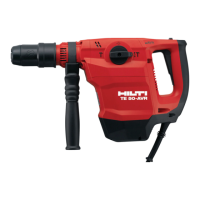
Hilti TE 50-AVR Specifications

General IconGeneral
DrillingYes
Chuck typeSDS Max
Product colorBlack, Red
Country of originGermany
Impact rate3180 bpm
Rated speed (max)360 RPM
Impact energy (max)6 J
Vibration level (hammer drilling)9 m/s²
Drilling diameter in concrete (max)40 mm
Optimum drilling diameter (concrete)16 - 32 mm
Input power1100 W
Power sourceAC
Power plug typeType C
Noise level108 dB
Quantity per shipping (inner) case1 pc(s)
Weight and Dimensions IconWeight and Dimensions
Weight6100 g
Package depth3456 mm
Package width2000 mm
Package height4500 mm
Package weight4500 g

Related product manuals