EasyManua.ls Logo

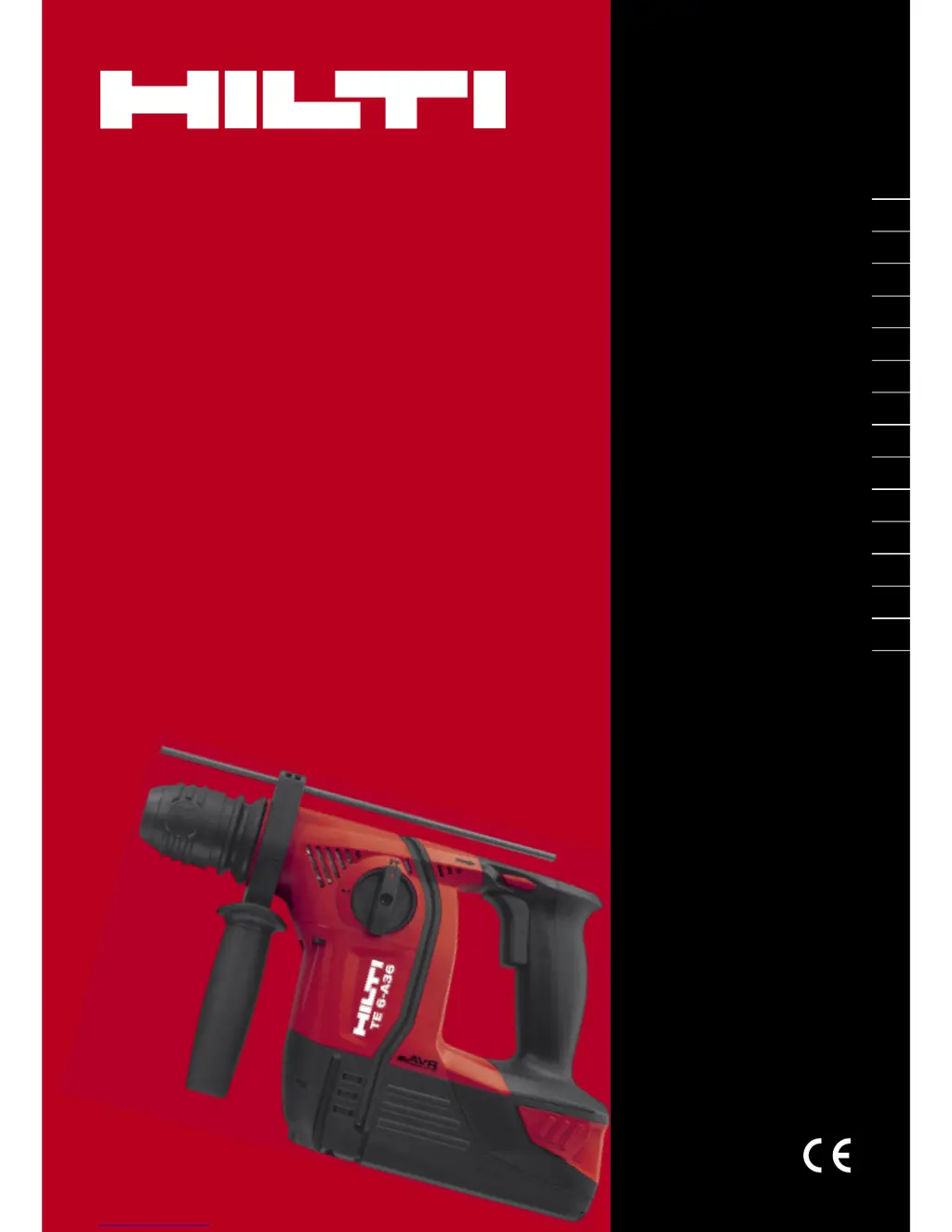
Hilti TE 6-A36 - User Manual

Hilti TE 6-A36
21 pages
Print Icon
To Next Page IconTo Next Page
Loading...
TE 6-A36
Bedienungsanleitung de
Operating instructions en
Mode d’emploi fr
Istruzioni d’uso it
Manual de instrucciones es
Manual de instruções pt
Gebruiksaanwijzing nl
Brugsanvisning da
Bruksanvisning sv
Bruksanvisning no
Käyttöohje fi
Ο
Ο
δ
δ
η
η
γ
γ
ι
ι
ε
ε
ς
ς
χ
χ
ρ
ρ
η
η
σ
σ
ε
ε
ω
ω
ς
ς
el
Lietoßanas pamåcîba lv
Instrukcija lt
Kasutusjuhend et

Other manuals for Hilti TE 6-A36

Questions and Answers

  • M
    Melissa RileySep 23, 2025
    Why doesn't my Hilti Drill battery engage with a double click?
    • J
      jennifer99Sep 23, 2025
      If the battery of your Hilti Drill does not engage with an audible "double click", the retaining lugs on the battery may be dirty. Clean the retaining lugs and refit the battery.
  • M
    Monica RobbinsAug 23, 2025
    What to do if the insert tool can’t be released from my Hilti Drill?
    • H
      Heather MitchellAug 25, 2025
      If the insert tool can’t be released from your Hilti Drill, ensure that the chuck is pulled back fully. Pull the chuck back as far as it will go and remove the tool.
  • F
    frazierjenniferAug 25, 2025
    What to do if Hilti Drill rotary hammer gets very hot?
    • J
      Jeffery RodriguezAug 26, 2025
      If the Hilti rotary hammer drill or the battery gets very hot, immediately switch off the rotary hammer drill, remove the battery, and keep it under observation and allow it to cool down. The cause may be an electrical fault or the rotary hammer has been overloaded. If overloaded, use a more powerful tool.
  • N
    Nicholas CollierAug 26, 2025
    Why does my Hilti Drill battery run down quickly?
    • R
      richard89Aug 27, 2025
      If the Hilti Drill battery runs down more quickly than usual, it might be due to a very low ambient temperature. Allow the battery to warm up slowly to room temperature.
  • T
    Tracy GlassAug 27, 2025
    What to do if Hilti Drill drive spindle does not rotate?
    • J
      James BarkerAug 27, 2025
      If the drive spindle of your Hilti Drill does not rotate, it could be due to several reasons. The permissible operating temperature of the rotary hammer’s electronics may have been exceeded, in which case you should allow the tool to cool down. Another reason could be that the battery is discharged, so you should change the battery and charge the empty battery. Finally, the function selector switch may not be correctly engaged or is set to “Chiseling”, or is set to “Chisel positioning”, so set the function selector switch to “Drilling without hammering” or “Hammer drilling”.
  • G
    Gilbert RussoSep 15, 2025
    Why is my Hilti Drill not making progress?
    • S
      Shane LinSep 15, 2025
      If your Hilti Drill isn't making progress, check if the rotary hammer has been set to reverse rotation. If so, move the forward/reverse switch to the “Forward” position. Alternatively, the function switch may be set to “Drilling without hammering”, so set the function switch to “Hammer drilling”.
  • V
    Victor AndersonSep 12, 2025
    Why is there no hammering action on my Hilti Drill?
    • A
      aaron59Sep 12, 2025
      If your Hilti Drill has no hammering action, it could be because the drill is too cold. Bring the tip of the drill bit into contact with the working surface, switch the drill on, and allow it to run. Repeat if necessary, until the hammering mechanism operates. Alternatively, the function switch may be set to “Drilling without hammering”, so set the function switch to “Hammer drilling”.
  • T
    Tiffany CoxSep 14, 2025
    What does it mean when 4 LEDs flash on my Hilti Drill battery?
    • Y
      Yolanda RamirezSep 14, 2025
      If 4 LEDs on the battery of your Hilti Drill are flashing, the drill has been overloaded briefly. Release the control switch and then press it again.
  • K
    Kevin ThomasSep 5, 2025
    What to do if 1 LED on Hilti Drill battery flashes?
    • D
      David MarshallSep 5, 2025
      If 1 LED on the Hilti Drill battery flashes, the battery is likely discharged or too hot or too cold. Change the battery and charge the empty battery or allow the battery to cool down or to warm up to room temperature.
  • D
    Danielle SmithSep 2, 2025
    What to do if Hilti Drill 4 LEDs on the battery flash?
    • S
      Steven BlackSep 2, 2025
      If 4 LEDs on the Hilti Drill battery flash, the rotary hammer has been overloaded briefly. Release the control switch and then press it again.

Summary

General Information

Safety Notices and Meaning

Defines the meaning of safety notices like DANGER, WARNING, and CAUTION.

Pictogram and Information Explanation

Explains warning signs and other symbols used in the manual for better understanding.

Product Description

Intended Use of the Product

Details the intended use of the TE 6-A36 cordless rotary hammer for professional applications.

Safety Instructions

General Power Tool Safety Warnings

Provides essential warnings and precautions for the safe operation of all power tools.

Before Use

Battery Use and Care

Guidance on proper usage, charging, and care of the Li-ion battery for optimal life.

Charging the Battery

Instructions for charging the Li-ion battery pack, including new and previously used batteries.

Fitting the Battery

Step-by-step procedure for installing the battery pack into the power tool securely.

Removing the Battery

Instructions on how to safely remove the battery pack from the power tool.

Fitting the Side Handle

Detailed steps for attaching and positioning the side handle for enhanced control.

Operation

Preparing for Use

Steps for preparing the tool, including fitting insert tools and adjusting depth gauge.

Performing Operations

General instructions and procedures for operating the power tool during drilling and hammering.

Care and Maintenance

Care of Insert Tools

Guidelines for cleaning and maintaining drill bits and accessories for longevity.

Care of the Power Tool

Instructions for cleaning and maintaining the main unit of the tool, including ventilation slots.

Dust Shield Cleaning and Replacement

Procedure for cleaning or replacing the chuck dust shield to maintain protection.

Li-ion Battery Care

Recommendations for extending the life of the Li-ion battery, avoiding moisture and high temperatures.

General Maintenance

General maintenance checks and servicing recommendations for the power tool.

Hilti TE 6-A36 Specifications

General IconGeneral
Voltage36 V
Battery Capacity5.2 Ah
Battery TypeLi-ion
Optimum Hammering Range8 - 16 mm
Tool Holder TypeSDS-Plus
Chuck TypeSDS-Plus
Drilling Diameter (Steel)13 mm
ChiselingYes
Dust removal module availableYes
Single Impact Energy3 J

Related product manuals