14
4.4 Execute Ambulatory Blood Pressure study (Smart mobile
terminal).
4.4.1 Communicate with Household Ambulatory Blood Pressure Monitor
Connect monitor and handhold terminal through Bluetooth, program the software of
handhold terminal and start monitoring to execute 24-hour Ambulatory Blood Pressure
study. Monitor will measure the pressure according to the set interval.
4.4.2 Program Ambulatory Blood Pressure Monitor software
Program software after successful connection as followings:
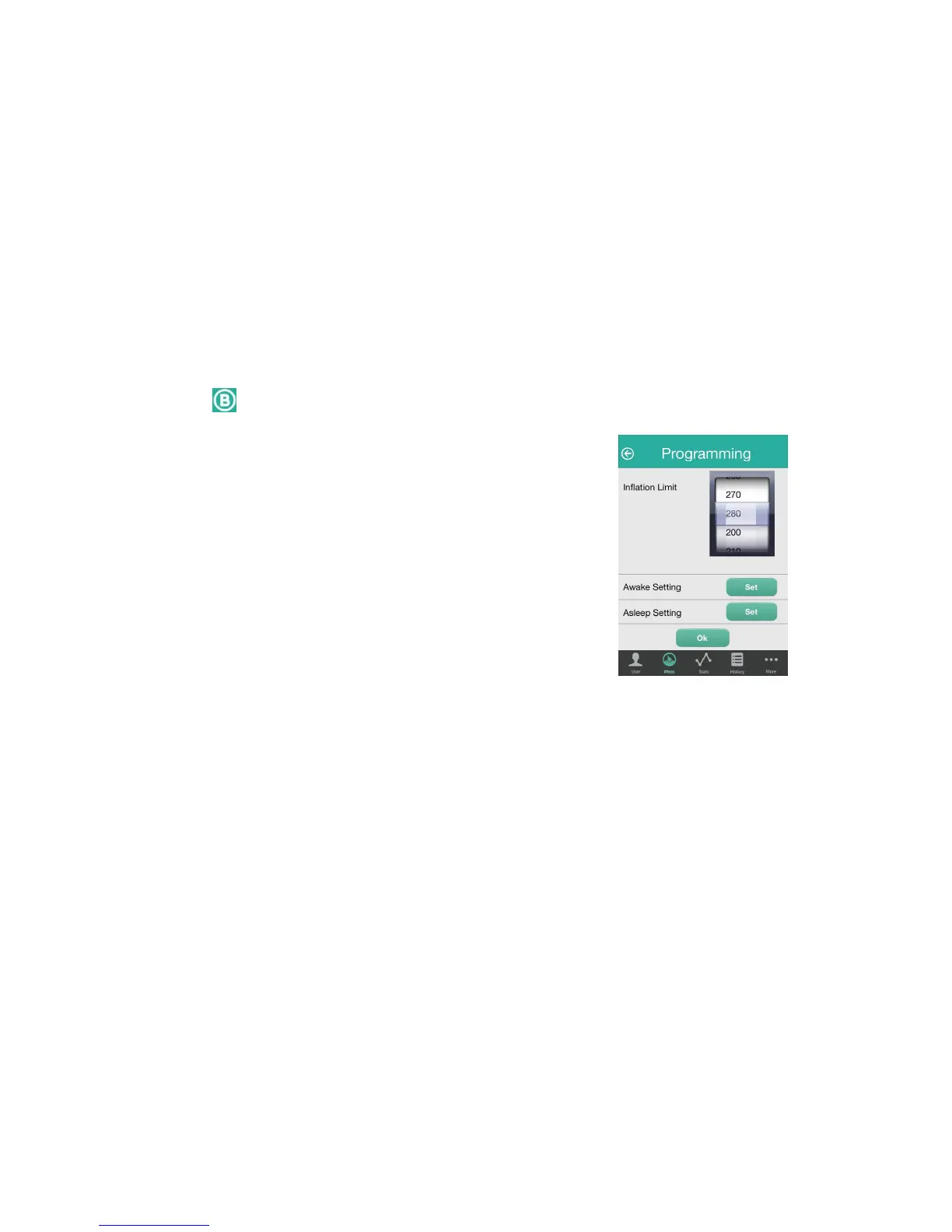
Click on top righ to enter programming interface (see Fig 5). User could set Daytime
/ nighttime measurement model, monitoring frequency, time
and maximum inflation pressure by sliding or clicking the
interface.
Parameter setting:
1. Daytime / nighttime continuous measurement interval: Define
start time, end time and measurement interval in daytime or
nighttime. The data will be stored automatically in term with the
defined time.
2. Measurement interval: measurement interval is the time of
two successive measurements. The options may be 15, 30, 45,
60, 90, and 120 (min).
3. Maximum inflation pressure: Maximum inflation pressure is the maximum one in a
measurement. Usually the range is set from 200mmHg to 280mmHg.Possible maximum
systolic pressure plus 40mmHg is recommended. The actual inflation pressure setting
should not reach up to the maximum pressure, which may cause user discomfort. You
can set the pressure with last measurement plus 40mmHg. The setting of Maximum
inflation pressure is for protecting few users who could not bear excessive cuff pressure.
4. Fill in or choose other options truthfully and click “Program” to upload these setting to
monitor. Screen will display “Successful programming” if the programming is
accomplished.
4.4.3 Start ambulatory blood pressure measurement
After successful software programming, click the button on monitor to start the first
measurement. The monitor will perform following measurements till to the end time
according to the setting. Data will be stored automatically and user could click “Statistic”
and “History” to review the history data and chart or send the information to medical staff
by E-mail for further analysis.
Fig 5



 To Next Page