EasyManua.ls Logo

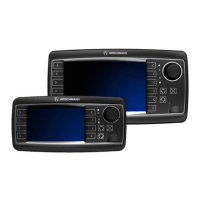
Hirschmann iVISOR mentor QVGA - User Manual

Hirschmann iVISOR mentor QVGA
50 pages
Print Icon
To Next Page IconTo Next Page
Loading...
© 2009 Hirschmann Automation and Control GmbH · Branch Office Ettlingen · eMail: info.ecs@hirschmann.de · www.hirschmann.com 1
24 183 19 1012e (Generic) / 2009-02-26 / Rev. 01 / rk.
iVISOR
mentor QVGA
User Manual
Edition 2/2009 Rev. A
The order code for this document is
24 183 19 1012e (Generic)
Contents
General Information
Important Notes /
Warnings
System Description
Configuration Setup
Information Menus
Commissioning /
Service / Maintenance
Troubleshooting
Appendix

Other manuals for Hirschmann iVISOR mentor QVGA

Questions and Answers

  • K
    Kim MillerSep 10, 2025
    What to do if Hirschmann iVISOR mentor QVGA boom is too low?
    • N
      Nicole BakerSep 10, 2025
      If the boom has gone past the maximum radius or fallen below the minimum angle specified in the respective load chart due to luffing down the boom too far, luff up the boom to a radius or angle specified in the load chart.
  • U
    ujuarezAug 22, 2025
    What to do if Hirschmann Touch Panel shows CRC sign error?
    • N
      nelsonmonicaAug 23, 2025
      If the Hirschmann Touch Panel shows that the CRC sign of the monitored write/read memory is wrong, the buffer battery is discharged (less than 2V at 1kOhm), or the central unit is defective, try restarting the LMI. If that doesn't work, replace the buffer battery on the central unit or replace the central unit.
  • A
    Anita WilliamsAug 25, 2025
    What to do if Hirschmann iVISOR mentor QVGA Touch Panel slewing angle sensor is defective?
    • H
      Heidi DicksonAug 25, 2025
      If the cable between the central unit and the slewing angle sensor is defective or loose, or there is water inside the plug of the angle sensor, check the cable and plugs, replacing them if necessary, and move to an allowed slew range. If the slewing angle potentiometer is defective, replace the slewing angle sensor. If an electronic component in the measuring channel is defective, replace the sensor unit.
  • K
    Kelly HammondAug 27, 2025
    What to do if Hirschmann iVISOR mentor QVGA Touch Panel system program doesn't match crane data file?
    • T
      Teresa HortonAug 27, 2025
      If the system program in the LMI does not match the programming in the crane data file, upload a valid system program file or a valid crane data file.
  • M
    Maureen JamesAug 28, 2025
    What to do if Hirschmann iVISOR mentor QVGA has no valid data in crane data file?
    • G
      gkimAug 28, 2025
      If there is no valid data in the crane data file or the Flash-EPROM is defective, upload a valid crane data file or replace the central unit.
  • C
    coreyhernandezAug 29, 2025
    What to do if Hirschmann Touch Panel has no valid data in load chart file?
    • E
      Erin StuartAug 29, 2025
      If there is no valid data in the load chart file or the Flash-EPROM is defective, upload a valid load chart file or replace the central unit.
  • E
    erikabullockSep 18, 2025
    What to do if Hirschmann Touch Panel jib is too low?
    • A
      Amy SanchezSep 18, 2025
      If the maximum radius as specified in the load chart is exceeded or the minimum angle is fallen below due to luffing down the luffing jib too far, luff the jib to a radius or angle specified in the load chart.
  • D
    David WhitakerSep 12, 2025
    What to do if Hirschmann Touch Panel write/read memory is defective?
    • J
      johnsoncynthiaSep 12, 2025
      If the write/read memory (RAM) or central unit is defective, replace the central unit.
  • T
    tamarahillSep 8, 2025
    What to do if Hirschmann iVISOR mentor QVGA Touch Panel boom is too high?
    • A
      Alexander HughesSep 8, 2025
      If the boom has fallen below the minimum radius or gone past the maximum angle specified in the respective load chart due to luffing up the boom too far, luff down the boom to a radius or angle specified in the load chart.
  • C
    Chad OrtegaSep 5, 2025
    What to do if Hirschmann iVISOR mentor QVGA Touch Panel system program doesn't match load chart file?
    • J
      Jacob GibbsSep 5, 2025
      If the system program in the LMI and the programming in the load chart file do not match, upload a valid system program file or a valid load chart file.

Summary

Important Notes

Configuration Setup

Interactive operation mode setup

Details the procedure for setting up the LMI system for crane configuration.

Radius monitoring

Details the function to monitor the minimum and/or maximum boom radius.

Tip height monitoring

Explains the function to monitor the maximum height of the boom tip.

Commissioning; Service; Maintenance

Checks before commissioning

Lists essential checks required before putting the LMI system into operation.

Troubleshooting

General information

Explains how malfunction messages with error codes are displayed on the system.

Error code list

Lists and explains various error codes, their causes, and elimination steps.

Hirschmann iVISOR mentor QVGA Specifications

General IconGeneral
Display Resolution320 x 240 pixels (QVGA)
Contrast Ratio300:1
Power Supply24 VDC
Housing MaterialPlastic
Display Size3.5 inches
Touch TechnologyResistive

Related product manuals