12
EN
MODE DEFAULT
SOURCE ARC
Volume 30
Surround ON
Dimmer MAX
Bass 0
Treble 0
EQ Music
Auto Wake OFF
Auto Standby ON
(Except the United States, Canada)
Notice ON
6. AUX/ OPTICAL/COAXIAL/
HDMI ARC Operation
1 Ensure that the unit is connected to the TV or
audio device.
2 Press the
button repeatedly on the unit
or on the remote control to select AUX,
OPTICAL, COAXIAL, HDMI ARC mode.
3 Operate your audio device directly for
playback features.
4 Press the VOL
+
/
-
button to adjust the
volume to your desired level.
Tip: The Soundbar may not be able to decode all
digital audio formats from the input source. In this
case, the Soundbar will mute. This is NOT a defect.
Ensure that the audio setting of the input source (e.g.
TV, game console, DVD player, etc.) is set to PCM or
Dolby Digital (Refer to the user manual of the input
source device for its audio setting details) with
HDMI ARC / OPTICAL/ COAXIAL input.
7. USB Operation
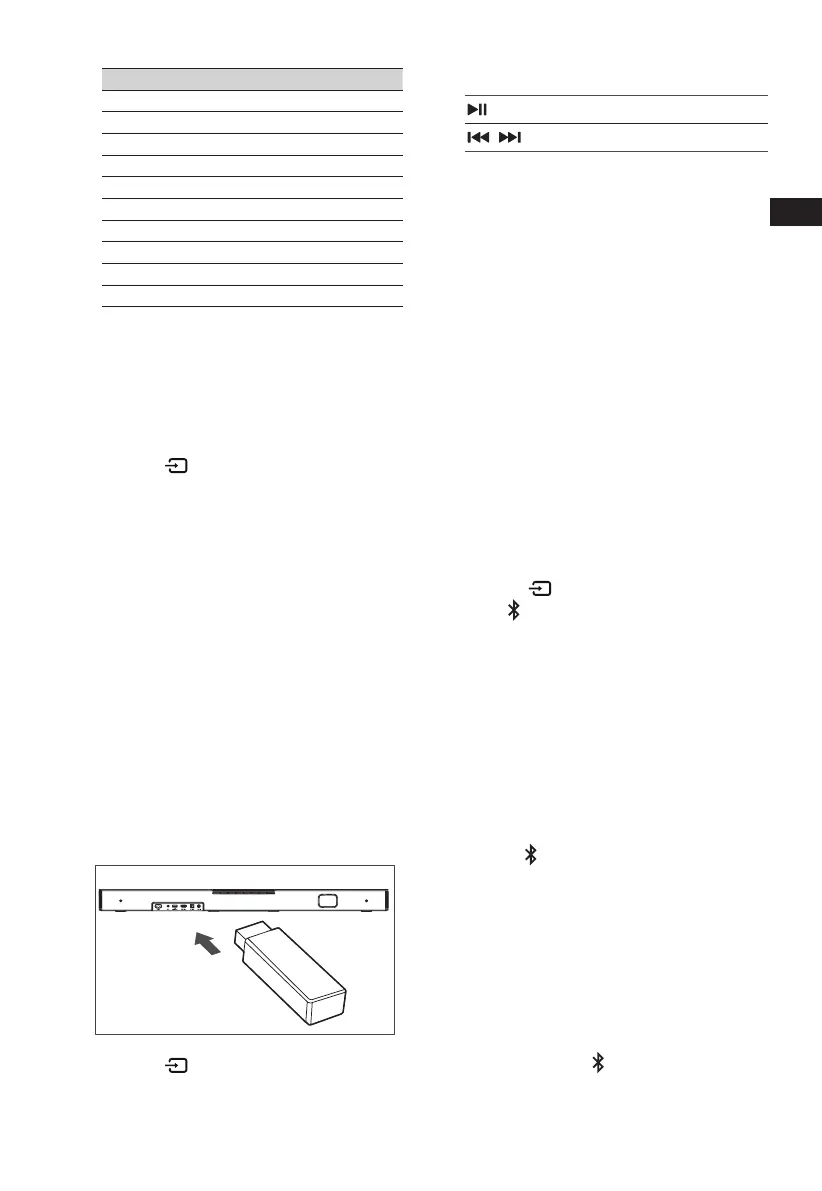
1 Insert the USB device.
USB
.KGJVNUTK
B
A
OPTICAL
COAXIAL
COAXIAL
2 Press the button repeatedly on the unit
or on the remote control to select USB mode.
3 During playback:
Start, pause or resume play
,
Skip to the previous or next track
Tips:
• The unit can support USB devices with up to
32 GB of memory.
• This unit can play WAV / WMA / MP3 / FLAC.
• This product may not be compatible with
certain types of USB storage devices.
• If you use a USB extension cable, USB hub,
or USB Multifunctional card reader, the USB
storage device may not be recognized.
• Do not remove the USB storage device while
reading les.
8. Bluetooth Operation
Through Bluetooth, connect the Soundbar with
your Bluetooth device (such as an iPad, iPhone,
iPod touch, Android phone, or laptop), and then
you can listen to the audio les stored on the
device through your Soundbar speakers.
First time pairing
1 Press the (SOURCE) button on the unit
or the
button on the remote control to
select Bluetooth mode. The Blue indicator
will ash slowly and the white running horse
lamp rolling.
2 Activate your Bluetooth device and select
the search mode.
3 Select “Hisense A620” in the pairing
list. After audio prompt, the system is
successfully connected and Blue indicator
will light up solidly.
• If you want to connect your soundbar
with another Bluetooth device, press and
hold the
button on the remote control
to disconnect the currently connected
Bluetooth device. Follow step 2-3 to pair
your Bluetooth device.
To disconnect the Bluetooth function,
you can :
- Switch to another function on the unit.
- Disable the function from your Bluetooth
device.
- Press and hold the
button, the Bluetooth
device will be disconnected from the
soundbar.



 To Next Page