Live 1 - Live 2 240 V
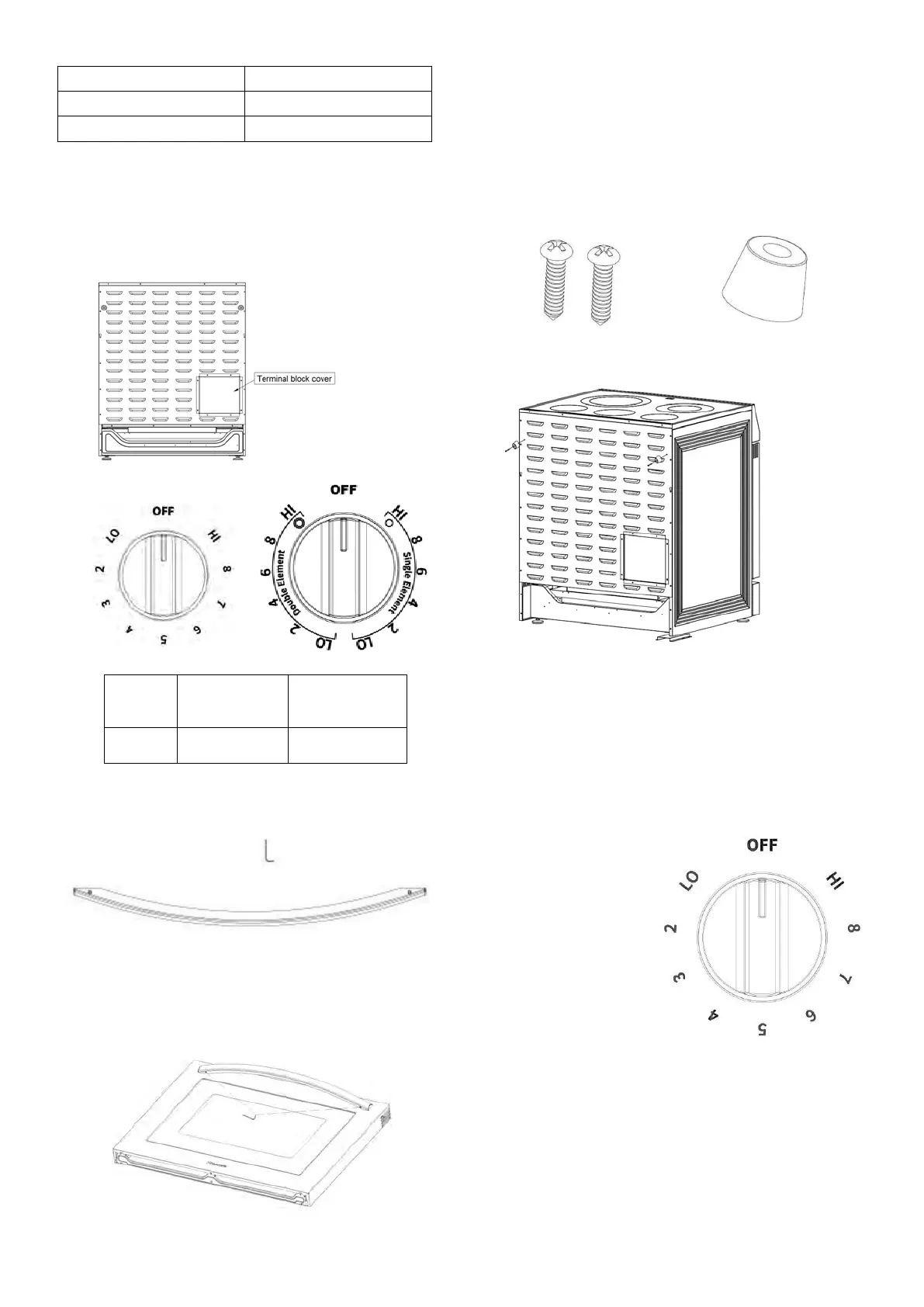
STEP 4. REPLACING THE TERMINAL BLOCK COVER
Replace the terminal block cover on the range back and
tighten the screw.
(4) Install oven Knobs
A. Check the knobs
B. See the sheet for the number of each knobs
(5) Install oven handle
A. Check your Installation Kits for Door Handles
1 * Installation Wrench, 1*Handle
B. Lay the door handle against to the oven door and fit
it on the connection part, and use the wrench to get
the door handle holder tight
C.
3.Check if the oven door handle is level and stable.
(6)
Install rubber pad on back pane
l
To Prevent the range from being placed too close to the
wall, there are 2 plastic pads offered with the user's
manual, please find the accessories and follow the
below steps:
A. Check the installation kit packed with manual.
2* screws
2* rubber pad
B. Install the 2 rubber pads as showed above.
7. SURFACE UNITS
(1) How to Set
Push the knob in and turn in either direction to the
setting you want. A surface ON indicator light will glow
when any surface unit is on
For glass cook top surfaces:
A HOT COOKTOP indicator
light will:
come on when the
unit is hot to the
touch.
stay on even after the
unit is turned off.
stay on until the unit is
cooled to approximately 150°F.
At both OFF and HI the control clicks into position. You
may hear slight clicking sounds during cooking,indicating
the control is maintaining your desired setting. Be sure
you turn the control knob to OFF when you finish
cooking.


 To Next Page