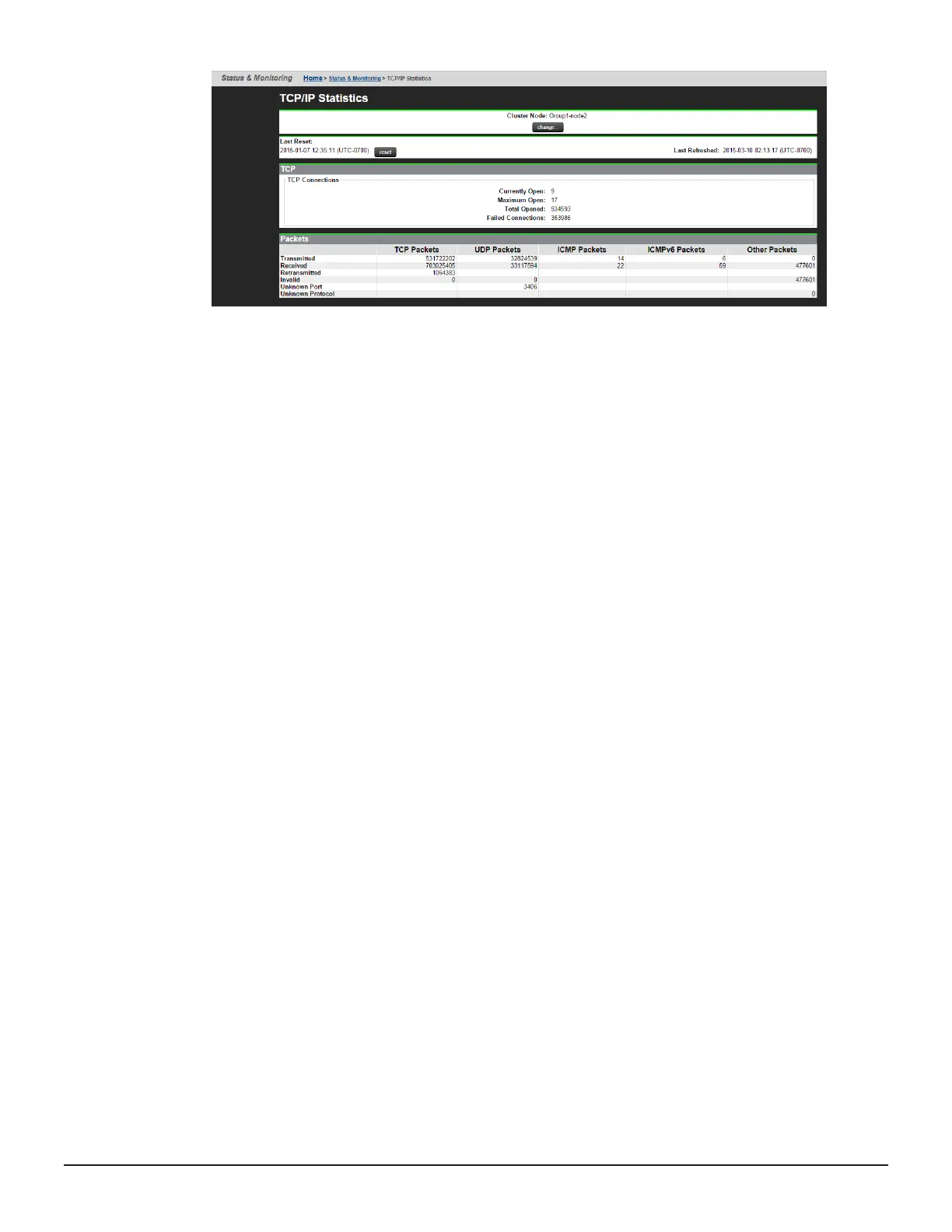
There are two additional TCP/IP statistics pages:
• TCP/IP Statistics (per port) - Aggregation ports - this page contains
network information on a per aggregation basis, for example, ag1, ag2...
• TCP/IP Statistics (per port) - Physical ports - this page contains
network information on a per ph
ysical port basis, for example, tg1, tg2...
Navigate to the Network Configuration -> TCP/IP Statistics (per port)
page in order to view the Aggregation ports page. On this page, there is a
link to the TCP/IP statistics (per port) - Physical ports page.
Additional commands
The HNAS server also provides the following CLI commands which display
information on the current network health status:
• agg - this command lists any existing aggregations
• ethernetstats - this command displays statistics for each Ethernet
interface
• tcpstats - this command displays statistics for TCP protocol packets
• udpstats - this command displays statistics for UDP protocol packets
• ip-stats-other - this command displays statistics for all other IP protocol
packets
• icmpstats - this command displays statistics for ICMP protocol packets
• icmpv6stats - this command displays statistics for ICMP v6 protocol
packets
• arp - this command displays the IP to MAC address mappings
• ndp-dump - this command displays the IPv6 to MAC address mappings and
also displays any on-link prefixes and discovered routers
76 Troubleshooting
Hitachi NAS Platform Network Administration Guide





 To Next Page