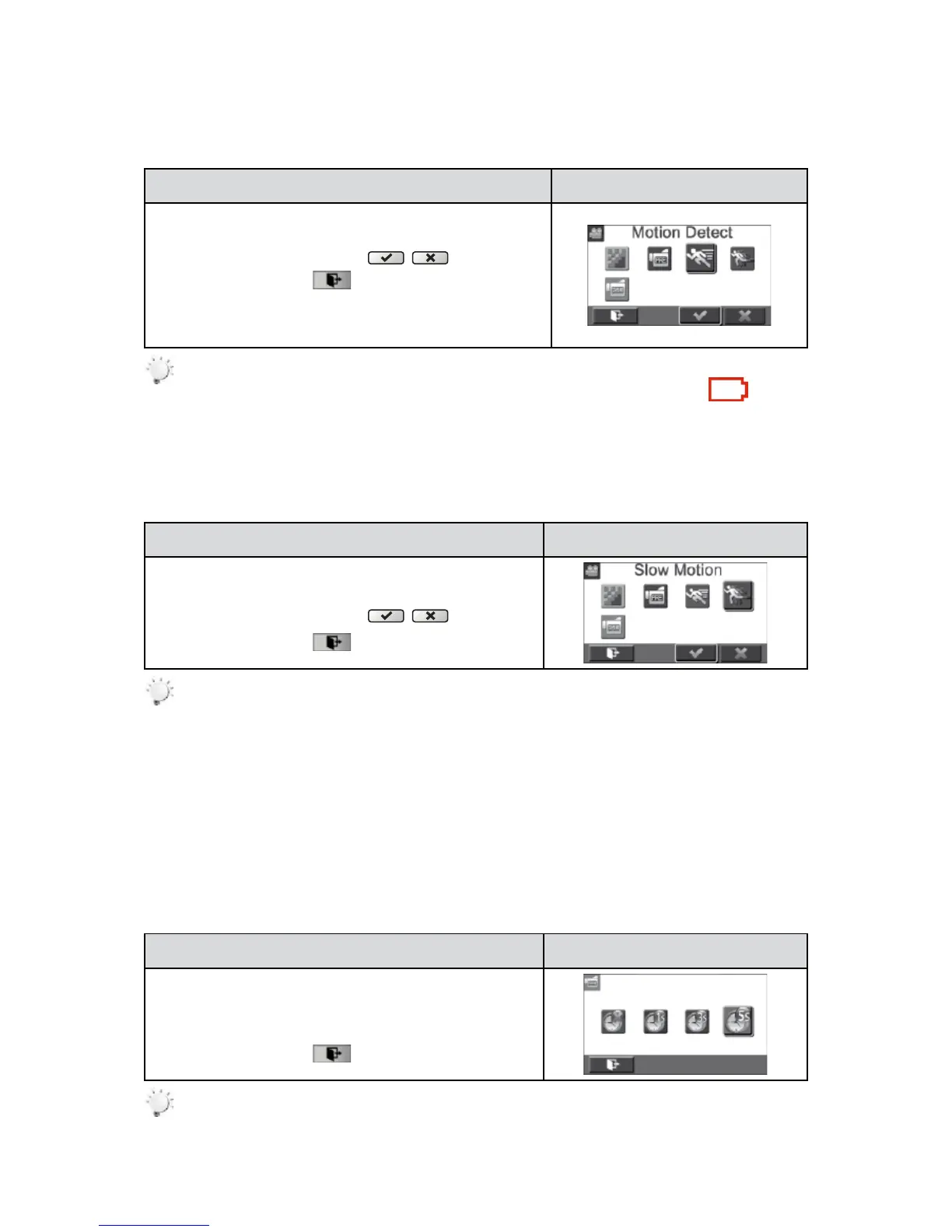
Motion Detection
Record videos automatically when the camera detects a movement.
Operation Display Screen
In the Video menu, touch the [Motion Detect] icon on the 1.
screen.
Touch to select [On] or [Off] 2. (
).
Touch the Exit icon 3. (
) to exit.
Camera will start to record video automatically if it detects 4.
a movement. Stop recording if it does not detect a
movement.
Note
The motion detection function will be disabled when the battery power is empty ( ).
Slow Motion
Record videos with slow motion effect. When the video is played, the playback time will be longer than
the actual recording time.
Operation Display Screen
In the Video menu, touch the [Slow Motion] icon on the 1.
screen.
Touch to select [On] or [Off] 2. (
).
Touch the Exit icon 3. (
) to exit.
Note
Pause function can not be used when Slow Motion function is activated.•
Time Lapse
Recordstillimagesatspecicintervalsyoucansetandplaythemasonevideole.
Off:• Disable Time Lapse.
• 1 Second.: Record one frame per second.
•3 Seconds: Record one frame every 3 seconds.
•5 Seconds: Record one frame every 5 seconds.
Operation Display Screen
In the Video menu, touch the [Time Lapse] icon on the 1.
screen.
Touch to select the desired option.2.
Touch the Exit icon 3. (
) to exit.
Note
Pause function can not be used when Time Lapse function is activated.•





 To Next Page