Photo Playback
Operation Display Screen
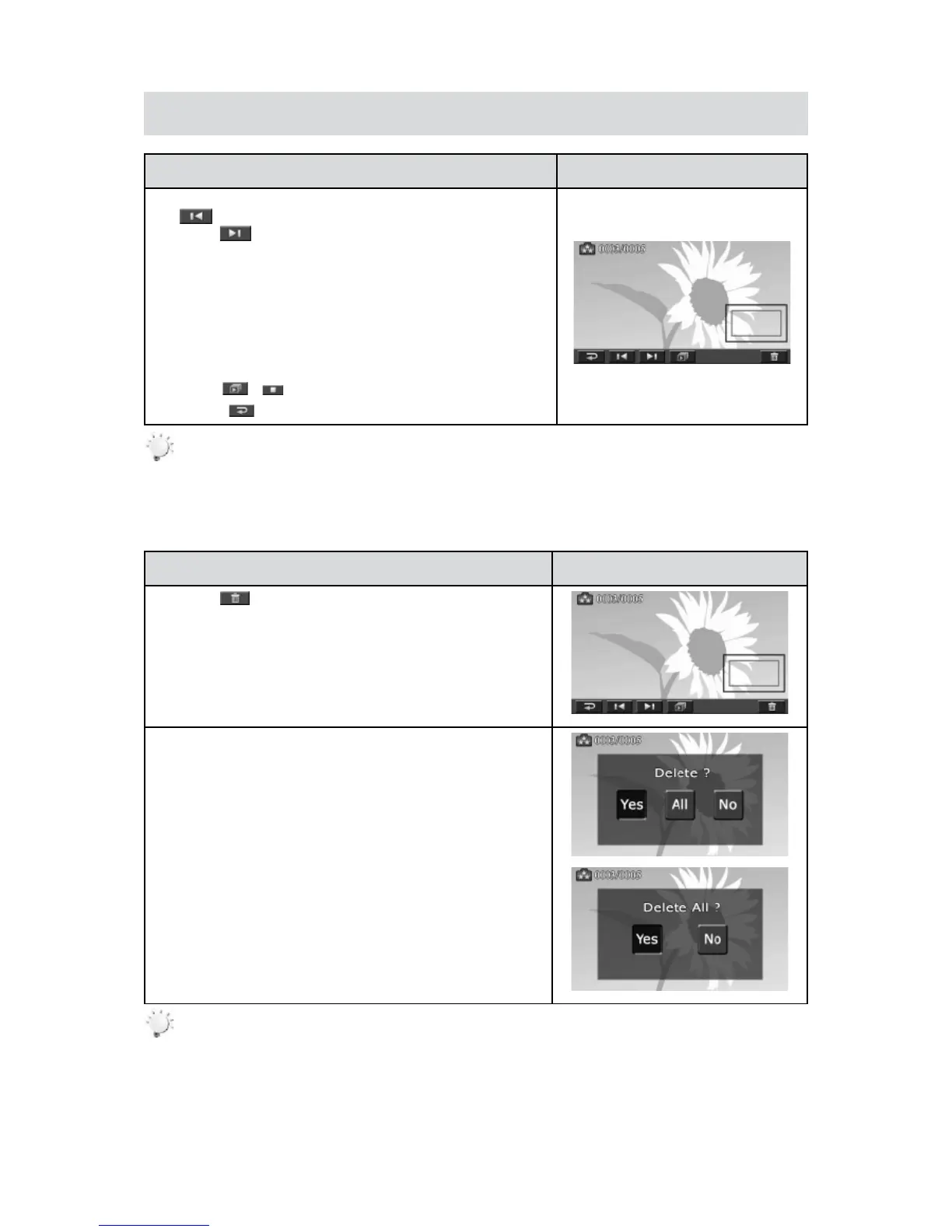
In the Photo Playback mode,1. sweep to the right or touch
to go to the previous photo; sweep to the left or
touch to go to the next photo.
While the photo is selected, press [Tele Button] to magnify. 2.
(ThemagnicationIndicatorappearsonthescreen)
Tonavigatethemagniedphoto,pressonthescreenand3.
move as well. (The inner Magnication Indicator turns
red)
Press[WideButton]tozoomoutorexitthemagnication4.
mode.
Touch 5.
/ to start or to stop the slide show.
Touch (6.
) to exit.
Note
When the LCD is idle for a few seconds, the playback function icons will disappear •
automatically.
Delete Photo
Operation Display Screen
Touch1.
to go to the Delete option screen.
Touch [Yes] to delete the current photo or [No] to cancel 2.
the operation and to exit; touch [All (Delete All)] to delete
all photos.
Beforeallphotosaredeleted,aconrmationscreenwill3.
appear; touch [Yes] to execute the operation and [No] to
cancel the operation.
Note
If a memory card has been inserted, you can only delete those photos stored on the card. •
Photos on a written-protected memory card cannot be deleted.•







 To Next Page