Section 8
Uploading Files to Internet
The built-in Internet Direct applicationoffersyouaneasywaytouploadyourlestoInternetinstantly.
It helps you share them with your family and friends on the web site.
To upload les to Internet:
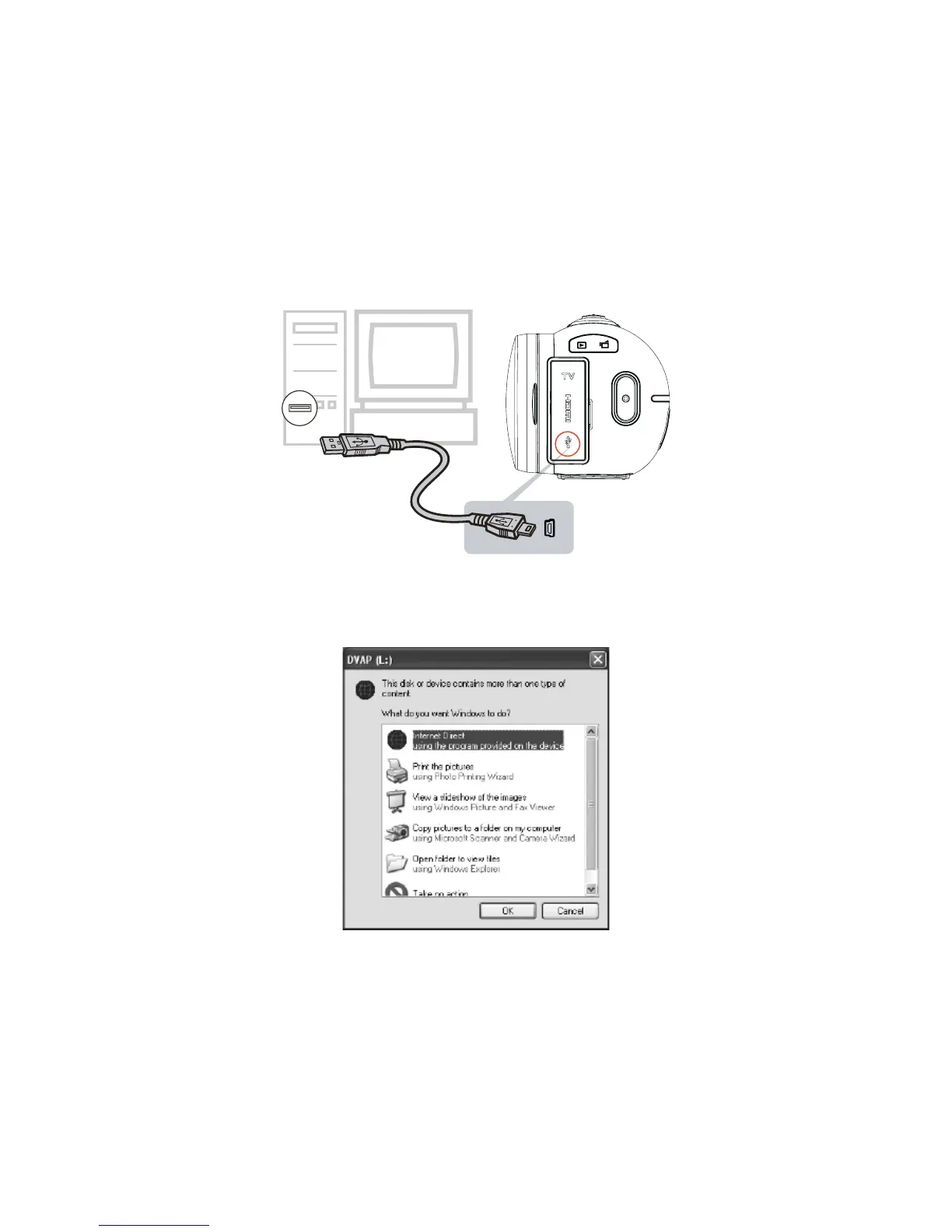
Connect the camera to your computer by using the supplied USB cable.1.
After making a USB connection, the AutoPlay window will appear. (It may be different based on OS 2.
recognition. If the AutoPlay window does not appear. Please click [My Computer]-->[DVAP]-->[DVAP.
exe] to execute the application.)
(In Windows XP)













 To Next Page