6.4 Service engineers mode(Function only for Service engineers)
Service engineer mode is installed in FL solutions 2.1 for F-7100. Because this mode is function only for
service engineers, and not being opened to customers, care should be taken when handling it.
The following functions on service engineer mode are available.
1) EX Auto WL Calibration
2) EM Auto WL Calibration
3) Setup Gate Delay Time
The above-mentioned functions can be informed from pull-down menu of Utility Menu. And be sure to
use service engineer mode according to the procedure described in 6.4.1.
6.4.1 Method of setting Service engineer mode
According to the following procedures to use service engineer mode.
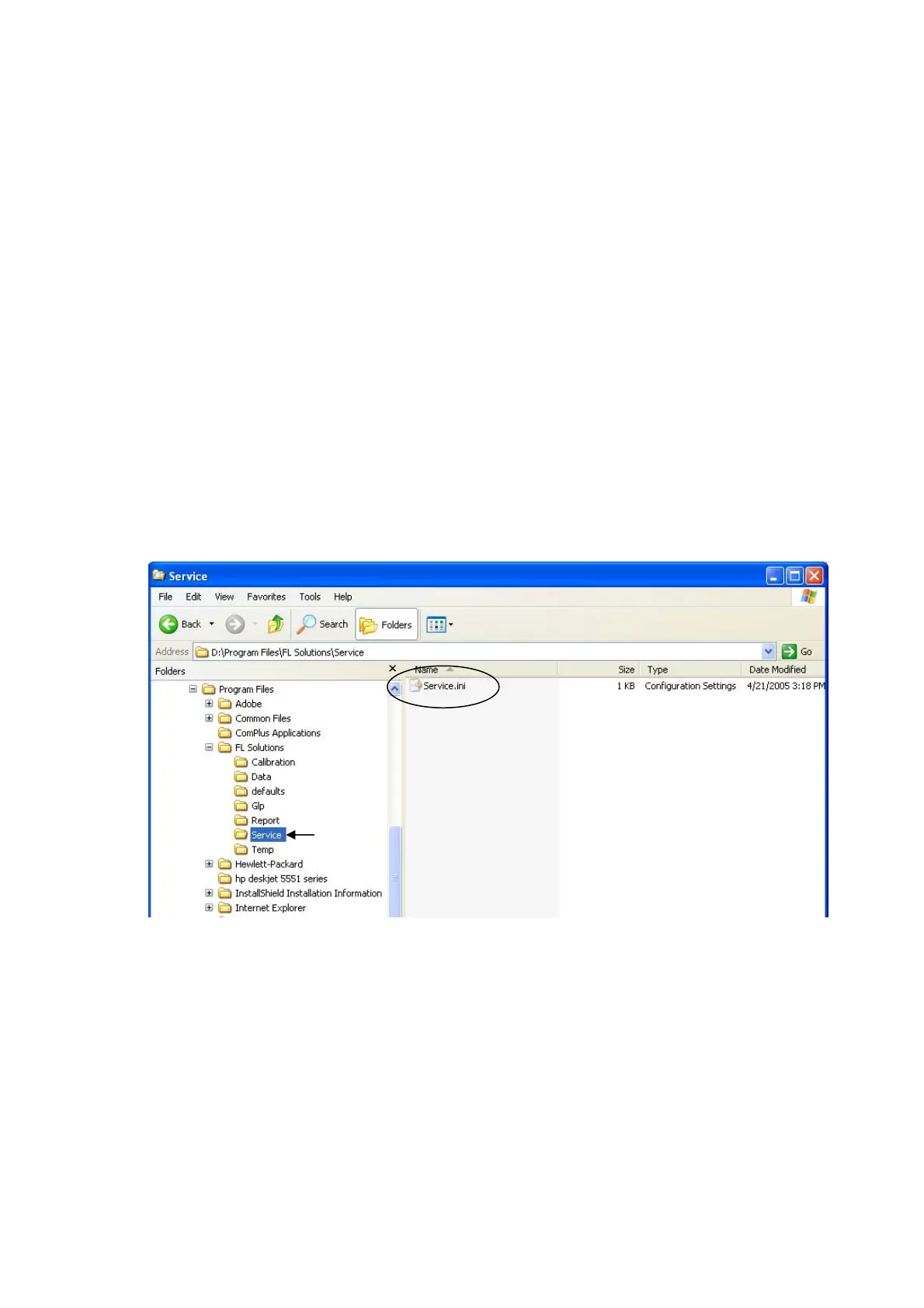
The Service.ini file is saved into the service folder in the FL Solutions folder.
〈 Install Procedure〉
(1) The Service.ini file in the folder of FL Solutions is copied into the service folder with Explorer Program
etc. (Please do not move so as not to delete it by mistake.)
Fig .6-20
6-21


 To Next Page