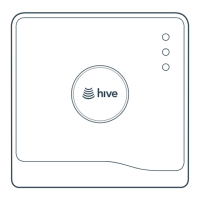
Hive Thermostat Mini Installation Guide
14
Light Colour Pattern Meaning Notes
Status AMBER Flashing Installation. The Receiver is
trying to connect to other
Hive devices.
The Receiver will search for
devices for 40 minutes at
a time.
Status WHITE Flashing The Receiver is in stand-
alone mode and is actively
seeking to connect to a Hive
thermostat.
The Receiver will search for a
thermostat for 40 minutes. If no
thermostat is found within this
time it will stop searching and
the status light will turn solid
WHITE.
Status AMBER
or
WHITE
Solid Installation. The Receiver
has paused its search for
other devices.
The Receiver will search for a
thermostat for 40 minutes. If no
thermostat is found within this
time it will stop searching and
the status light will turn solid
WHITE.
Status RED Solid Error. The Receiver has lost
its wireless connection to
the thermostat.
Whilst in this state heating and
hot water will default to o.
They can be switched on
manually by pressing the
‘heating’ and ‘hot water’
buttons on the Receiver (hot
water only available on dual
channel Receivers). For help
call Hive Technical Support.
Status RED Single
Flashing
The Hive Receiver has been
set to OpenTherm mode, but
no OpenTherm data is being
returned from the boiler.
Ensure the boiler is powered up.
If it is, please verify the
Receiver’s wiring is correct
using the diagram above.
However, if the boiler doesn’t
support OpenTherm, revert the
switch inside the Receiver to
Relay mode [2] and check
wiring.
Status BLUE Flashing If the OTR1 ashes blue after
being reset from ‘stand-
alone’ mode, reset it again
until it ashes amber.
Blue ashing is an unsupported
feature. Ensure the Hub is not in
pairing mode (ashing amber) if
the OTR1 is ashing blue.
Status BLUE Solid If the OTR1 turns solid blue,
please contact support for
assistance.
Solid Blue is an unsupported
feature. If the OTR1 turns solid
blue, please contact support for
assistance.



 To Next Page
 Loading...