Hive Thermostat Mini Installation Guide
5
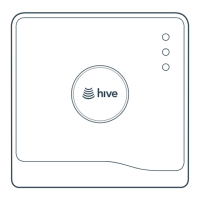
After the Firmware has downloaded, the light sequence should change from solid GREEN to ashing
AMBER. This means that the Hub is ready to pair with the thermostat and other Hive devices.
If no lights are displayed immediately after the Hub has been turned on, check all cables are
connected and the power socket works. If the problem still persists, contact Hive Technical Support.
1d
Hub lights and what they mean
Colour Pattern What does this mean? Notes
GREEN Flashing Installation and start-up.
The Hub is attempting
to connect to the Hive
servers and update itself.
Do not disconnect the Hub.
If ashing continues after 15 minutes,
contact Hive Technical Support to
conrm that it has connected.
AMBER Flashing Installation. The Hub
is actively seeking to
connect to the Receiver
and thermostat.
The Hub will search for devices for
2 hours at a time. It will then pause,
and show solid AMBER.
AMBER Solid Installation. The Hub
has paused its search
for other devices.
To restart the search, simply turn the
Hub o then on. The AMBER ashing
light should then return.
GREEN Solid Normal operation.
The Hub is connected.
This happens once the Hub, Receiver
and thermostat are all installed and
synchronised.
RED Solid or
Flashing
Error. The Hub has
failed to connect to
the Hive servers.
Check that the Hub is plugged in and
that the broadband is working. If the
problem persists, call Technical
Support.
GREEN
AND RED
Alternating Error. The Hub has an
internet connection but is
not able to connect to the
Hive platform.
This is most likely because there is
parent control or a security layer on
the local internet connection. Ask the
customer to change the router’s
settings. If the problem persists,
call Technical Support.
BLUE
[Nano3
Hub only]
Flashing Installation. The Hub is
actively seeking to connect
to a phone’s Bluetooth
®
connection.
This method of connection is for the
customer’s app only. Do not connect
the Hub via Wi-Fi
®
.
BLUE
[Nano3
Hub only]
Solid Installation. The Hub is
connected to the customer’s
handset via Bluetooth.
This method of connection is for the
customer’s app only. Do not connect
the Hub via Wi-Fi
®
.



 To Next Page
 Loading...