Hive Thermostat Mini Installation Guide
17
5b
Wall mounting the thermostat
Remove the backplate of the thermostat by pressing the lever at the bottom and pulling away from
the front of the device.
Once you’ve found a suitable location, x the backplate to the wall using the appropriate xings. The
backplate is designed for 3.5mm/size 6 or size 8 screws. Be careful to avoid any cables and pipes that
may be buried in the wall.
Note: The backplate is designed to mount directly onto a single gang back box, if available.
5c
Pairing with the Hub and Receiver (single zone)
After restoring power to the central heating system, the status light on the Receiver should begin to
ash AMBER as it looks for a thermostat.
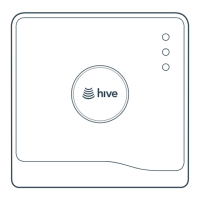
Before inserting the batteries into the thermostat, check that the light on the Hub is also ashing
AMBER indicating it is in pairing mode. If it is displaying a dierent state, you can hold the button on
the back of the Hub for 1 second to put it into pairing mode.
Once both the Hub and Receiver are both in pairing mode, follow the steps below.



 To Next Page
 Loading...