Hive Thermostat Mini Installation Guide
20
6
Hand over to the customer
Now that you have completed the installation, instruct the customer to download the Hive app so
they can link the Hub and devices to their Hive account.
The steps they will need to complete are:
1
Download the Hive app.
2
Log in using the email address and password they registered with.
OR if they don’t already have a Hive account, they can tap ‘Create Account’ on the app login screen or
create one at hivehome.com/register. Once they’ve created their account then they will need to log in.
3
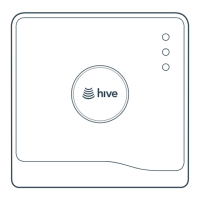
Select ‘Hub’ then enter the Hub ID when prompted. This is the ABC123 formatted number on the
underside of the Hub.
4
Once the Hub ID has been entered, set-up is complete, and they will land on the Hive dashboard.
© 2025 Centrica Hive Limited (trading as Hive).
Registered in England (No. 5782908) SL4 5GD, UK.
Bord Gáis Energy. Registered in Ireland (No. 463078)
D02 HH27, Ireland. All rights, reserved. IG70003650517V1
Can we help?
You can view our handy how-to-use videos along with hints
andtips athivehome.com/support
If for any reason you need to return your Hive Hub, simply return your box and its contents
tothe retailer. Any return is subject to the retailer’s refund policy so please don’t forget to
check the retailer’s refund policy too.
Need help?
If you’re a qualified professional installing Hive Active Heating
and need any help during the installation process, just visit our
technical support page at hivehome.com/installation
If you need further help, you can contact our support team at hivehome.com/contact-us



 To Previous Page
 Loading...