Hive Thermostat Mini Installation Guide
Please remember that for your own safety Hive Active Heating should always be
installed by a qualied professional.
Here’s what you’ll need to install
Hive Active Heating
• A working gas central heating system
• An existing broadband connection with a spare Ethernet port
Installation order
To install this Hive thermostat, you need to complete 6 steps. For the quickest set-up,
install them in this order:
1
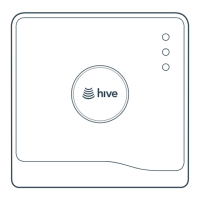
Connect the Hub
1a. Connecting the Hub page 3
1b. If the customer already has a Hub page 4
1c. Where to locate the Hub in the home page 4
1d. Hub lights and what they mean page 5
2
Mount the Receiver page 6
3
Wire the Receiver
Classic Systems
3a. Single channel standard relay wiring page 9
3b. OpenTherm wiring page 9
3c. Dual channel wiring (S and Y plan systems) page 10
Other Systems
3d. Multizone systems page 11
3e. Gravity-fed and pumped systems page 11
3f. Stand-alone installations (without Hub) page 12
3g. Receiver lights and what they mean page 13
4
Test the Boiler page 15
5
Set up the Thermostat
5a. Selecting a location for the thermostat page 16
5b. Wall mounting the thermostat page 17
5c. Pairing with the Hub and Receiver (single zone) page 17
5d. Pairing with the Hub and Receiver (multizone) page 19
5e. Final steps page 19
6
Hand Over to Customer page 20



 To Next Page