Hive Thermostat Mini Installation Guide
19
5d
Pairing with the Hub and Receiver (multizone):
If you haven’t done so already, install all additional Receivers and power them up. Their status
lights should be double ashing AMBER.
It is important for each heating zone to pair with the Hub one zone at a time. Do this by following
the steps below:
1
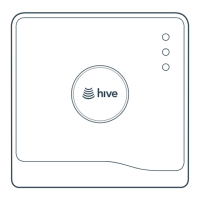
Press the button at the rear of the Hub for 1 second and release it. The light should start to
ash AMBER.
2
Now add the batteries to one new thermostat.
3
Wait until the thermostat display stops showing ‘Search’. Now check that the status light on one
of the Receivers that was previously ashing AMBER has turned solid GREEN.
4
If there are still more zones to install, repeat steps 23.
5
When all zones have been added, press the button on the rear of the Hub to exit from pairing
mode. The light will stop ashing.
5e
Final steps
Installation is almost complete. All that’s left to do is:
1
Hook the thermostat onto the backplate and click it in place.
2
Remove the screen protector from the front of the thermostat.
3
Conrm the system is properly congured by checking:
a. The thermostat is displaying room temperature
b. The Receiver’s status light is solid GREEN or solid BLUE if it’s a dual channel system and set to
gravity fed mode. If it’s a single channel OTR1 and its solid blue, please contact Hive support.
c. The Hub has solid GREEN lights.
If the system is not properly congured, it will not be possible to control your thermostat remotely.



 To Next Page
 Loading...