04
05 Mounting and Balancing
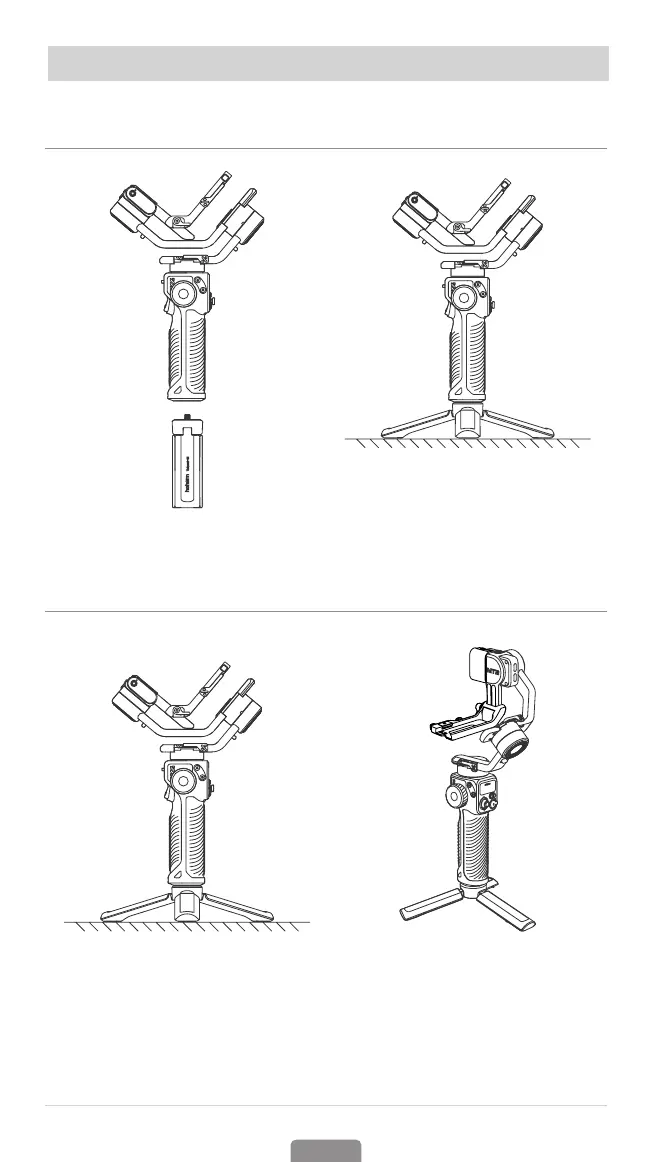
Attaching the Tripod
Attach the tripod to the bottom of
the iSteady MT2 handle.
Unfold the tripod and place the
iSteady MT2 on a at surface.
Mounting A Camera
1.Unfold iSteady MT2
① Unfolded status for storage
Before mounting a camera, please
toggle the roll, tilt, and pan motor
lock switch to unlock the three axes.
② Folded status for installation
Expand the gimbal as shown in
Image ② and lock the three axes for
camera installation.



 To Next Page