13
06 How to Use the Gimbal
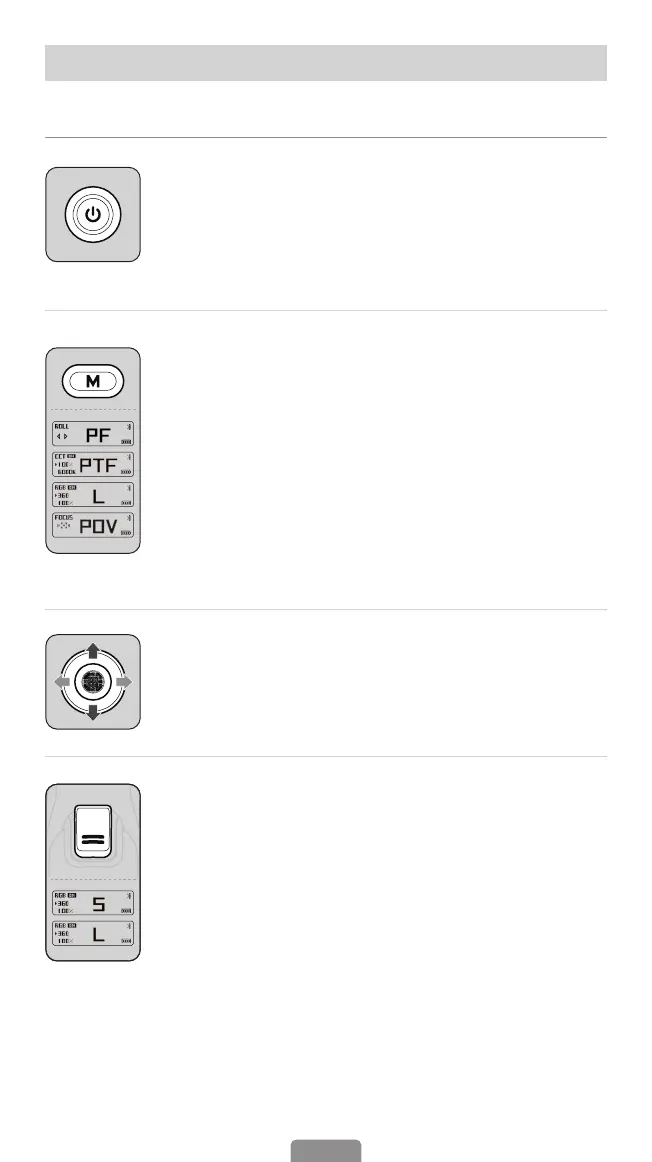
Power Button
Press and hold for 3 seconds: Power on/o
*When Powered On
Press twice: Enter the standby mode
Press once: Wake up the gimbal
M(Mode) Button
Press once: Switch between gimbal modes (PF-PTF-L-POV)
Press three times: "ICP" Inception mode/360° innite spin shot
(Press M button once or press trigger twice to recenter the gimbal.)
Press ve times: Auto calibration
Press seven times: Enter remote control pairing
(*The remote control is available as an optional accessory.)
Press nine times: Clear the paired remote control
Long press: Enters submenu on the OLED display, press button A/
B to switch submenu, push the joystick and single press M button
to set motor torque, ne tune motor angle, and pair with GoPro
camera.
Joystick
Push up & down: Tilt rotation control
Push left & right: Pan rotation control
Trigger
Press on: Sport mode "S"
Press twice: Recenter the gimbal
Press three times: Reverse 180° panning rotation
Double tap and then hold the last tap: All Lock
(Release it to switch back to the previous mode)
On-board Features



 To Next Page